

In this article
You are three miles offshore or deep in a canyon’s “green tunnel,” and the water reads differently than your memory promised. The wind has shifted, the current is ripping against the tide, and the structure you thought was here is gone. In this moment, your smartphone ceases to be a device for scrolling social media; it must transform into a precision instrument of survival and strategy.
The modern angler does not simply download a game; they architect a digital fishing tech stack—a layered suite of interoperable digital scouting tools that replicates, and often surpasses, thousands of dollars in marine electronics.
This guide moves beyond generic recommendations for the best fishing apps. We will construct a functional toolkit divided into four layers: Foundation (Mapping), Intelligence (Prediction), Archive (Logging), and Readiness (Hardware). This is how you use silicon to outsmart scales and build the ultimate digital tackle box.
How do I visualize the underwater world using mobile cartography?
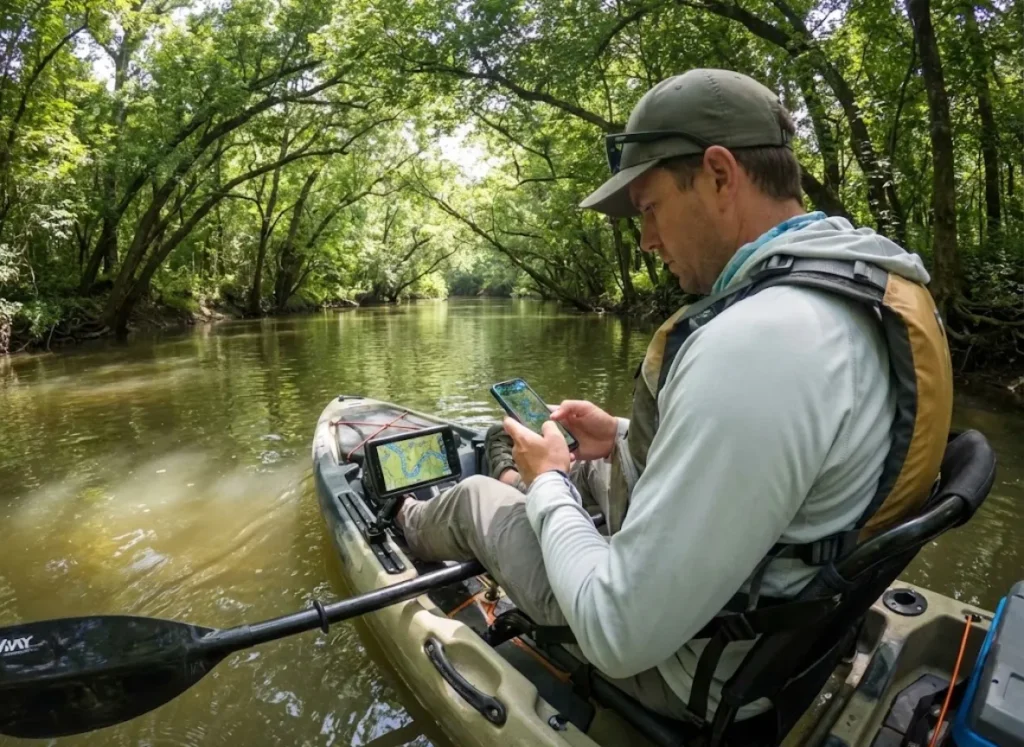
This section establishes the “Foundation Layer” of the stack. Before we worry about where the fish are going, we must understand where they live. This requires accurate depth contours, marine navigation, and understanding legal land access.
Is Navionics still the industry standard for bathymetry and structure?
Yes, Navionics (a Garmin brand) remains the ubiquitous choice for serious anglers, primarily due to its “SonarChart” layer. This feature aggregates official nautical charts with millions of private sonar logs.
The primary utility here is the 1-foot (0.5 meter) HD contours detail. This density allows fishermen to visualize “breaklines”—rapid depth changes where predators ambush prey—with a clarity that standard navigation apps lack. However, users must understand the “rental” model involved here.
Unlike buying a physical chart card for your fish finder, stopping the subscription cost (around ~$49.99/year) revokes access to advanced features like relief shading and chart updates. You are paying for a service, not a product. For the boat owner using Garmin Active Captain, advanced features like “Plotter Sync” justify the cost. This wirelessly transfers routes and waypoints from the mobile app to compatible fishing electronics on the boat.
The critical friction point is offline storage management. Downloading high-res bathymetry layers can consume gigabytes (e.g., 2-5GB for a region). You must perform strategic “tile management” before leaving Wi-Fi.
Fishing App Comparison 2025
Analysis of Cost, Performance Scores (WRS), and Visual Quality (VS)
WRS Score: 9/10
Excellent weighted rating score indicating high reliability.
Visual Score: 8/10
High quality visuals and map rendering.
Key Differentiator
Unmatched 1ft bathymetry & Plotter Sync. The industry standard.
WRS Score: 9/10
Top-tier rating for reliability and data accuracy.
Visual Score: 7/10
Good visual representation of streams and land.
Key Differentiator
Public/Private land overlay & stream classification. Essential for wading.
WRS Score: 7/10
Solid performance and features for logging.
Visual Score: 9/10
Excellent interface and visual data presentation.
Key Differentiator
GPX Export & Private Waypoints. Best utility for data owners.
WRS Score: 4/10
Lower weighted rating due to niche utility.
Visual Score: 6/10
Moderate visual quality, functional but not stunning.
Key Differentiator
Water Clarity & Inflows. High value for pros, low value if cloudy.
WRS Score: 10/10
Perfect score. An essential utility for every angler.
Visual Score: 10/10
Outstanding clarity and presentation of information.
Key Differentiator
Offline regulations database. Essential for compliance.
WRS Score: 5/10
Average rating for fishing-specific utility.
Visual Score: 8/10
High quality visuals, especially for weather patterns.
Key Differentiator
Aviation charts & Hi-Def Radar. Excellent visual data.
WRS Score: 6/10
Moderate rating; powerful but mixed utility reviews.
Visual Score: 5/10
Average visual score compared to competitors.
Key Differentiator
Massive community database, but high cost & privacy concerns.
Much of this base layer relies on NOAA hydrographic surveys, which apps like Navionics ingest and refine. To get the most out of this data, you must master the skill of decoding bathymetric maps to identify the subtle humps and ditches that hold fish.
Pro-Tip: Turn on “Community Edits” in Navionics to see user-submitted hazards, but verify them with your eyes. A “rock” marked by a user might be a floating log that has long since drifted away.
What is the best app for river and stream access?
TroutRoutes addresses the specific needs of the moving water angler by mapping over 50,000 streams across the US. It uses a proprietary classification system, solving the problem of legal access in areas with poor signal.
Its most vital “Tech Stack” feature is the cadastral data overlay. This clearly delineates public lands, easements, and bridge access points to prevent trespassing. The app solves the “Green Tunnel” problem—deep river valleys with zero cell signal—by allowing robust offline navigation via downloadable maps that maintain interactivity.
Unlike generic maps, TroutRoutes filters the “noise” of barren creeks. This allows fly fishing enthusiasts and freshwater anglers to focus effort on productive water based on state DNR classifications. It also integrates river stations providing real-time stream gauge data from the USGS.
This integration helps wading anglers assess safety and water turbidity before driving to the river. While apps like RiverFlows, RiverApp, or RiverCast provide raw numbers, TroutRoutes visualizes them. For the “Wilderness Explorer” persona, the cost is justified by the legal shield of accurate property lines. Once you have identified a viable stretch of water, apply a Field Guide to Reading a River to interpret the seams and sea currents you see on the screen.
Can an app actually predict when fish will bite?
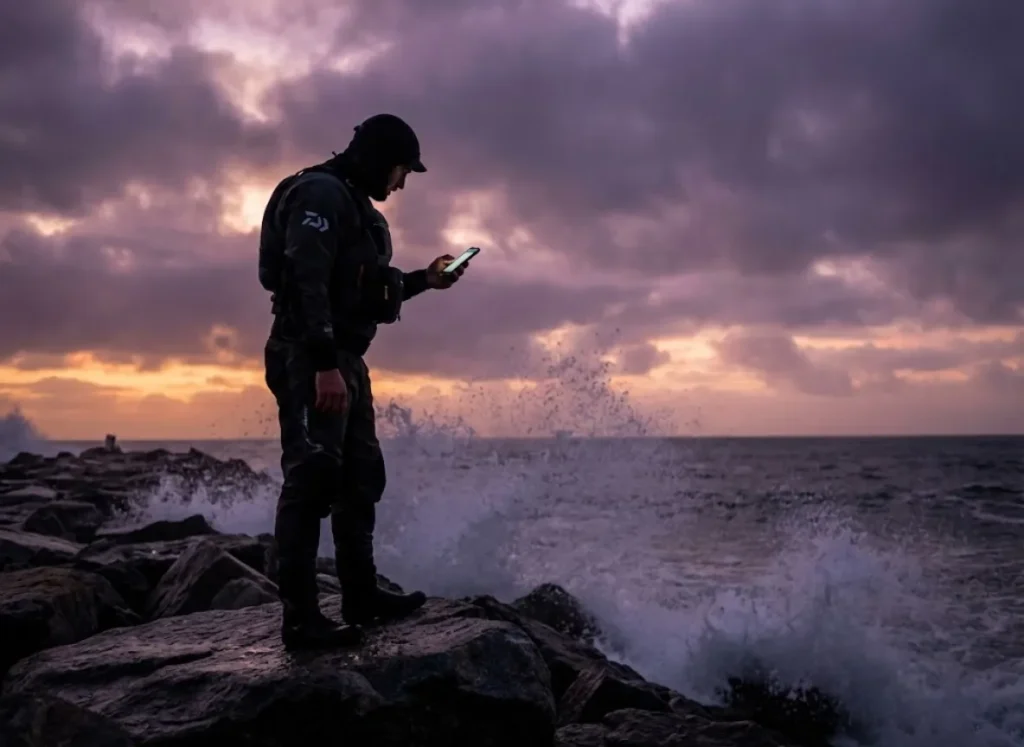
This section analyzes the “Intelligence Layer,” evaluating tools that track environmental variables (FishWeather, Tides, Water Clarity) to forecast fish behavior prediction.
How does “Deep Dive” leverage satellite data for pattern recognition?
Deep Dive represents the “High Tech” spectrum, utilizing 3D satellite imagery to generate “Water Clarity Maps” (Clear, Stained, Muddy). This allows the angler to gauge conditions without physically scouting the lake.
It tracks inflow and discharge rates by syncing with gauges. This helps anglers identify where fresh water—and the baitfish it attracts—is entering the system. The app uses predictive modeling to suggest “fishing spots” based on wind direction, season, and water clarity. This drastically reduces the “time to find fish” by highlighting high-percentage zones.
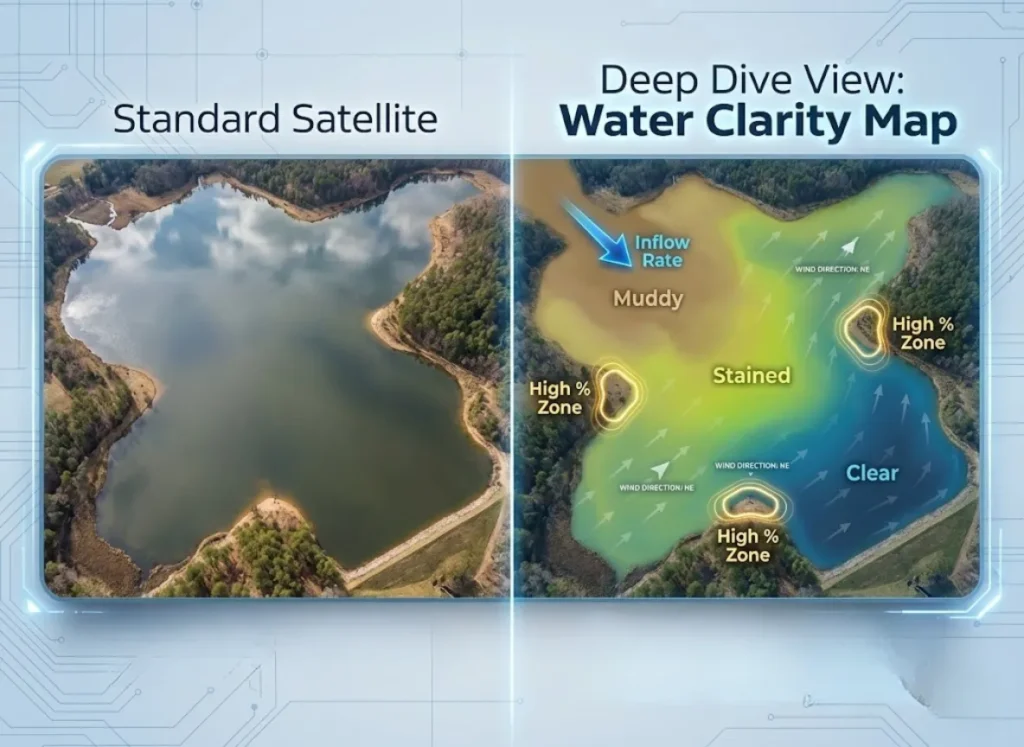
However, a critical limitation anglers must accept is “Cloud Cover Latency.” Satellite images require clear skies, meaning satellite imagery for turbidity can be up to a week old during rainy periods.
At a higher price point, it is designed for the “Precision Tactician” or tournament angler using Omnia Fishing patterns. It effectively replaces “dock talk” with empirical environmental data. Be aware that these visual inputs often correlate with invisible barometric pressure shifts, another variable the app tracks to refine its predictions.
Are Solunar tables science or folklore?
Solunar tables are mathematical models correlating feeding windows with moon phases. However, scientific consensus suggests they should be treated as broad indicators rather than operational law.
Apps like BassForecast, iSolunar, and Smart Fishing Spots rely on the Solunar Theory. Anglers must distinguish between “Harmonic Predictions” and “Station Data” (hard sensor readings). For safety, always prioritize apps that cite specific NOAA Station IDs over generic algorithms.
The “Intelligence Layer” requires cross-referencing. Use Solunar for broad trends (spawning cycles) but rely on physical tide charts for hourly feeding score adjustments. Inshore saltwater anglers utilizing Tides4Fishing or Tides Near Me know that the tidal coefficient often dictates success more than the moon phase alone.
Scientific consensus is mixed. While research on lunar cycle effects on catch rates confirms that lunar cycles influence hormonal spawning behaviors, evidence for daily “feeding aggression” is often statistically weak.
A 2023 study in the North American Journal of Fisheries Management found that popular Solunar tables failed to accurately predict catch rates in trout fisheries. The verdict for the tech stack: Treat Solunar data as a psychological confidence booster, but ensure the tides talk to the maps using AyeTides or SmartFishingTides for the current forecast.
How do I log catches without burning my secret spots?
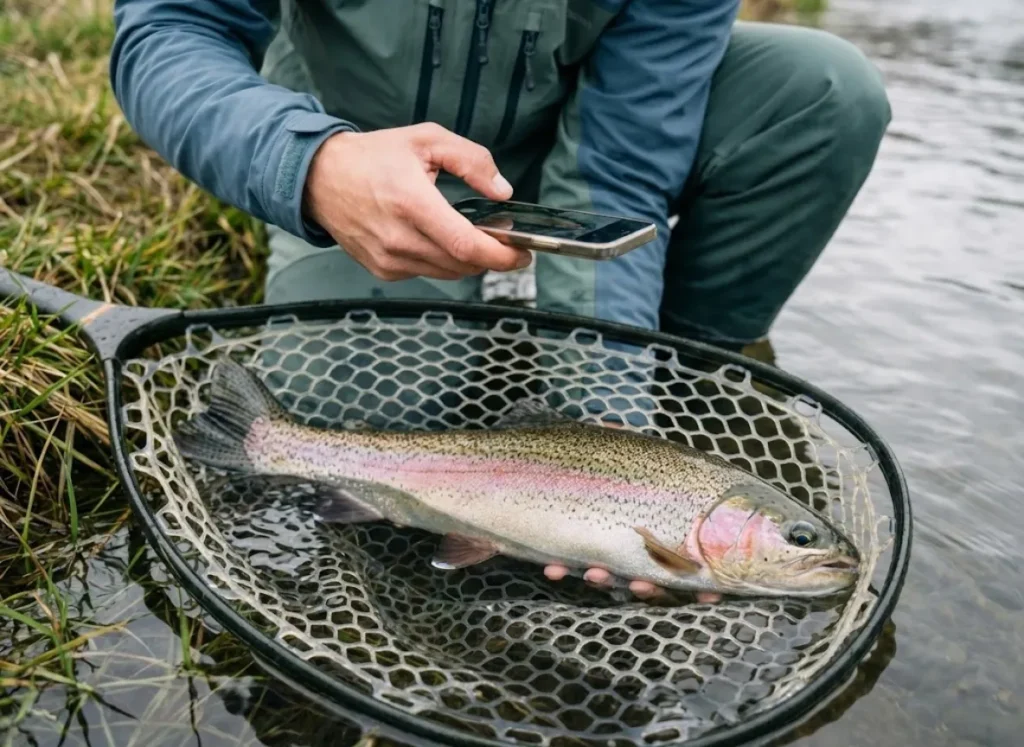
This section covers the “Archive Layer,” focusing on the ethics of “Spot Burning,” data privacy, and the utility of digital logbooks like Fishidy or Fishing Points.
Fishbrain vs. FishAngler: Which offers better privacy?
FishAngler generally offers superior privacy controls for the conservation-minded kayak angler. In contrast, Fishbrain focuses on social sharing which carries higher risks of “spot burning.”
“Spot Burning”—the public revelation of sensitive fishing locations—is fueled by apps that aggregate user catches into public “heat maps.” Fishbrain is the dominant social platform, but its business model relies on User Generated Content to feed its algorithm. Users must actively select “Secret Spot” (Hide Water/Location) to ensure true privacy.
FishAngler positions itself as a more utility-focused tool. It offers robust private waypoints and weather radar often for free, making it a safer “Digital Archive.” The “Value Stack” for 2025 often favors FishAngler for catch logging due to its generous free vs paid versions balance and lack of aggressive monetization of user location data.
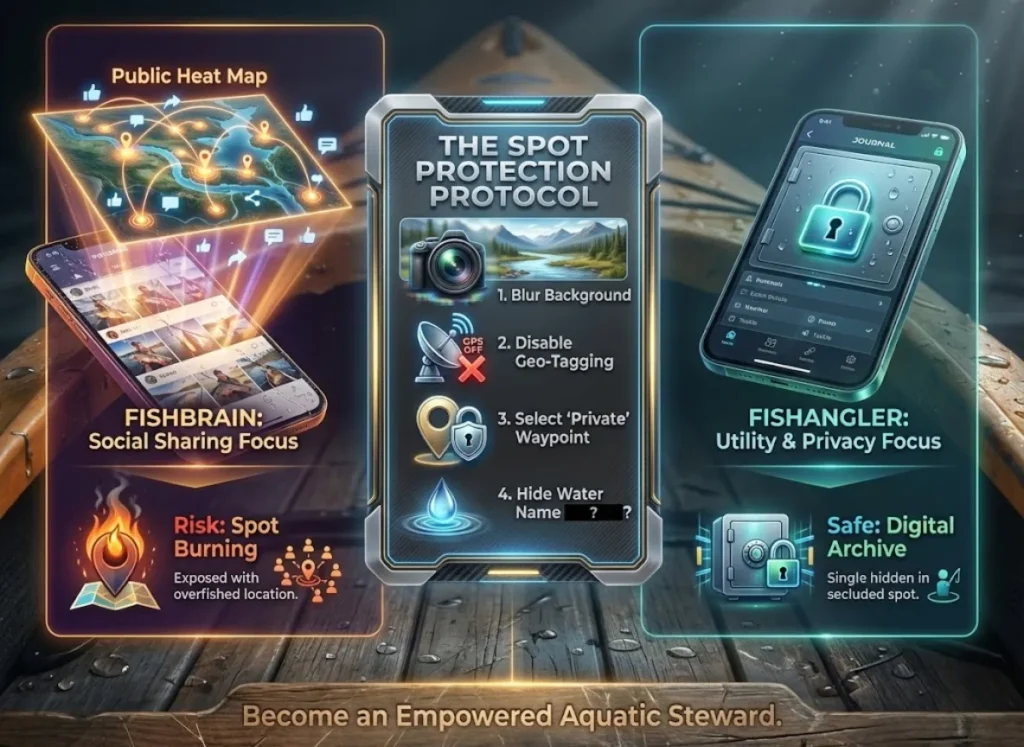
Adopting these responsible angling practices is essential to protect fragile fisheries. Ethical use involves “blurring” backgrounds in photos and refusing to tag specific small bodies of water. This mindset shifts you from a consumer to an empowered aquatic steward.
Why is Data Sovereignty (GPX Export) critical?
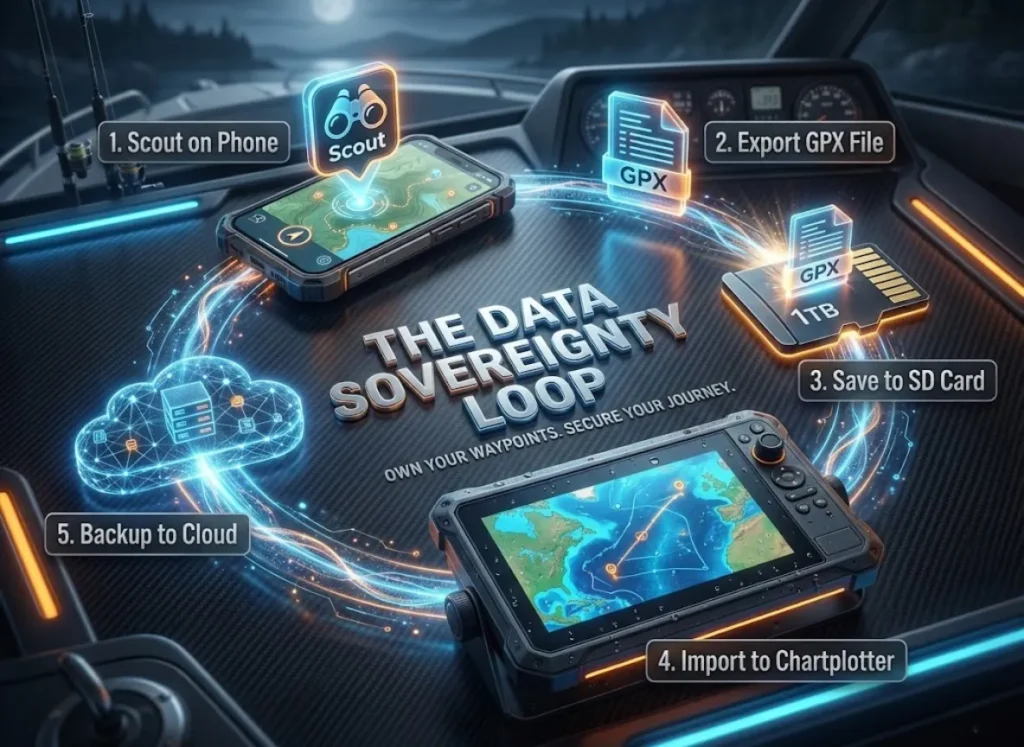
Data Sovereignty refers to the user’s ownership of their fishing history. Purely cloud-based apps that lack export features hold your hard-earned GPS tracks hostage.
The “Pro Stack” requirement is the ability to export data as .GPX files. This is a universal format readable by Google Earth, Garmin, Lowrance, and Humminbird units. Apps like Fishing Points and FishAngler allow for this seamless export. This enables a workflow where you scout on mobile and transfer the data to your boat’s chartplotter via SD card.
Avoid “walled gardens”—apps that allow data entry but offer no export mechanism. These create a dependency that can be financially exploited later. This feature is the bridge between the digital planning phase at home and the physical execution phase on the water. Following GPS data standards, this export capability is vital when interpreting traditional 2D sonar on your dedicated gps devices, ensuring your mobile scouting matches your boat’s reality.
Pro-Tip: Once a quarter, export your GPX file and email it to yourself. If your phone falls overboard, your life’s work of waypoints shouldn’t go with it.
How do I keep the “Tech Stack” alive in the wilderness?
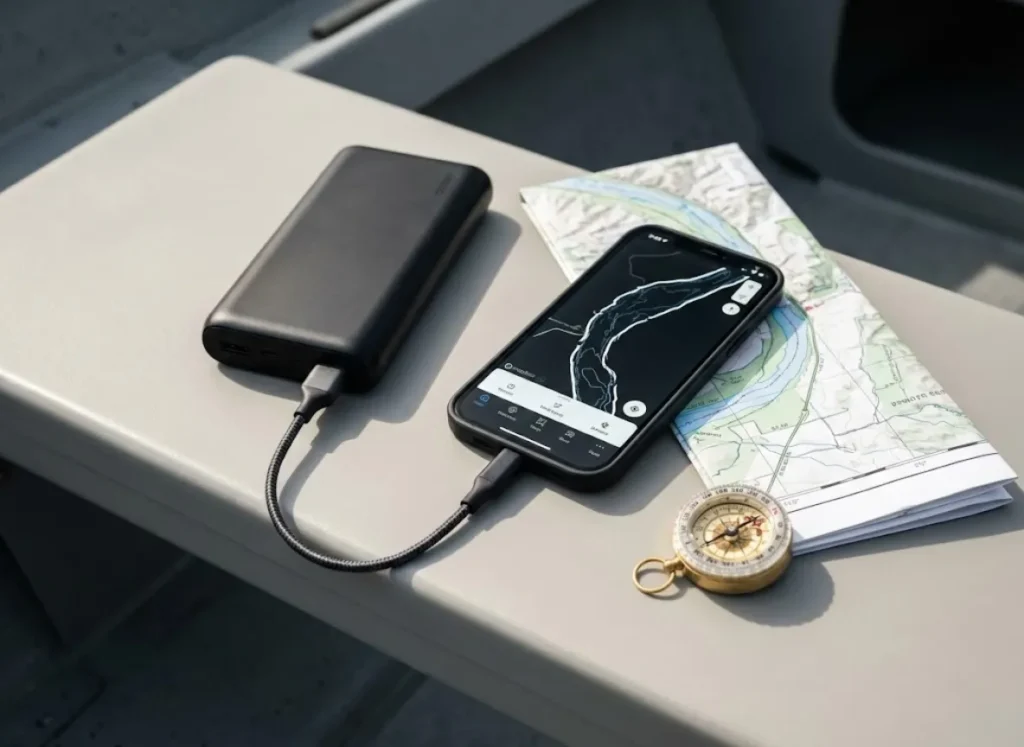
This section addresses the practical hardware limitations (battery consumption, offline access) and legal compliance required for a functioning tech stack.
What is the “Wilderness Readiness” protocol?
The “Wilderness Readiness” protocol is a set of hardware and software behaviors designed to keep navigation functional when off the grid. It primarily focuses on battery efficiency and offline caching.
GPS radios and constant screen-on time can deplete a standard smartphone battery in less than 4 hours. A dedicated external power bank (10,000mAh minimum) is a mandatory hardware component. The “Wilderness Readiness Score” of an app depends on its offline mode capabilities.
Users must download maps before leaving Wi-Fi to stop the cellular radio from draining power by searching for a signal. Enable “Airplane Mode” while keeping the GPS radio active (a feature on most modern phones) to double your field time.
Legal compliance is the final safety layer. The app Fish Rules is essential because it downloads regulations to the device, ensuring you know bag limits even when 50 miles offshore. Fish Rules partners directly with agencies like the FWC and federal fishing regulations via SAFMC, providing authoritative data that overrides forum hearsay. This ensures you are always compliant with State Fishing Regulations and saltwater regulations, regardless of your location.
Building Your Stack
Building a fishing tech stack is about layering redundancy and utility.
- Layer 1 (Foundation): Use Navionics or TroutRoutes for safety and structure, but treat the subscription as a rental—download nautical maps locally to ensure access.
- Layer 2 (Intelligence): Prioritize gravity (low tides) over folklore (Solunar). Use Deep Dive for water clarity maps if the sky is clear, but trust NOAA station data for safety.
- Layer 3 (Archive): Choose FishAngler, Fishing Points, or private logbooks to own your data (GPX export) and prevent “spot burning” of sensitive fisheries.
- Protocol: Your phone is a survival tool. Pair it with a power bank, cache your maps, and verify regulations via Fish Rules.
Share your own “Tech Stack” setup or your strategies for managing battery life on the water in the comments below to help the community build a more resilient digital toolkit.
FAQ – Frequently Asked Questions about Fishing Apps
What is the best free fishing app for beginners?
FishAngler is widely considered the best free fishing app option, offering map layers, weather, and logging without forcing a subscription for basic utility. Combine it with the Fish Rules app for free, offline access to legal regulations.
Is the Navionics Boating app worth the annual subscription cost?
Yes, for boat fishing and serious anglers, the 1-foot contour SonarChart bathymetry and daily updates provide value that exceeds the annual cost. However, understand that it is a rental model; you lose access to downloaded charts and advanced features if you stop paying.
Do fishing apps work without cell service?
Yes, but only if you Pre-Cache (download) the map regions while on Wi-Fi before your trip. GPS satellites work independently of cell towers, so your location dot will track on the downloaded map even in Airplane Mode.
How accurate are Solunar tables for predicting feeding times?
Scientific evidence is mixed; while moon phases affect spawning and tides, studies often fail to show a strong correlation between Solunar tables and hourly feeding aggression. Use them as a secondary data point, but prioritize tide movement, water temperature, and barometric pressure.
Risk Disclaimer: Fishing, boating, and all related outdoor activities involve inherent risks that
can lead to injury. The information provided on Master Fishing Mag is for educational and informational purposes
only. While we strive for accuracy, the information, techniques, and advice on gear and safety are not a substitute
for your own best judgment, local knowledge, and adherence to official regulations. Fishing regulations, including
seasons, size limits, and species restrictions, change frequently and vary by location. Always consult the latest
official regulations from your local fish and wildlife agency before heading out. Proper handling of hooks, knives,
and other sharp equipment is essential for safety. Furthermore, be aware of local fish consumption advisories. By
using this website, you agree that you are solely responsible for your own safety and for complying with all
applicable laws. Any reliance you place on our content is strictly at your own risk. Master Fishing Mag and its
authors will not be held liable for any injury, damage, or loss sustained in connection with the use of the
information herein.
Affiliate Disclosure: We are a participant in the Amazon Services LLC Associates Program, an
affiliate advertising program designed to provide a means for us to earn advertising fees by advertising and linking
to Amazon.com. As an Amazon Associate, we earn from qualifying purchases. We also participate in other affiliate
programs and may receive a commission on products purchased through our links, at no extra cost to you. Additional
terms are found in the terms of service.