
In this article
You’re idling across a flat you’ve fished a hundred times, but the depth readout is flashing wildly between 3 feet and 0.0—then nothing. The sonar goes blind. You tap the screen, cycle the power, but the bottom has vanished. Somewhere between the transducer and the display, your fish finder’s brain just quit.
After troubleshooting dozens of these “sonar blackouts” on guide boats and client rigs, I’ve learned that 90% of bottom-reading failures come from just three nodes: mounting position, software settings, or electrical gremlins. This guide walks you through a systematic diagnostic sequence—from the physical transducer to the software brain—so you can restore bottom lock without replacing parts you don’t need.
⚡ Quick Answer: Most fish finder depth failures aren’t hardware problems. Check three things first: transducer mounting (starboard side, 3-5° kickdown), software settings (water type, manual sensitivity), and electrical connections (clean pins, no EMI from trolling motor). The “ticking test”—holding a powered transducer to feel its pulse—tells you instantly if the unit is alive.
Why Your Transducer Lost the Bottom
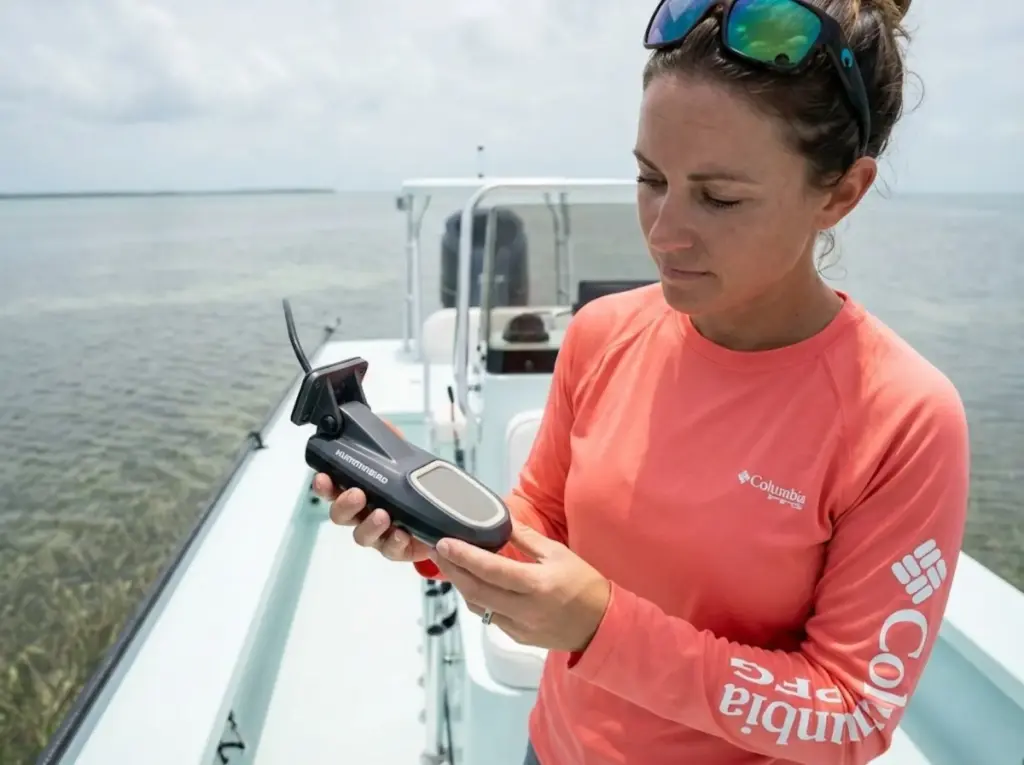
Before you start swapping parts, you need to understand what’s actually happening inside that puck bolted to your transom. A transducer isn’t magic—it’s pure physics.
How Sonar Signal Leaves (and Returns)
The piezoelectric crystal inside your transducer vibrates rapidly when voltage is applied, creating a sound wave that travels through water at approximately 4,800 feet per second. That wave hits the bottom, bounces back, and the same crystal “hears” the echo. The time delay between send and receive tells the processor how deep the water is.
Here’s where problems start: sound requires a fluid medium. Air bubbles between the transducer face and water reflect nearly 100% of the signal back before it ever enters the water column. That’s why a transducer running dry on a trailer reads nothing—and why aeration from a bad mount creates the same blindness at speed.
The front surface of the transducer includes a matching layer that bridges the acoustic impedance gap between the ceramic element (very dense) and water (much less dense). Without this gradual transition, most of the energy would bounce back internally instead of entering the water. If that matching layer cracks or peels, you lose signal strength permanently.
Pro tip: If you suspect a dead transducer, hold it in your palm while the unit is powered on. You should feel a rhythmic “tick” or pulse—that’s the piezoelectric element firing. Feel it? The transducer is alive. Your problem is elsewhere.
The Three Places Signals Go Wrong
Every fish finder no bottom reading problem traces back to one of three nodes:
Node 1 – Physical Mounting: Wrong angle, wrong depth below hull, wrong side of the transom. This is the most common failure point and costs nothing to fix.
Node 2 – Software Logic: The processor’s auto-sensitivity is “hunting” for bottom, the water type is set wrong, or the ping speed is too low for your boat speed.
Node 3 – Electrical Failure: Corroded connector pins, electromagnetic interference from your trolling motor, or damaged cabling.
Most anglers assume the transducer is dead and order a replacement. In reality, 80% of bottom-loss problems are Nodes 1 or 2—fixable in minutes without spending a dime.
The Mounting Audit—Starboard Side, Kickdown, and Depth
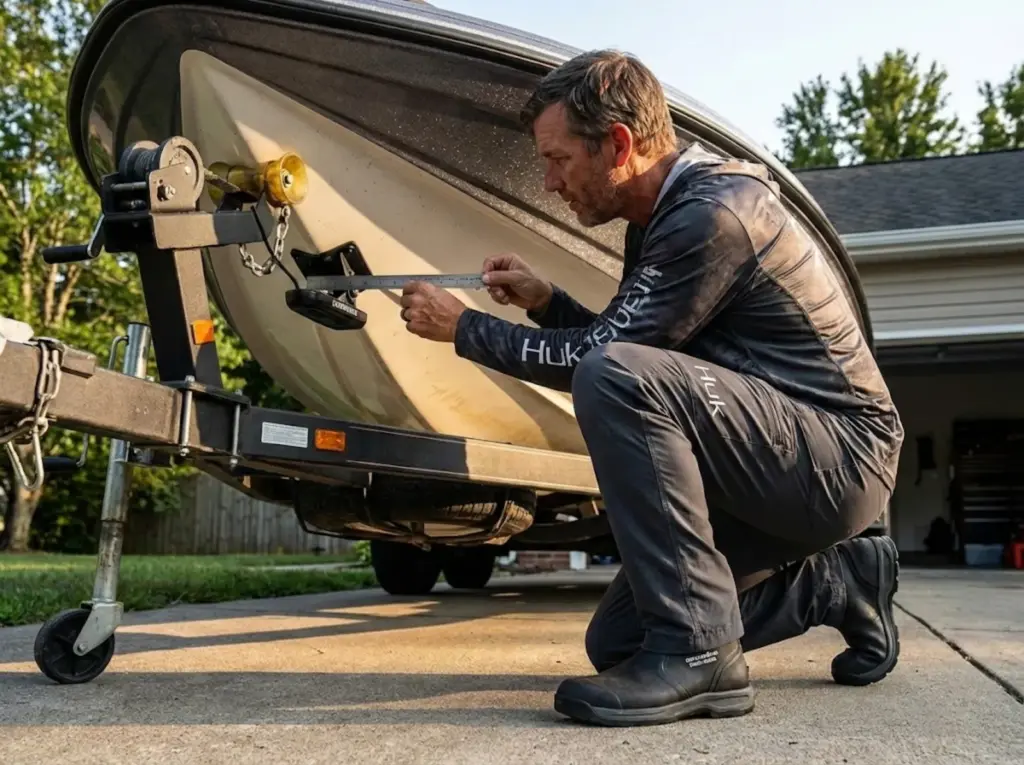
If your fish finder reads fine at idle but loses bottom at speed, stop messing with settings. Your transducer installation is wrong. This is where most problems live.
Why Starboard Beats Port
Approximately 95% of marine propellers turn clockwise (right-hand rotation). That rotation pushes water downward on the starboard side and upward on the port side. Upward-moving water is turbulent and filled with air bubbles from propeller wash.
Mount your transom-mount transducer on the starboard side, at least 3 inches beyond the prop’s swing radius. If your transducer is currently on the port side, do a simple test: check if readings are solid at rest but fail at 15+ mph. That’s prop wash interference, and relocating to starboard fixes it.
Understanding transducer cone geometry helps you visualize how beam coverage depends entirely on clean water contact.
The Ruler Test—Getting Kickdown Right
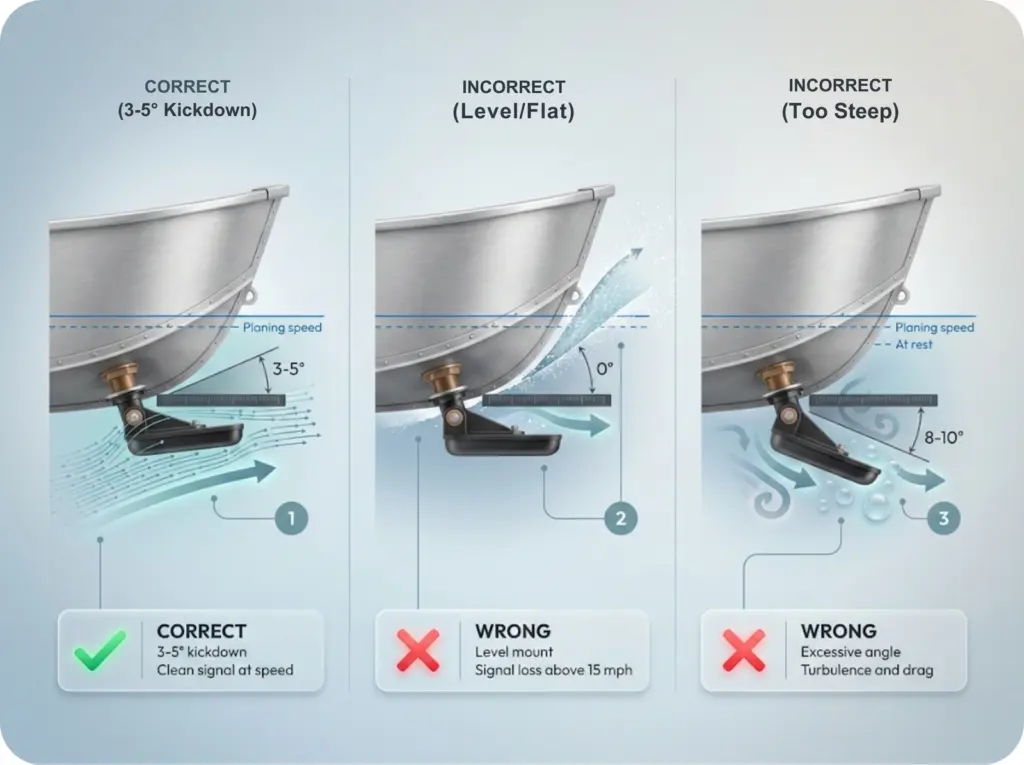
A transducer that’s level with the hull at rest often “loses” water at planing speed as the bow rises and the stern digs in. Water flow separates from the transducer face, creating a pocket of air or cavitation.
The fix is simple: 3-5 degrees of kickdown. The trailing edge of the transducer should sit slightly lower than the leading edge. Grab a ruler or straight edge and hold it against your hull bottom, extending past the transducer. You should see that slight downward angle on the trailing edge.
This forces the transducer face to “bite” into the water flow, maintaining contact even at high speeds. If you’re seeing a “rooster-tail” spray behind the transducer or experiencing sudden signal cutouts above 15 mph, your kickdown is wrong.
Height Below Hull and Fairing Blocks
Standard recommendation: the transducer face should extend 1/8 to 3/16 inch below the hull bottom. Too high, and turbulence creates dead zones. Too low, and you’re adding drag and risking physical damage on trailer launches.
For boats exceeding 25 mph, a fairing block becomes essential. This angled mounting plate creates a smooth transition for water flow, reducing turbulence across the transducer face. Craig Cushman of Airmar puts it simply: “Excessive aeration is often the result of improper installation… with the right adjustments, it often can be corrected.”
The physics behind piezoelectric transducer characteristics explain why even small mounting errors cascade into major signal loss.
Software Settings That Trick the Processor
Your transducer might be mounted perfectly, but the software brain interpreting its data can still sabotage your readings. Modern fish finders run complex algorithms—and those algorithms can be fooled.
Why Auto-Sensitivity Fails in Weeds and Shallow Water
In water under 15 feet—or over dense weed beds—the processor receives multiple strong returns. The top of the weeds bounces back a signal. So does the actual bottom. In Auto mode, the unit may rapidly switch between these, causing the depth to flash wildly or lock at 0.0.
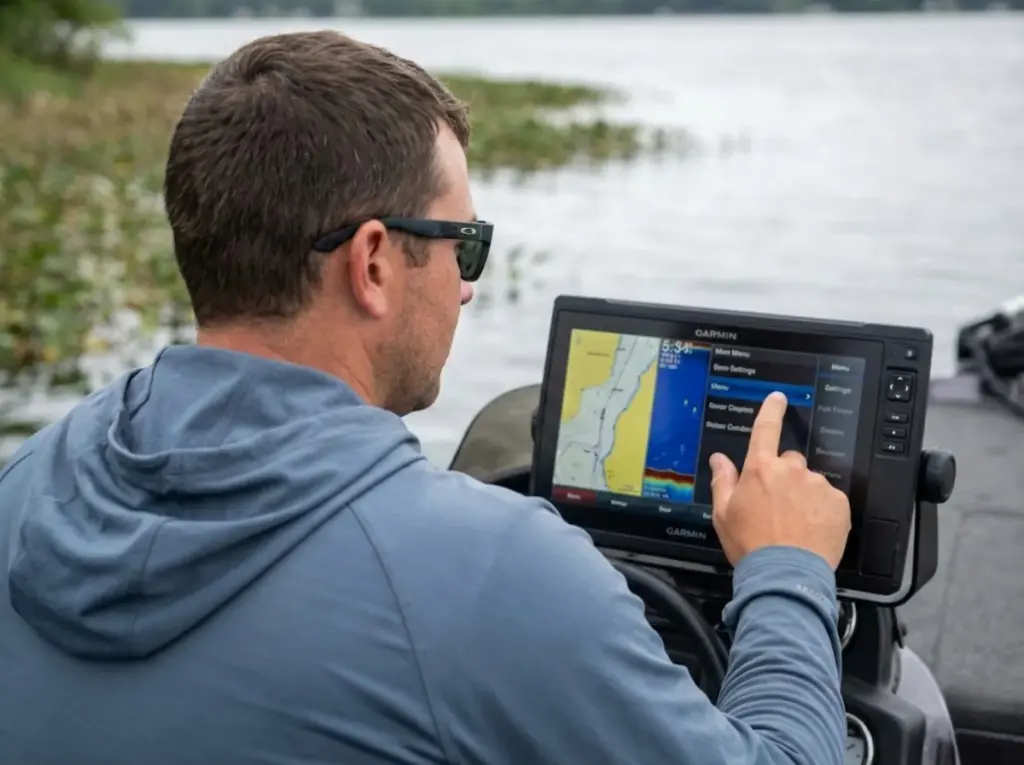
The fix: switch to Manual Mode. Set a fixed depth range (like 0-30 feet) and lock your sensitivity manually. This forces the processor to stop searching and simply display the raw data. You interpret what you see instead of trusting the algorithm.
Ken Sauret, Lowrance Pro Staff, says it clearly: “If the transducer gives you a reading stationary and at slow speeds, it’s fine. If you’re losing bottom at speed, look at the mounting location.”
Once you’ve optimized settings, understanding how to read your fish finder display helps you interpret the corrected output.
Water Type, Ping Speed, and Noise Rejection
Three settings cause more confusion than they should:
Water Type: Fresh water and salt water transmit sound at different speeds (4,800 fps vs 5,000 fps). If your unit is set to salt while you’re fishing a freshwater lake, depth readings can be off by 5-10%. Check this first.
Ping Speed: Set to “Max” or “Fast” when running at high speeds. This increases the transmission rate so the unit can keep up with changing depths. At slow trolling speeds, you can back it off.
Noise Rejection/Surface Clutter: These filters are designed to clean up the display by removing interference. But when troubleshooting, turn them off or set to minimum. Sometimes the filter removes your bottom return right along with the noise.
The Factory Reset Option
When settings become hopelessly scrambled—maybe you inherited a used unit with unknown configurations—a factory reset eliminates software corruption instantly.
Most units: Navigate to Settings → System → Restore Defaults. Some models require holding the power button during startup.
Warning: This typically erases saved waypoints. Back up your data to an SD card or through your manufacturer’s app (Garmin ActiveCaptain, Lowrance C-MAP, Humminbird FishSmart) before resetting. After the reset, reconfigure only the essentials: water type, transducer model, and units. Let the unit auto-detect other parameters initially and see if bottom returns.
Electrical Gremlins—Corrosion, EMI, and Cable Faults
If mounting is solid and settings are correct, it’s time to check the electrical system. Marine environments are brutal on connections, and the symptoms often mimic dead hardware.
The “Green Death”—Connector Corrosion
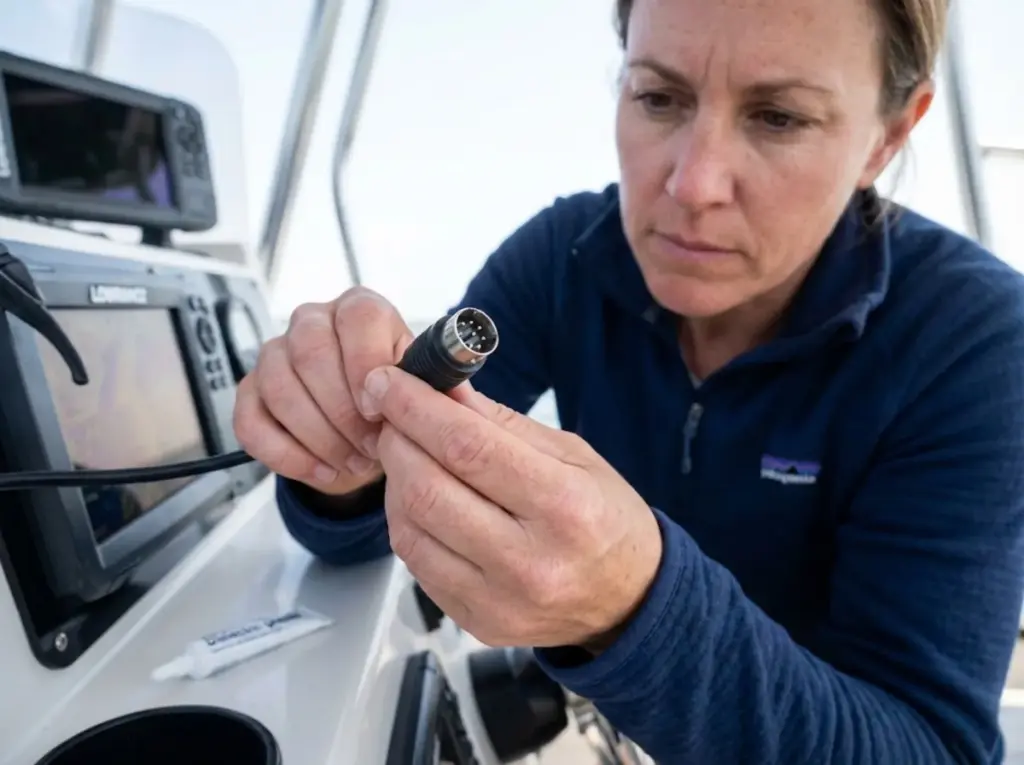
Even “waterproof” connectors develop microscopic oxidation in marine environments. Salt, humidity, and temperature cycling create the perfect storm for electrolytic corrosion on connector pins.
The telltale symptom: your fish finder works perfectly at the dock but drops bottom randomly when the boat vibrates underway. That vibration is enough to interrupt corroded connections.
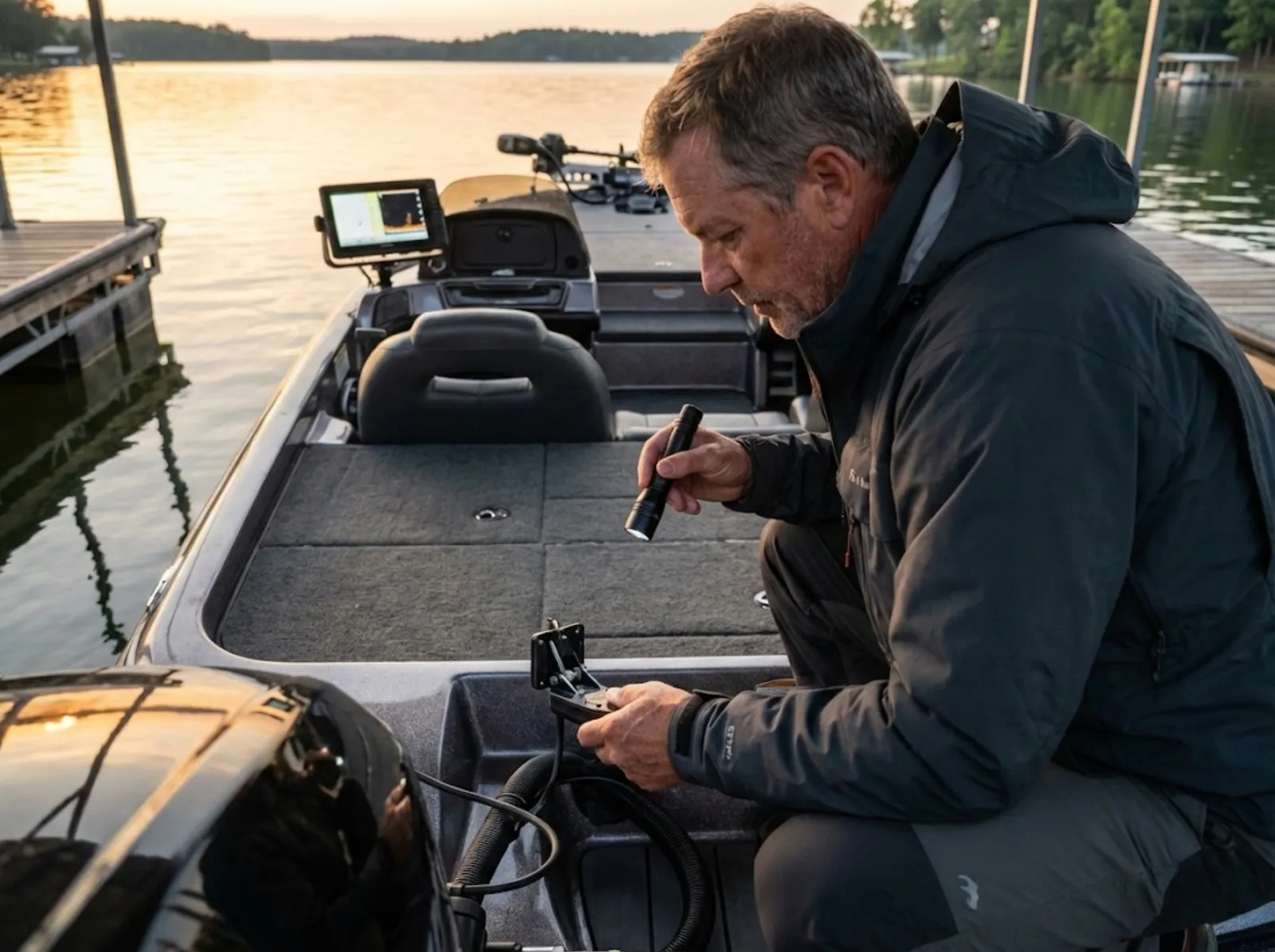
Pull your transducer connector and look inside. Green or white powdery residue on the pins is the culprit. Clean with a fine wire brush or electrical contact cleaner, then apply dielectric grease before reconnecting.
Important note: dielectric grease is an insulator, not a conductor. Its job is to seal moisture out and prevent future corrosion. The pins must make metal-to-metal contact through the grease layer—don’t glob it on so thick that it blocks the connection.
Pro tip: Check your transducer connector pins once per season, minimum. Five minutes of preventive maintenance beats hours of on-water troubleshooting.
Trolling Motor EMI and the Ferrite Bead Fix
Trolling motors use Pulse Width Modulation (PWM) to regulate speed. That PWM signal “chops” the electricity, generating radio-frequency interference that your transducer cable picks up like an antenna.
The result: “snow” on your display, vertical lines of interference, or complete signal dropout when the trolling motor is running.
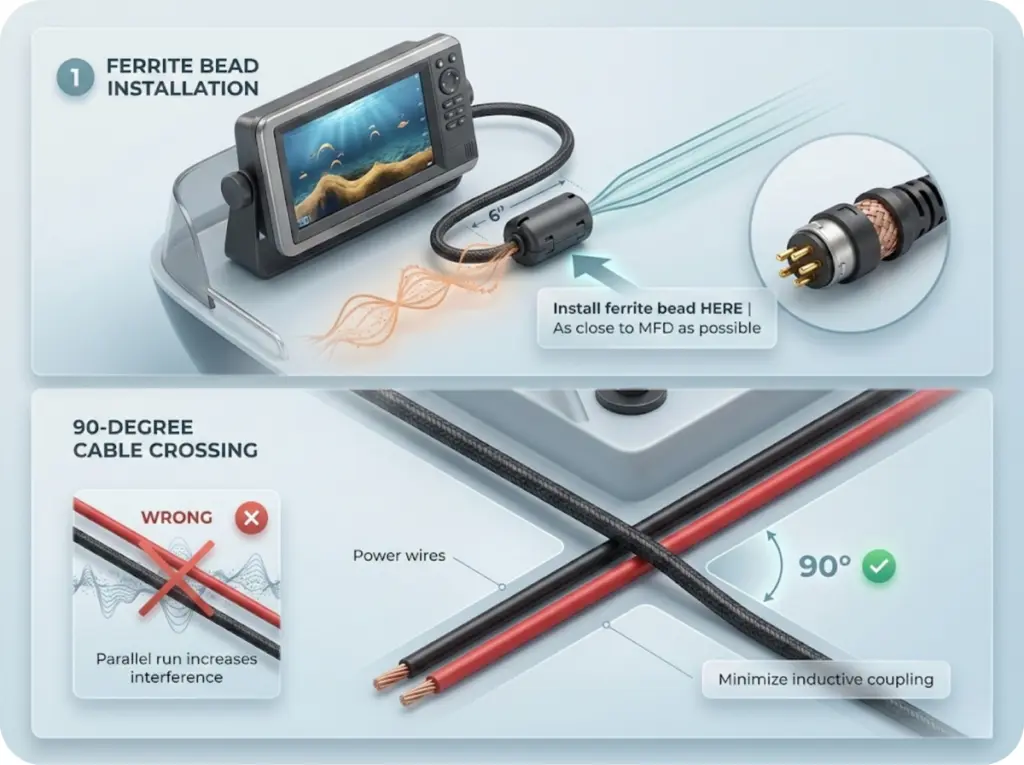
Fix 1: Snap a ferrite bead onto the transducer cable as close to the MFD connector as possible. These inexpensive rings attenuate high-frequency noise before it reaches the display.
Fix 2: Never coil excess transducer cable near power wires. If cables must cross, route them at a 90-degree angle to minimize inductive coupling.
If you’re running multiple fish finders (bow Garmin plus console Humminbird, for example), cross-talk interference is common. Set each unit to different frequencies, or use the “Pause Sonar” feature on the unit you’re not actively watching. For more complex setups, understanding NMEA 2000 network troubleshooting helps isolate the problem.
Checking Cable Continuity and the Ticking Test
Standard transducer cables are rated to maximum lengths—typically 20-30 feet depending on the model. Extension cables must match the manufacturer’s impedance specifications exactly. Cheap third-party adapters cause signal degradation that looks like a dying transducer.
If you suspect cable damage, perform the Ticking Test: with the unit powered on, hold the transducer in your hand. You should feel a rhythmic pulse. If you feel it, the piezoelectric element is working—your problem is mounting, settings, or wiring. No sensation at all points to possible transducer failure or complete cable break.
The science behind acoustic impedance matching explains why signal transmission is so sensitive to cable integrity and connector quality.
Winterization Damage and the “30,000 PSI” Failure
Off-season neglect causes permanent damage that shows up as mysterious depth problems the following spring. Water trapped in the wrong places becomes a wrecking ball.
How Freezing Water Destroys Transducers
Water trapped in transducer housings or in-hull reservoir tanks expands approximately 9% upon freezing. That expansion can generate pressure up to 30,000 PSI—more than enough to permanently distort the piezoelectric ceramic.
Even after the ice melts, the sensor diaphragm may never return to its factory-calibrated position. The symptom: permanently flashing depth readings or consistently inaccurate measurements that appeared after winter storage.
Your MFD can handle cold storage—most are rated from -4°F to 167°F. But the transducer is the vulnerable point, especially for in-hull installations.
The Propylene Glycol Solution for In-Hull Mounts
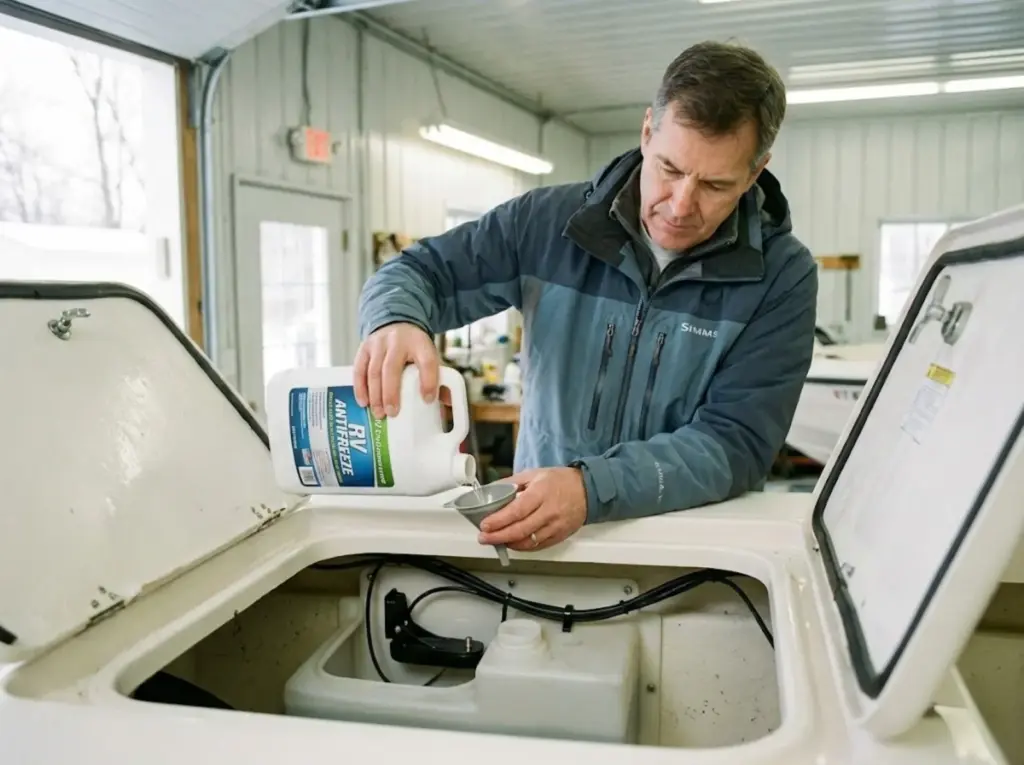
In-hull (shoot-through) transducers sit inside the hull in a fluid-filled reservoir tank. That fluid must transmit sound efficiently while protecting against freezing.
If the reservoir contains water, winter will crack the tank or damage the transducer face. The solution: propylene glycol (non-toxic RV antifreeze). It has excellent acoustic properties, doesn’t freeze at normal winter temperatures, and is safe for the plastics in transducer housings.
Mineral oil works as a secondary option but can be messy and occasionally reacts with certain epoxies or housing materials.
Never use automotive antifreeze (ethylene glycol)—it’s toxic and has wrong acoustic properties for sonar transmission.
Pro tip: Check your in-hull reservoir level annually. Small leaks are common after 3-4 seasons, and low fluid means air pockets that kill your signal.
For comprehensive protection, include transducer care in your winterizing fishing electronics routine.
The 60-Second Field Diagnostic Audit
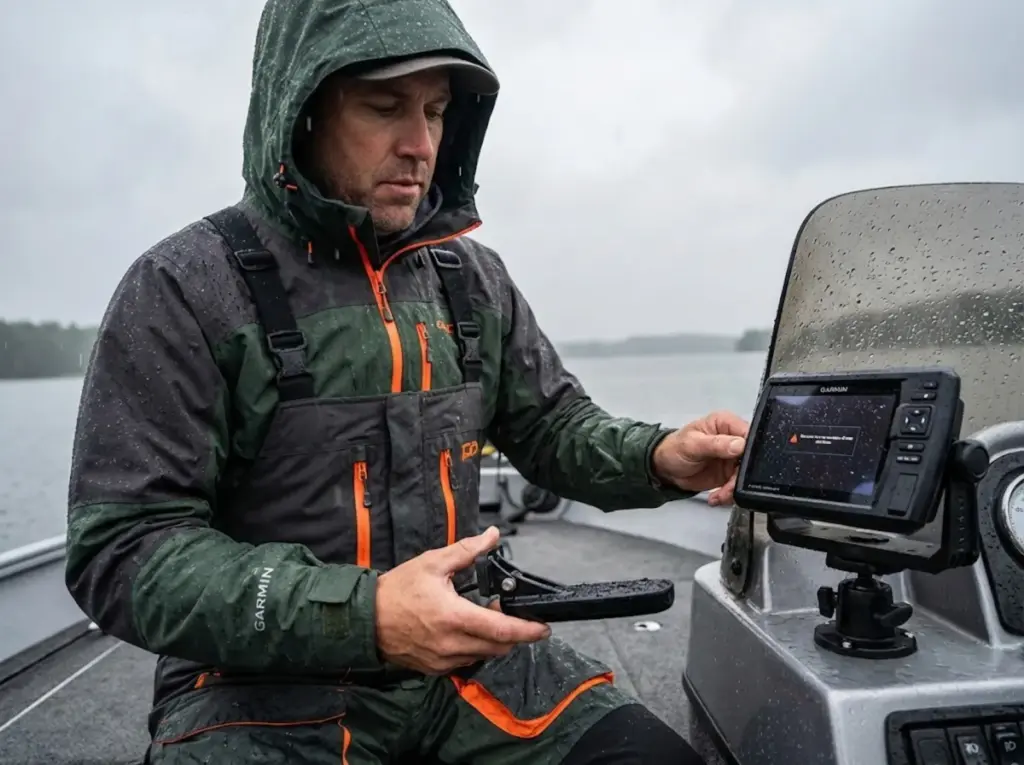
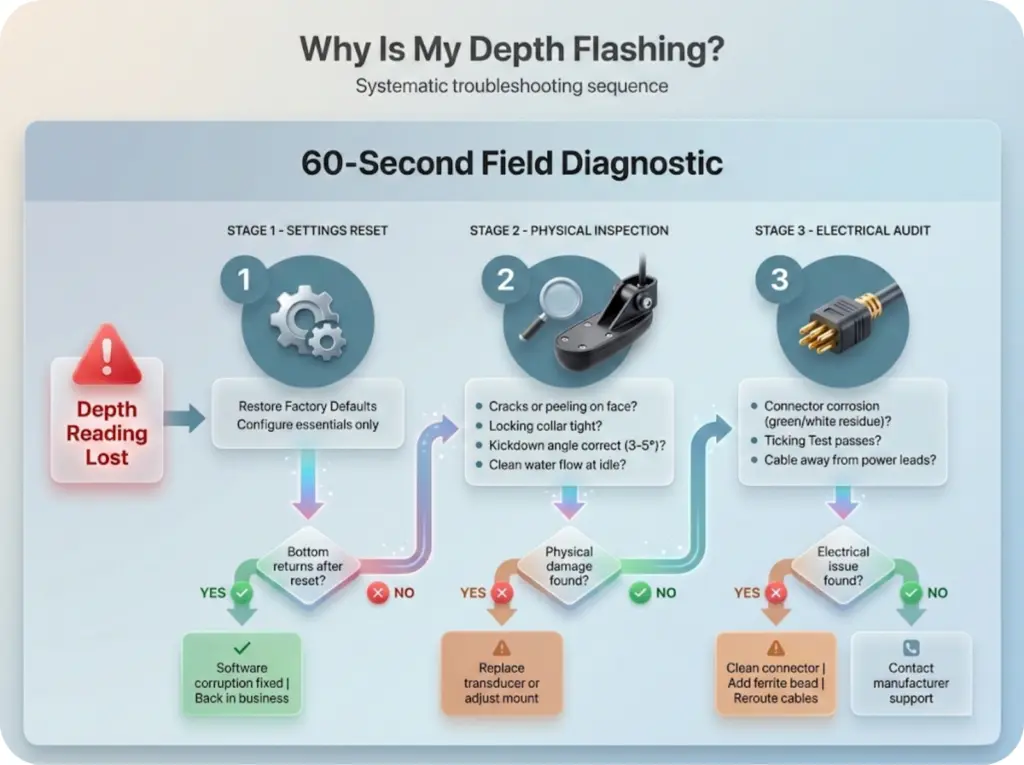
When depth goes haywire mid-trip, you need a fast, systematic sequence—not random button-pressing. Run through these three steps in order.
Step 1—The Settings Reset
First, eliminate software corruption. Navigate to your settings menu and Restore Factory Defaults. Yes, right there on the water.
After reset, configure only the essentials: water type (fresh/salt), transducer model, and measurement units. Leave sensitivity and ping speed on Auto initially.
If bottom returns after reset, your original settings were corrupted. No hardware problem—you’re back in business.
Step 2—The Physical Inspection
With the boat stopped, check the transducer physically:
- Any cracks or peeling on the face (matching layer damage)?
- Is the locking collar tight, or has the transducer kicked up out of position?
- Run the Ruler Test for proper kickdown angle
- At idle, does water flow cleanly across the face, or do you see turbulence/bubbles?
Step 3—The Electrical Audit
Pull the transducer connector and inspect for corrosion. Look for green or white residue on the pins.
Perform the Ticking Test while powered on. Feel the pulse in your palm.
Check cable routing—is the transducer cable bundled with trolling motor power leads? That’s a guaranteed EMI problem.
When to Repair vs Replace
Not every problem is worth fixing. Here’s the 2026 cost reality for making smart decisions.
Basic 2D CHIRP transducers range from $50-$150. If the cable is physically cut or the matching layer is damaged, replacement is more cost-effective than any repair attempt. Labor for professional diagnosis often exceeds the cost of a new unit.
TripleShot and Active Imaging transducers run $250-$450. For these, professional diagnosis becomes worthwhile before condemning the unit—many “dead” transducers are actually cabling or network issues.
LiveScope and Mega Live systems cost up to $1,500 for the transducer alone. Professional diagnosis is absolutely worth the investment. And check your warranty coverage before any DIY repair—certain actions void manufacturer protection.
The same cost-benefit framework applies broadly—similar to knowing when to repair vs replace fishing gear across your whole setup.
Back on the Water
Three things fix 90% of fish finder bottom-reading problems:
Start with mounting. Starboard side, 3-5° kickdown, 1/8″ below the hull. This solves half of all bottom-loss issues before you touch a single setting.
Reset before replacing. Factory defaults eliminate software corruption that mimics hardware failure. It takes 30 seconds and costs nothing.
Use the Ticking Test. If you feel the pulse in your palm, the transducer is alive. The problem is mounting, settings, or wiring—not dead hardware.
Next time your depth starts flashing, run through this 60-second audit before assuming the worst. Most of these fixes cost nothing but knowledge—and now you have it.
FAQ
Why does my fish finder show depth at the dock but not at speed?
This almost always indicates a mounting problem. At rest, calm water contacts the transducer face. At speed, turbulence or air bubbles from improper positioning interrupt the signal. Check your starboard-side placement and kickdown angle first.
Can I run two fish finders at the same time without interference?
Yes, but set them to different frequencies or use the Pause Sonar feature on the inactive unit. Running both at the same frequency (like 200 kHz) causes cross-talk—each unit interprets the others pings as its own echoes.
How do I know if my transducer is completely dead?
The Ticking Test. Hold the powered transducer in your hand—you should feel a rhythmic clicking or vibration. If you feel it, the piezoelectric element is working and your problem is elsewhere. No pulse means possible transducer failure.
What fluid should I use in an in-hull transducer tank?
Use propylene glycol (non-toxic RV antifreeze) for best acoustic properties and freeze protection. Mineral oil works as a backup. Never use water (freezes and cracks) or automotive antifreeze (toxic, wrong acoustic properties).
Will a factory reset delete my waypoints?
On most units, yes. Back up waypoints to an SD card or through your manufacturer’s app before resetting. After the reset, restore your saved data.
Risk Disclaimer: Fishing, boating, and all related outdoor activities involve inherent risks that
can lead to injury. The information provided on Master Fishing Mag is for educational and informational purposes
only. While we strive for accuracy, the information, techniques, and advice on gear and safety are not a substitute
for your own best judgment, local knowledge, and adherence to official regulations. Fishing regulations, including
seasons, size limits, and species restrictions, change frequently and vary by location. Always consult the latest
official regulations from your local fish and wildlife agency before heading out. Proper handling of hooks, knives,
and other sharp equipment is essential for safety. Furthermore, be aware of local fish consumption advisories. By
using this website, you agree that you are solely responsible for your own safety and for complying with all
applicable laws. Any reliance you place on our content is strictly at your own risk. Master Fishing Mag and its
authors will not be held liable for any injury, damage, or loss sustained in connection with the use of the
information herein.
Affiliate Disclosure: We are a participant in the Amazon Services LLC Associates Program, an
affiliate advertising program designed to provide a means for us to earn advertising fees by advertising and linking
to Amazon.com. As an Amazon Associate, we earn from qualifying purchases. We also participate in other affiliate
programs and may receive a commission on products purchased through our links, at no extra cost to you. Additional
terms are found in the terms of service.