In this article
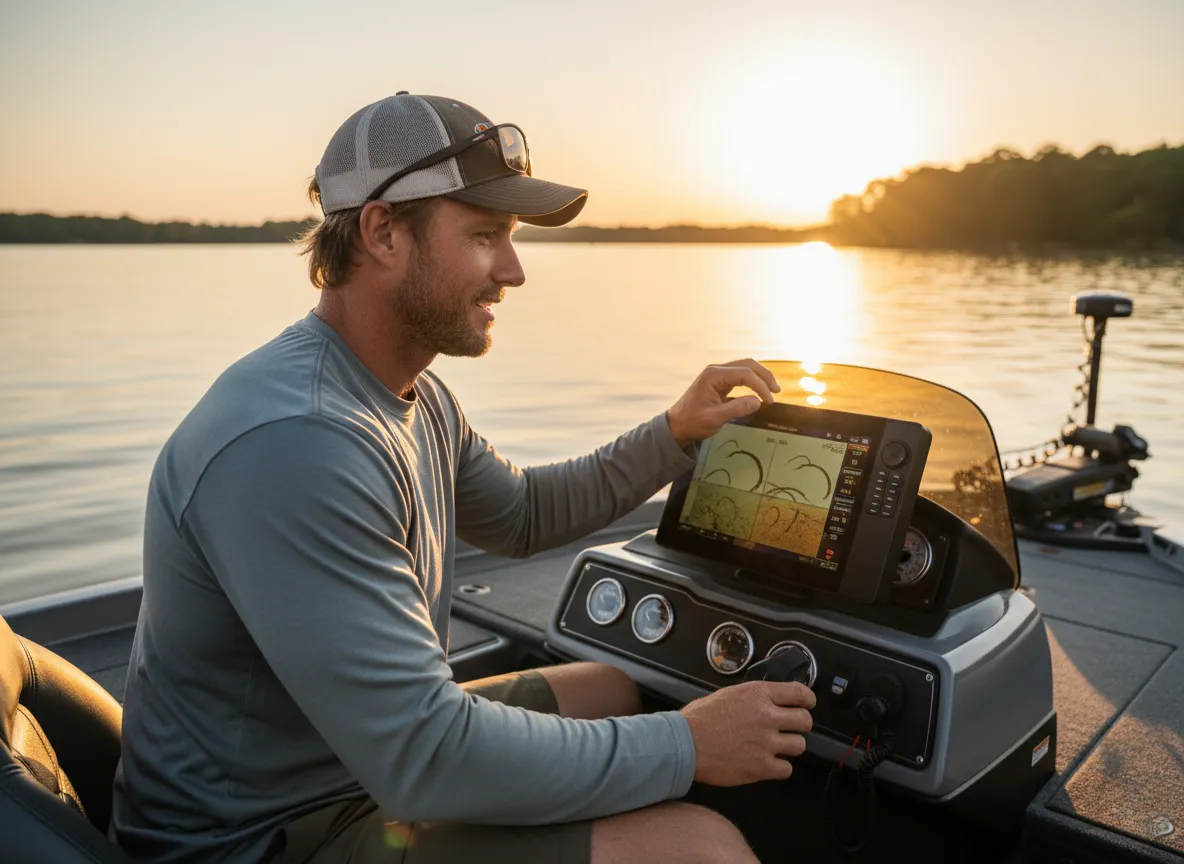
The screen glows, a scrolling cascade of abstract colors, lines, and cryptic arches. To the untrained eye, it’s a chaotic mess bearing little resemblance to the water beneath the hull. For many anglers, this initial confusion relegates powerful fish finders to a simple depth gauge. This guide is the Rosetta Stone for that sonar screen. We will deconstruct the language of sonar, transforming that confusion into confidence and empowering you to read a fish finder screen and interpret the underwater story of arches, structure, and bottom composition as clearly as if you had eyes beneath the surface.
This journey is not about memorizing abstract shapes; it’s about learning the language of sound to transform that confusing screen into an intuitive map of the underwater world, turning technological data into wilderness instinct. We will start with the sonar basics, understanding the core science of how sound waves travel, reflect, and paint a picture on your screen, from the transducer’s “ping” to the calculated return. From there, we will learn how to interpret fish finder readings from traditional 2D sonar—mastering arch formation for proper fish identification, how to judge the size of a fish, and how to perform accurate structure detection. We will then explore the high-definition advantage of modern fish finder technology like CHIRP, downscan, side imaging, and forward facing sonar. Finally, we’ll move beyond simple identification to optimizing your frequency settings and using your sonar for tactical, sustainable angling that protects the resource. By the end, you will feel empowered, able to translate sonar data into effective fishing decisions and view your device as your most valuable on-the-water asset.
What is SONAR and How Does It “See” Underwater?

To trust what you see on the screen, you first need to understand how that image is created. This foundational knowledge in fishing and marine electronics is what separates a passive observer from an informed operator who can truly leverage their electronics. It’s not magic; it’s a beautifully simple scientific process used by top marine electronics brands from Garmin and Lowrance to Humminbird, Furuno, Raymarine, and Simrad.
What is the basic principle of SONAR?
At its heart, SONAR—an acronym for SOund Navigation And Ranging—is a technology that uses sound waves to measure distance and identify objects, much like a bat navigating in the dark. The process unfolds in three simple steps. First is Transmission: your fish finder unit sends an electrical pulse to a device called a transducer, which generates a pulse of sound energy, or a “ping.” This ping travels down through the water as a compression wave. The second step is Reflection. When that sound wave encounters a moving target or stationary objects with a different density than the surrounding water—like a fish’s swim bladder, a sunken log, or the lake bottom—it bounces back, creating returning echoes. The final step is Reception & Calculation. The transducer detects these echoes, and through reception processing, converts them back into an electrical signal. The main unit’s image processing circuitry then calculates the object’s distance by precisely measuring the round-trip time of the signal, based on the speed of sound in water, which is roughly 1,500 meters per second. You can get the definitive scientific breakdown from NOAA’s explanation of sonar technology.
We use sound for a very simple reason: it travels much farther and more effectively through water than other energy forms like light or radar. This brings us to a critical concept about your display type: your fish finder screen is not a live video feed. It is a historical graph where the screen scrolls from right to left. The far right edge of your screen represents “now”—what is directly under your transducer at this very second. Everything to the left of that line is the immediate “past,” a story of what you’ve already passed over. This right-to-left scrolling direction is a constant, and understanding it is the key to interpreting everything that follows, including the iconic fish arch. It is a graphical representation of data over time, not a literal picture.
How does a transducer work?
Now that we understand the three-step process of how sound creates a signal, let’s look at the piece of hardware that acts as the system’s mouth and ears: the transducer. This device is the heart of your fish finder system, responsible for the crucial task of converting electrical energy into sound energy for the “ping” and then converting the returning echo strength back into an electrical signal for the brain of the unit to process. Whether it’s a basic model like a GT20 transducer paired with a Garmin STRIKER Vivid 7cv or a high-performance unit from Simrad, the principle is the same. Proper transducer installation—whether it is a transom, through-hull, or stern-mounted unit—is paramount for getting clear readings.
Inside the transducer is a piezoceramic element, a special type of crystal with piezoelectric properties. During transmission, the fish finder’s head unit applies a voltage to this crystal, causing it to vibrate rapidly and generate the sound waves that are sent into the water. For the reception process, the reverse happens. The faint returning echoes strike the transducer, creating a minuscule mechanical stress on the crystal. This stress generates a small electrical voltage, which is then sent back to the head unit for processing. The strength of this returning electrical signal is directly related to the strength of the echo, which provides vital information about the target’s size and density. As you can read in this article on how scientists locate fish with sonar, this principle is essential for identifying everything from individual fish to massive schools. This function is so vital that choosing the right fish finder for your vessel, especially for specialized platforms like kayaks, often comes down to the quality and transducer position.
Why does the sonar beam form a cone?
A common misconception is that sonar scans in a straight, narrow line. In reality, the transducer sends sonar cones downward, radiating outward in a cone-shaped beam, much like the light from a flashlight. The width of this beam, measured in degrees, is called the “cone angle.” This angle has an inverse relationship with the sonar frequency: lower frequency settings like 50 kHz or 83 kHz create wider cone angles (40-60°), which are ideal for searching large areas and fishing in deep water, but they provide less detail. Conversely, higher frequencies like 200 kHz produce narrower cone angles (15-20°), offering much higher resolution, better detail, and superior target separation. Many units offer dual frequency to view both simultaneously.
Understanding your cone angle is crucial for accurate lure presentation. A good rule of thumb for estimating your coverage area is that for a 20-degree cone, the diameter of the sonar’s footprint on the bottom is roughly one-third of the water depth. For example, if you are in 30 feet of water, your 20-degree cone is covering a circle on the bottom that is about 10 feet wide. An object appearing on your screen could be anywhere within that circle. Knowing this is the only way to understand how close a target on the screen actually is to your boat, a critical piece of information for everything from vertical jigging to using the precision system for freshwater trolling. Understanding the cone is the first key to interpretation. Now, let’s apply that knowledge to the most common symbol on a traditional 2D sonar screen: the fish arch.
How Do I Master Traditional 2D Sonar?
This section provides the core skills for interpreting the classic sonar display, teaching you to translate the on-screen shapes and color coding into a clear understanding of fish and their habitat.
What does a fish arch actually represent?
Let’s be perfectly clear: a fish finder displays arches for fish, but the “fish arch” is not a picture of a fish’s body. On most 2D sonars, fish show up as arches with the middle of the fish pointing upwards on the screen. This shape is a graphical representation of a target moving through the cone-shaped sonar beam over time. The process is simple. As a fish first enters the outer edge of the sonar cone, the distance from the transducer to the fish is at its greatest. As the boat moves over the fish (or the fish swims under the boat) and it passes toward the center of the cone, that distance decreases, reaching its minimum point when the fish is directly underneath the transducer. As the fish exits the other side of the cone, the distance increases again. When this changing distance—long, then short, then long again—is plotted on the scrolling historical graph of your screen, it creates the characteristic arch shape.
The shape of the arch tells a story. A Full Arch, one that is perfect and symmetrical, indicates that a fish passed directly through the center of the entire sonar cone. A Half-Arch or Thick Dash means the fish only moved through a portion of the cone before it changed direction, or perhaps the boat moved away too quickly. A Straight Line, on the other hand, represents a target that is stationary relative to the boat—often a fish holding tight to the bottom directly below a non-moving boat. This reinforces a critical concept that many anglers get wrong: the horizontal length of the arch is a function of time (how long the fish was in the cone), not the size of the fish. Some units, like those with Humminbird’s Fish ID technology, attempt an icon conversion using fish icons or fish symbols, but learning to read raw returns is a more accurate skill for professional fishermen.
Pro-Tip: Don’t be fooled by a long, drawn-out arch. This usually means your boat was moving very slowly or was stationary over a fish, stretching the return over time with a slow scrolling speed. A short, thick, and brightly colored arch is a much better indicator of a large fish than a long, thin one.
If the length of the arch doesn’t tell us the fish’s size, what does? Let’s decode the clues that reveal how big that target really is. This skill is foundational to this comprehensive blueprint for smallmouth bass, a species known for relating to the very structure sonar excels at finding.
How do I determine the bottom composition and identify structure?
The core principle of reading the bottom composition is that hard bottoms, like rock or dense clay, reflect a strong sonar signal, while soft bottoms, like mud or silt, absorb more of the signal and return a weaker echo. Your first key indicator is Thickness. A thick, bold bottom line on your display indicates a hard bottom, while a thin, faint line suggests a soft bottom. The second indicator is Color. On a color display, the color palette shows hard bottoms in bright, “hot” colors like yellow or bright orange, while soft bottoms are shown in cooler, muted colors like blue or purple. The most definitive sign of a hard bottom is the Second Bottom Echo. This is a “ghost” image of the seabed that appears at double the actual depth. It’s caused when the initial return from a hard bottom is so strong that it bounces off the water’s surface, travels back down to the bottom, and is read a second time by the transducer.
| Interpreting Sonar Features for Anglers | ||
|---|---|---|
| Feature | On-Screen Appearance | Angler Implication |
| Hard Bottom | Thick, bold yellow/orange line; possible second echo | Excellent for walleye and perch; attracts baitfish and structure-loving species |
| Soft Bottom | Thin, faint blue/purple line | Ideal for bass and panfish in flats; softer landings for finesse techniques |
| Weeds | Vertical lines or fuzzy green/blue patches rising from bottom | Prime ambush cover for bass; target with weedless lures and topwater |
| Brush Pile | Complex, defined shapes with strong returns above bottom | Hotspot for crappie and bass; vertical presentations like jigs excel |
| Rocks | Thick bright yellow lines; abrupt changes or vertical drops | Walleye and sauger hotspots; troll or bounce baits along edges |
“Bottom structure” is simply any feature that breaks up the uniformity of the bottom and provides cover or ambush points for fish. Weeds typically appear as vertical lines or fuzzy patches rising from the bottom, usually in cooler colors like green or blue. A brushpile, sunken logs, or sunken trees are more complex, defined shapes with stronger returns than weeds. Finally, boulders, rock piles, and drop-offs are marked by very hard returns—thick, bright yellow lines—and are often identified by abrupt changes or sharp vertical drops in the bottom contour. Some advanced sonars can even identify man-made objects like sunken boats or pallets. Having the ability to identify cover is the first step; the next is knowing how to use a system for fishing heavy cover effectively. Once you’ve mastered the language of 2D sonar, you’re ready to explore the modern technologies that offer a high-resolution, almost photographic view of the world below.
What Is the High-Definition Advantage of Modern Sonar?
This section introduces the advanced angling technology that builds upon the 2D foundation, explaining how each provides a unique and powerful perspective of the underwater environment.
How do CHIRP, Down Imaging, and Side Imaging differ?
While traditional sonar uses single-frequency pings, modern technologies offer a much clearer picture. CHIRP (Compressed High-Intensity Radiated Pulse) sonar doesn’t transmit a single frequency; instead, it sends a continuous sweep of frequencies, from low to high. This provides a massive increase in information, resulting in superior target separation that can distinguish individual fish within a school of fish or separate fish holding tight to structure. Down Imaging (also called DownScan/DownVü) uses a high-frequency, razor-thin, fan-shaped beam to create a detailed, picture-like image of the structure and bottom directly beneath the boat. On downscan fish finders, fish don’t appear as arches but as small, bright dots, blobs, or bright specs. Side Imaging (SideScan/SideVü), sometimes called StructureScan, is a game-changer for searching, employing two fan-shaped beams projected out to the left and right of the boat. This allows an angler to scan vast areas—hundreds of feet wide—without ever having to drive directly over the fish or structure. These technologies are complementary, and are often used together on a split screen for the most comprehensive view possible.
A key interpretive element of Side Imaging is the acoustic shadow indicators, which show shadows for height off bottom. A bright return indicates a hard object, while the dark shadow it casts behind it reveals its height and position off the bottom—a long shadow means a tall object. The screen orientation is also different; it scrolls from top (most recent) to bottom (historical), with the central dark column representing the boat path. More recently, the paradigm has shifted again with technologies like 3D sonar and live sonars such as Forward-Facing and 360 Degree Imaging. These are real-time, video-like technologies—think Garmin’s Livescope, Lowrance’s ActiveTarget, or Humminbird’s MEGA Live Imaging—that show what is happening now around the boat, offering a true real-time view. This “live” view has revolutionized angling, allowing fishermen to watch how fish respond to a lure and make immediate adjustments. This level of technology, especially when combined with GPS features, makes it critical to know how to pick the best trolling motor to integrate it all seamlessly. Having this powerful technology is one thing; knowing how to fine-tune it and apply its insights ethically is what separates a good angler from a great one.
How Do I Optimize My Fish Finder and Apply the Data Sustainably?
This section moves beyond interpretation to practical application, providing the skills to manually optimize your unit’s performance and use the resulting clarity for more effective and responsible angling.
What are the most critical settings to adjust beyond “Auto”?
While a unit’s auto-tuning sonar is a good starting point, manual adjustments unlock your unit’s true potential. The most critical user sensitivity adjustment is Gain, which acts like a volume control for the returning echoes. Learning how to adjust sensitivity for clear sonar is vital. If it’s set too high, the screen fills with clutter and noise; set too low, and you’ll filter out important details like small fish or subtle changes in bottom composition. To dial it in perfectly, use the “second bottom echo” technique. First, set your depth scale or range to double the actual depth. Then, slowly increase the sensitivity until that second, fainter “ghost” image of the bottom appears. Once you see it, scale back the sensitivity just slightly until it’s barely visible. This ensures your sensitivity adjusts echo clarity and your unit is sensitive enough to pick up all meaningful returns without being overwhelmed by noise.
Pro-Tip: Adjust your Scroll Speed to match your boat speed. A fast-moving boat needs a fast scroll speed to draw clear, crisp arches. If you’re stationary or moving very slowly, you need the slowest scroll speed to avoid stretching targets into long, unreadable lines. This boat speed impact is critical for accurate interpretation when cruising at high speed.
Beyond sensitivity, you’ll need to manage the “3 Common Sonar Killers” through interference mitigation. The first is surface clutter on a fish finder, a band of noise near the top of the display caused by wave action, algae, or plankton, which can be mitigated with your unit’s surface clutter filter. Electrical Interference (EMI) from other onboard electronics manifests as repeating patterns of dots or dashes; this requires troubleshooting the power source to ensure a clean connection. Finally, Cavitation appears as large, chaotic clouds of noise at high speeds and is caused by an improper transducer placement that allows air bubbles to pass over its face. This is a physical problem that can only be fixed by moving the transducer to a location with a “clean,” undisturbed flow of water. Mastering these settings and learning the species-specific guide to setting your fishing drag are two technical skills that work hand-in-hand to land more of the fish you see on screen.
How can I apply sonar readings to fish more sustainably?
With your unit dialed in for maximum clarity, the final step is to use that vision not just to catch more fish, but to fish smarter and ensure the health of the fishery for the future. We can practice “Sustainable Scanning,” using our sonar as a powerful tool for conservation. Advanced sonar like CHIRP and Forward-Facing Sonar allow for Selective Harvest. An angler can observe a large school of striped bass or distinguish large marks that could be big Bluefin Tuna from smaller baitfish. This incredible precision empowers us to release the larger, prime breeding fish while choosing to harvest mid-sized “eater” fish, directly contributing to a healthier population structure.
High-definition imaging also helps us practice Avoiding Spawning Beds. Technologies like Side Imaging and 360 Sonar can clearly identify the circular “craters” of spawning beds for species like bass and panfish. This allows ethical anglers to see these sensitive areas from a distance. By using the integrated GPS/chartplotter and a high-sensitivity GPS, we can mark hot spots like these not to fish them, but to consciously avoid them and protect nesting fish. Furthermore, precise sonar allows for Minimizing Bycatch and Habitat Damage. We can make “surgical casts” to specific targets, reducing the number of errant casts that might snag non-target species or damage sensitive habitats like delicate seagrass beds. This aligns directly with the principles of responsible stewardship and the sustainable seafood principles advocated by organizations like NOAA Fisheries. This journey from a confusing screen to a tool for conservation represents the true mastery of modern angling technology, and it pairs perfectly with learning and applying the science of catch and release to ensure the fish we choose not to harvest survive.
Conclusion
Mastering your fish finder is a journey of translation. We’ve learned that it creates a historical graph of echo returns, where an “arch” simply represents a target’s movement through the sonar cone over time. We now know that a fish’s size is best judged not by the length of that arch, but by its vertical thickness and color intensity. Hard bottoms will produce a thick, bright line—and sometimes a second echo—while structure like weeds, wood, and rock each leave their own distinct visual signature on the screen. And with modern technologies like CHIRP, Down/Side Imaging, and Forward-Facing Sonar, we have unprecedented tools for separation and real-time viewing, enabling more precise and responsible decisions than ever before.
The next step is to apply this knowledge on the water. Experiment with your settings, practice interpreting sonar markings, and start building the instinct that turns data into discovery. Share your biggest “aha” moment with your fish finder in the comments below.
Frequently Asked Questions about Reading a Fish Finder
How do you read a fish finder screen?
The screen scrolls from right to left, showing the most recent data on the far right and past history on the left. You read it like a graph, with depth on the vertical axis and time on the horizontal axis, interpreting the colors and shapes to identify fish, bottom type, and structure.
What does an arch on a fish finder mean?
Fish arches are a graphical plot of a fish moving through the cone-shaped sonar beam. It is not a picture of the fish’s body; its shape is created by the changing distance between the fish and the transducer as the boat passes over it.
How do I tell the difference between a big fish and a small fish?
Judge size by the thickness and color of the return, not the length of the arch. A large fish will produce a vertically thicker arch with a brighter, hotter core color (like yellow or red) due to a stronger echo from its larger swim bladder.
What is surface clutter on a fish finder?
Surface clutter is a band of noise or interference near the top of the display. It is typically caused by wave action, turbulence from the boat’s hull, or algae, and can usually be reduced by using a surface clutter filter setting or slightly lowering the overall sensitivity.
Risk Disclaimer: Fishing, boating, and all related outdoor activities involve inherent risks that can lead to injury. The information provided on Master Fishing Mag is for educational and informational purposes only. While we strive for accuracy, the information, techniques, and advice on gear and safety are not a substitute for your own best judgment, local knowledge, and adherence to official regulations. Fishing regulations, including seasons, size limits, and species restrictions, change frequently and vary by location. Always consult the latest official regulations from your local fish and wildlife agency before heading out. Proper handling of hooks, knives, and other sharp equipment is essential for safety. Furthermore, be aware of local fish consumption advisories. By using this website, you agree that you are solely responsible for your own safety and for complying with all applicable laws. Any reliance you place on our content is strictly at your own risk. Master Fishing Mag and its authors will not be held liable for any injury, damage, or loss sustained in connection with the use of the information herein.
Affiliate Disclosure: We are a participant in the Amazon Services LLC Associates Program, an affiliate advertising program designed to provide a means for us to earn advertising fees by advertising and linking to Amazon.com. As an Amazon Associate, we earn from qualifying purchases. We also participate in other affiliate programs and may receive a commission on products purchased through our links, at no extra cost to you. Additional terms are found in the terms of service.