
In this article
You strap on a new tide watch, fish the “high tide” it shows for a month, and catch next to nothing. Then you find out the watch was never set to your bay, and every reading it gave you was off by an hour or two. That story comes up constantly in fishing forums, and it points at the thing nobody selling you a watch will tell you: the watch is only as good as your ability to read it and set it, and most buyers skip both. Below are the tide and solunar watches actually worth wearing, sorted by how you fish, plus how to turn what’s on your wrist into a fish.
Here’s how the top picks compare before we get into why each one earns its spot.
| Watch | Best For | Tide + Solunar Readout | Tier |
|---|---|---|---|
| Casio Pro Trek PRW3500T | Best overall | Tide graph + fishing-time fish icons, 3,300 preset ports | Mid-premium |
| Garmin Instinct 2 Solar Surf | Best auto-tide | GPS pulls tide stations automatically, moon data | Premium |
| Casio G-Shock G-Lide GLX-5600 | Saltwater abuse | 200m tide graph, moon age, high/low times | Mid |
| Casio G-Shock G7900-1 | Budget rugged | 200m tide graph + moon data | Budget |
| Timex T2N720 | Analog everyday | Analog tide dial + compass | Budget-mid |
What Solunar Theory and Tide Graphs Actually Tell You
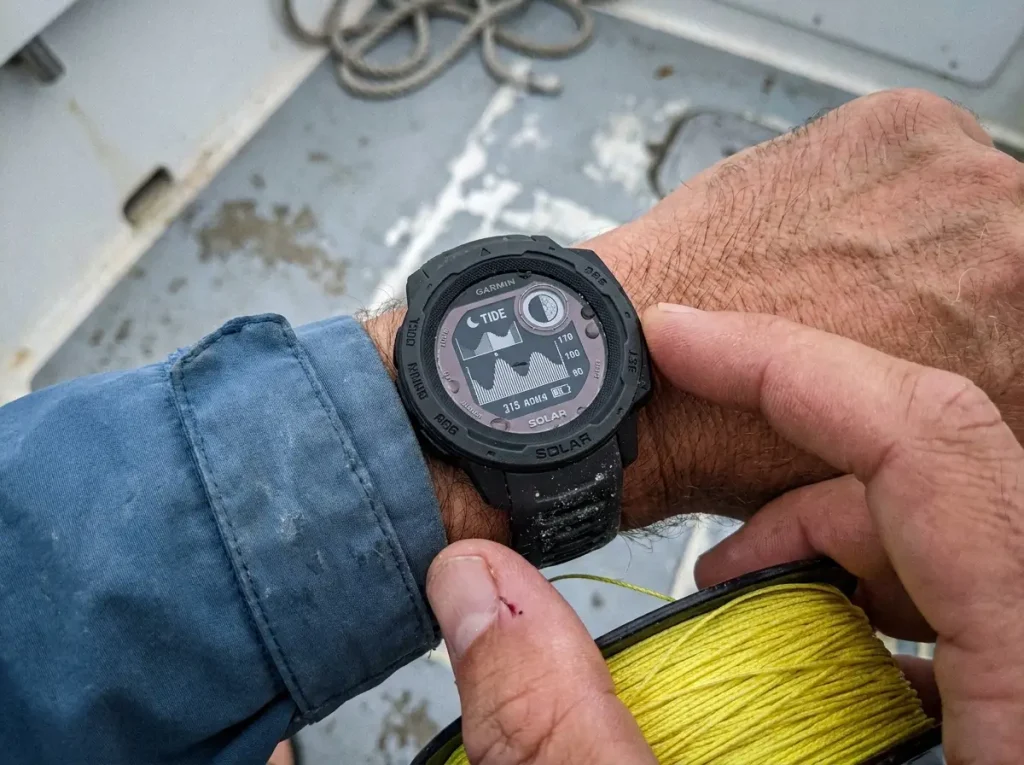
Before you spend a dollar, it helps to know what those little symbols on the watch face are doing. Two separate systems are running at once: solunar windows, which guess when fish feed, and the tide graph, which tracks the water moving in and out. They overlap, but they aren’t the same thing, and the watch is just doing math you could do yourself with a chart and a pencil.
The Major and Minor Feeding Periods
Solunar theory came from an outdoorsman named John Alden Knight, who put it together back in 1926 by mashing “Sol” for sun and “Lunar” for moon. The idea is simple: fish feed hardest when the moon is directly overhead or directly underfoot (the major periods), and a little less hard at moonrise and moonset (the minor periods). You can read more on the solunar theory John Alden Knight first published in 1926 if you want the full backstory.
What that means on the water is you get roughly four feeding windows in a day, two strong and two weak. A major period runs about an hour or two. The practical move is to fish the hour on either side of a major and treat the minors as a bonus, not the main event. The watch flags those windows so you don’t have to track the moon yourself.
The gold-standard window is a major period landing right on sunrise or sunset, near a new or full moon. When the watch shows that stack lining up, that’s the morning you skip sleep to be on the water. Everything else is just decent.
Reading a Tide Graph at a Glance
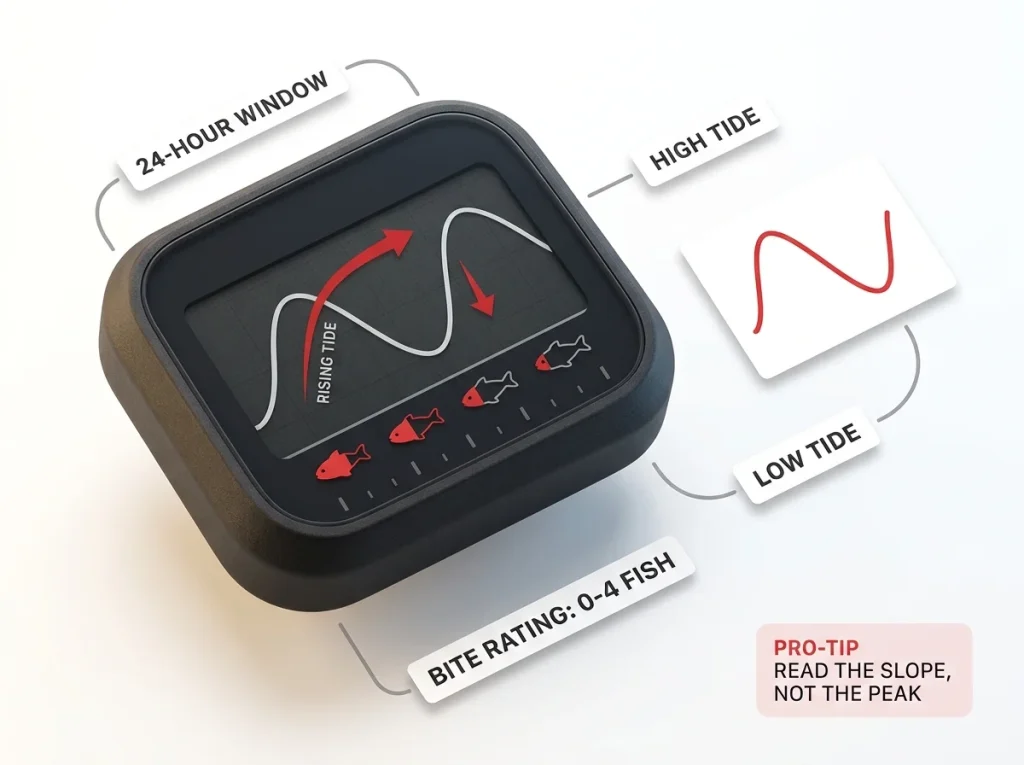
A Casio tide graph shows you the water level for 12 hours before and 12 hours after the current time, so you’re looking at a full 24-hour window of rising and falling tide right on the wrist. The high and low times sit underneath. On the fishing-focused Casios, a separate Fishing Time screen shows zero to four little fish icons, rating how likely the bite is in that window.
The reason this beats reading a paper tide chart or doing the math in your head is speed. You glance down, see the bars climbing or dropping and a couple of fish flags lit up, and you know whether the next hour is worth staying for. Watching it move on a real watch makes the layout click faster than any written description, which is why this short demo is worth a minute.
Where the Moon Phase Fits In
The moon phase ties the two systems together. Activity tends to peak around the new and full moon, when tides swing widest and solunar periods hit hardest. Cheaper G-Shocks show this as moon age, a number from 0 to 29 counting days since the last new moon, instead of a tidy little phase picture. Once you know 0 and roughly 15 are your new and full moon, the number tells you everything the icon would.
None of this is guesswork on the watch’s part. Tide prediction is genuinely good science; NOAA has published tide tables for over 150 years for safe navigation, and a watch is just running a local version of the same predictions. Tide-driven bites like the Sacramento Delta striper run, where the outgoing tide beats the calendar, are exactly the kind of pattern a tide watch helps you line up in advance.
Do You Really Need Solunar on Your Wrist
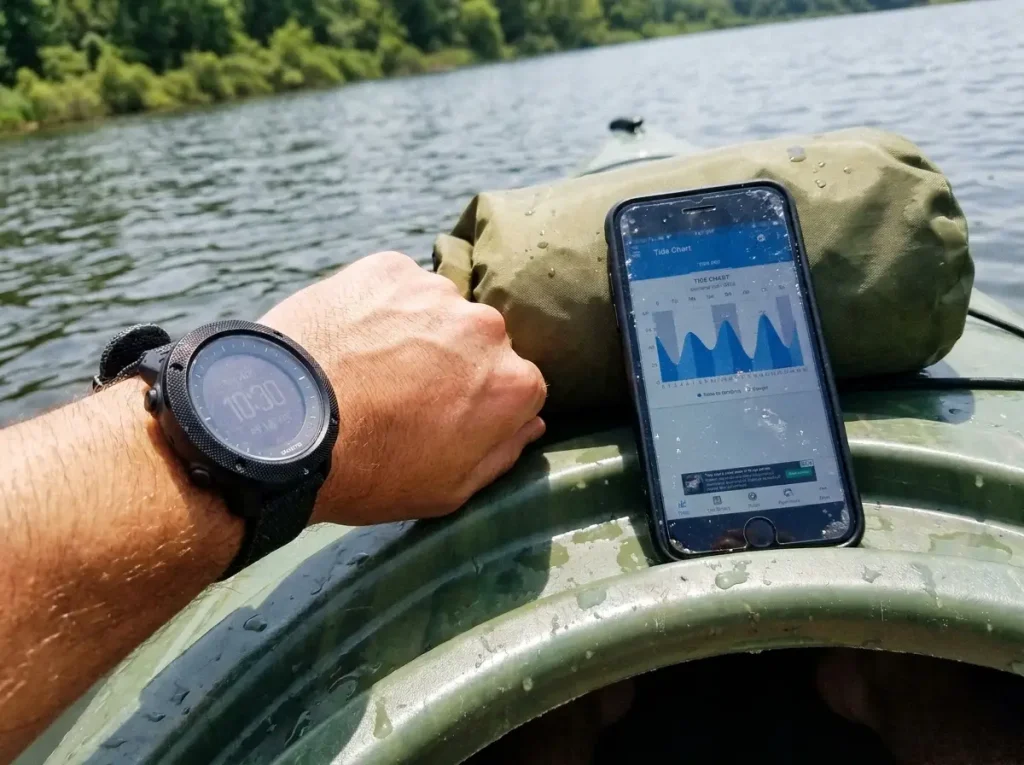
Here’s the honest part most roundups skip. The solunar and tide data on a hundred-dollar watch is the same data sitting in a free app on the phone already in your pocket. Tides4fishing, Fishbrain, and a dozen others give you identical windows for nothing. So before you buy, it’s worth asking what the watch actually buys you.
What a Watch Does That an App Can’t
The watch’s one real edge is glanceability. You flick your wrist, read the window, and keep fishing, hands free, no signal required. That sounds minor until you’re standing thigh-deep in moving water with wet hands, or sitting in a kayak where pulling a phone out is how phones go swimming. Out past cell coverage, the app stops updating and the watch keeps running on its own tide engine.
That watch-versus-app honesty is the gap every competitor avoids, because admitting a free app does the same job makes the sale harder.
That’s the whole pitch, and it’s enough for a lot of anglers. Keeping the phone dry and in the pocket has real value on the water, and if your phone is your tide app, a waterproof case and a solid mount become non-negotiable anyway. A watch sidesteps that problem entirely.
When the Free App Is Genuinely Enough
If you fish from a boat ramp fifty yards from the truck, with full signal and dry hands, the app is honestly fine. Save your money. The watch starts to earn its keep when the conditions get hostile to a phone: surf, offshore, kayak, gloves in the cold, or anywhere the signal drops. Match the tool to how you actually fish, not to how the marketing photo looks.
If you mostly fish one or two home spots, you don’t need a GPS watch at all. A calibrated tide watch shows the same windows for those spots without the price or the charging. The GPS only earns its money when you fish a lot of different water.
What to Look for in a Fishing Watch
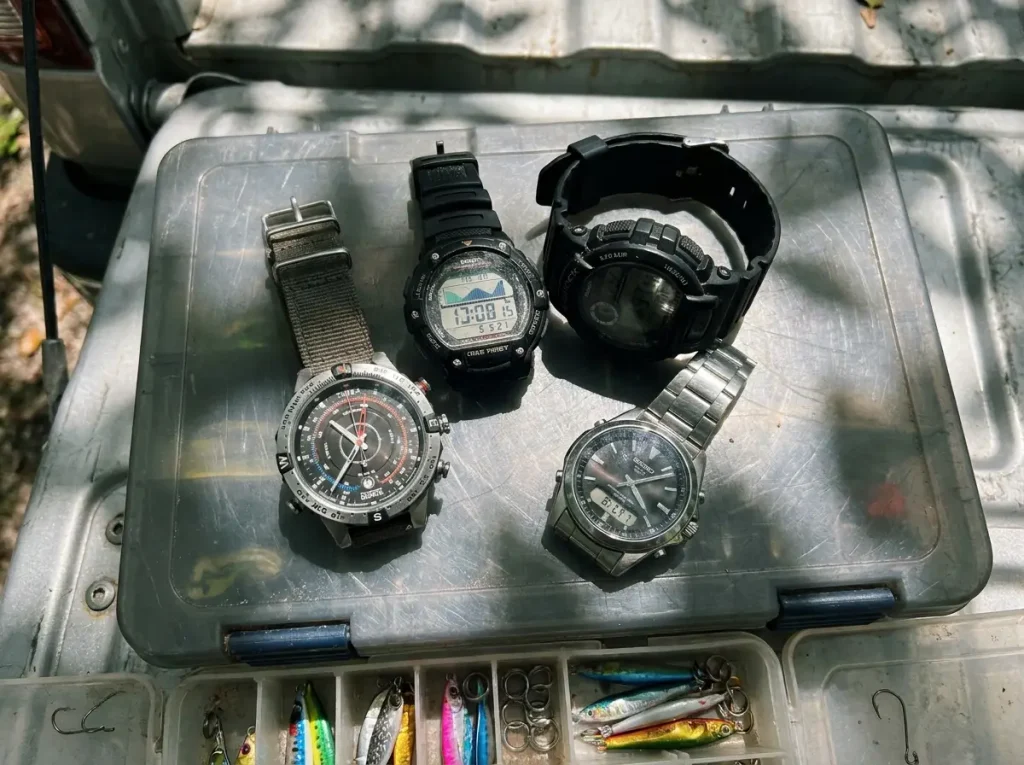
Once you’ve decided a watch makes sense, a few specs separate a useful tide tool from a gimmick. To see where a watch fits in the rest of your setup, our complete guide to fishing tools and accessories lays out the whole kit, but for a watch specifically, here’s what a veteran checks first.
Water Resistance and Saltwater Survival
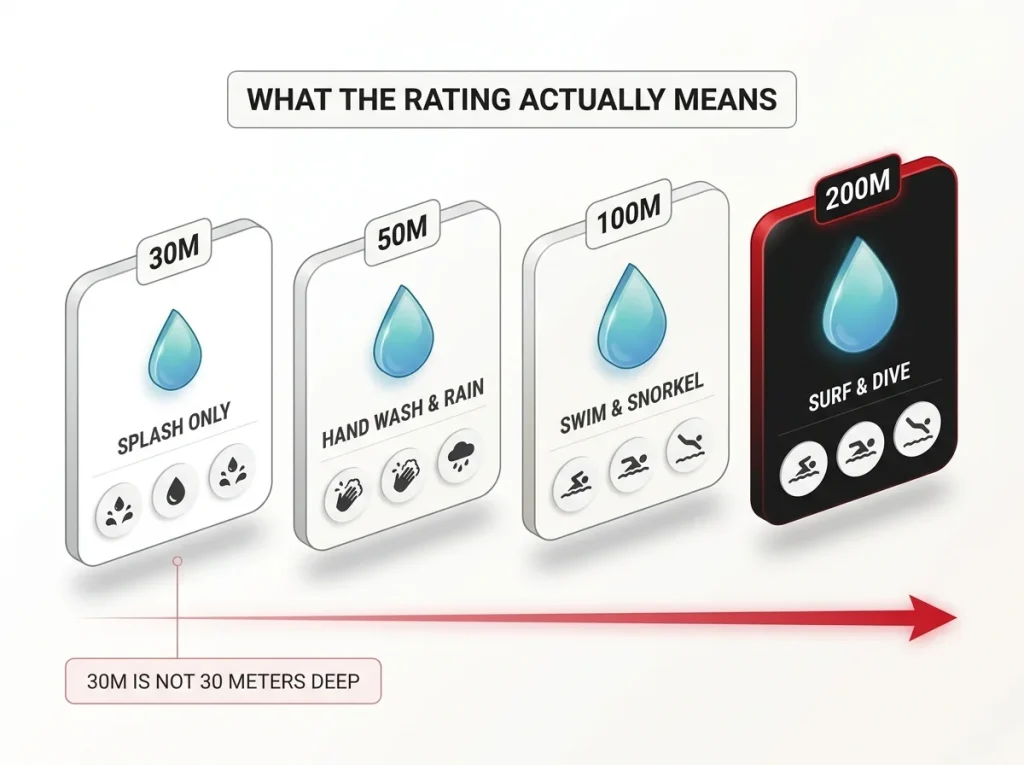
Water resistance is the spec buyers misread most. A watch rated to 100 meters handles rain, spray, and a dunking just fine for most fishing. Step up to 200 meters (20 ATM) if you’re in the surf or going underwater. The catch nobody mentions: that static depth rating assumes the buttons stay still. Press a button while the watch is submerged and you break the seal, and saltwater starts creeping past the gasket. That’s the slow corrosion that ends a watch.
The other half of survival is material. A resin case and resin strap shrug off salt, but the strap eventually rots and cracks; stainless looks sharp but corrodes if you never rinse it. Either way, the same saltwater corrosion that eats a cheap pair of fishing pliers works on a watch too. A freshwater rinse after every salt trip is the cheapest maintenance there is.
Tide, Moon, and Solunar Readouts
This is the whole reason you’re buying. At minimum you want a tide graph and a moon phase or moon age. The bonus features worth paying for are the fishing-time fish icons (Casio’s solunar readout) and a preset port database so you’re not calibrating by hand. A watch that shows tide but makes you do the solunar math yourself is doing half the job.
Battery, Solar, and Legibility
Solar charging is the quiet upgrade that matters more than it sounds. A Tough Solar Casio or a solar Garmin gives you effectively unlimited battery life, never dies on you three days into a trip, and you never pry the case open for a coin cell. On legibility, a bigger, higher-contrast display reads faster in glare and low light, which is the entire point of a glanceable watch. A face you have to squint at defeats the purpose.
Best All-Around Tide and Solunar Watches
These are the do-everything picks. If you want one watch that handles tide, solunar, and the rest of the trip without thinking about it, start here. They cost more, but they’re the ones you stop fiddling with.
Best Overall: Casio Pro Trek PRW3500T
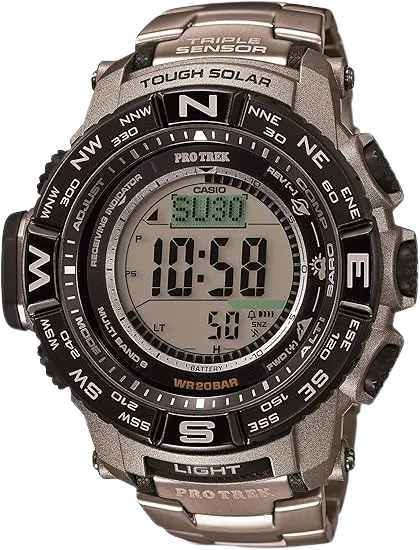
What makes the Casio Pro Trek PRW3500T the pick for most anglers is that it removes the single biggest headache of cheap tide watches. You select the nearest of 3,300 preset ports once, and the watch handles the tide math for that spot with no longitude or interval entry. The fishing-time screen layers solunar fish icons on top, so you read both systems at a glance. The downside is size; it’s a chunky watch, and the sensor suite is more than a pure tide angler needs. But if you want one watch that does it all and never asks for a battery, this is it.
Best Auto-Tide: Garmin Instinct 2 Solar Surf
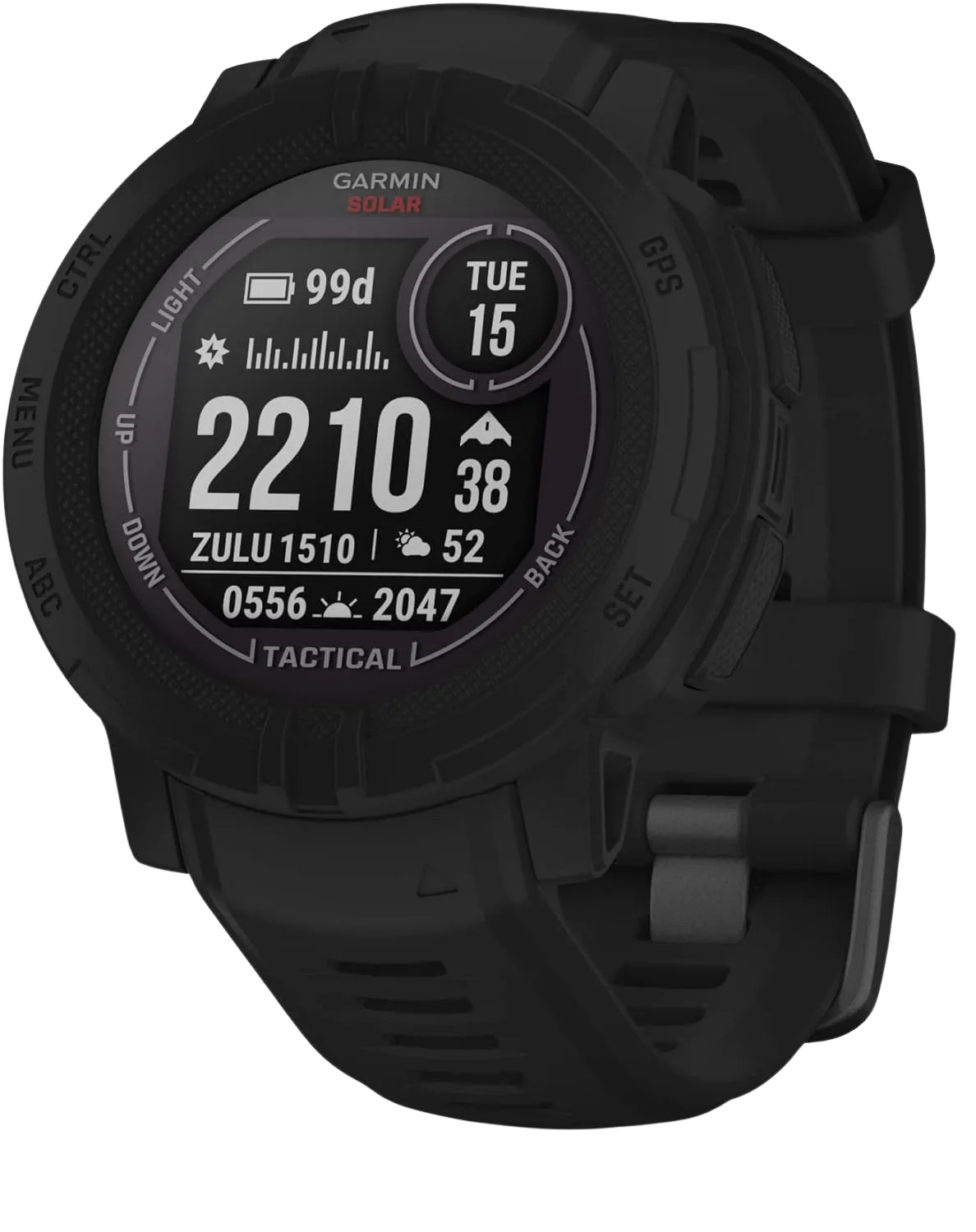
If calibration sounds like a chore you’ll never do, the Garmin Instinct 2 Solar Surf solves it by brute force. Pair it to your phone once and the GPS finds your nearest tide station on its own, then keeps recording tide data and a dedicated surf activity. The solar battery in smartwatch mode is effectively unlimited, so the charging cable stays home. You pay a premium for that convenience, and it’s a true smartwatch rather than a simple tide tool, but for anglers who fish unfamiliar water it’s the one that never lets you down. A GPS watch carries a lithium battery with its own travel rules, worth a glance before you fly with it.
Best for Backcountry: Suunto Traverse Alpha
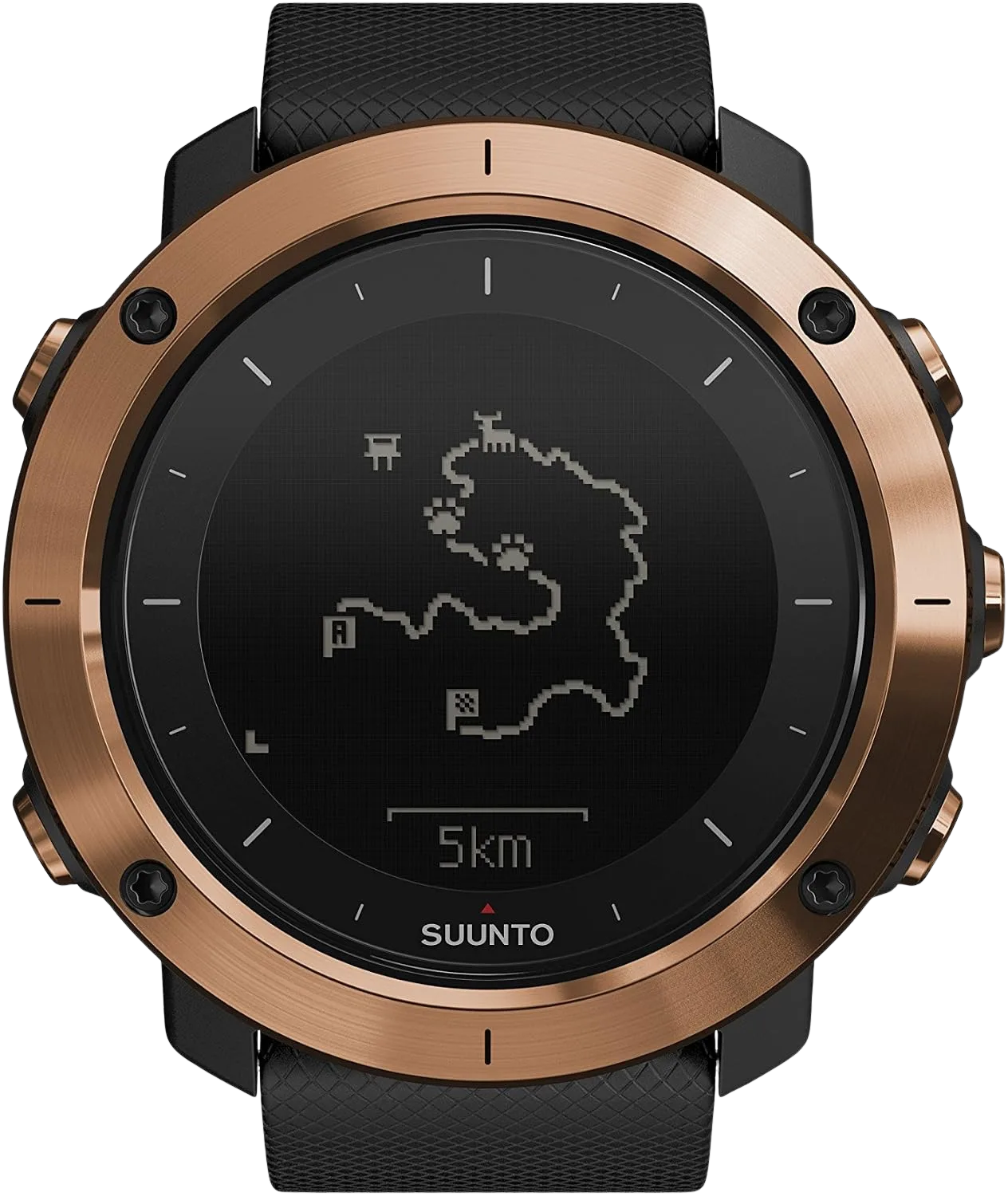
The Suunto Traverse Alpha is the pick if your fishing overlaps with hunting or backcountry travel. It leans on GPS navigation and a full sensor suite rather than a dedicated tide graph, with moon phase and sunrise/sunset data covering the solunar side. For a pond angler this is overkill, but if you’re hiking into remote water or chasing fish and game across a season, the rugged build and navigation features make it the most versatile tool here. Just know you’re buying an outdoor watch that fishes, not a fishing watch that does outdoors.
Best Rugged Watches for Saltwater and Surf
When the watch is going to get bashed against rocks, dunked in surf, and otherwise ignored, you want resin and a high water rating over delicate sensors. These two take abuse for less money.
Best for Saltwater Abuse: Casio G-Shock G-Lide GLX-5600
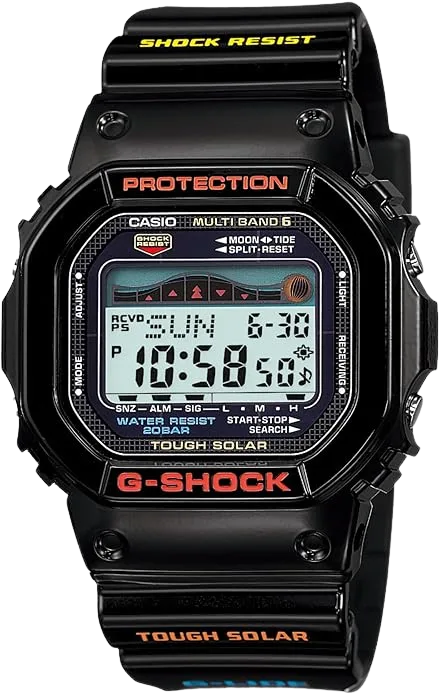
The Casio G-Shock G-Lide GLX-5600 is built around the surf crowd, which makes it a natural saltwater fishing watch. The 200-meter rating plus G-Shock’s shock resistance means it survives drops on rock, breaking waves, and the general beating that kills a stainless watch. It shows the tide graph and moon age, so you still get the data, just in the no-frills G-Shock layout. You calibrate it by hand like any Casio tide watch, but once it’s set you can abuse it and forget it. Rinse it with fresh water after a salt trip and it’ll last years.
Best Cheap and Rugged: Casio G-Shock G7900-1
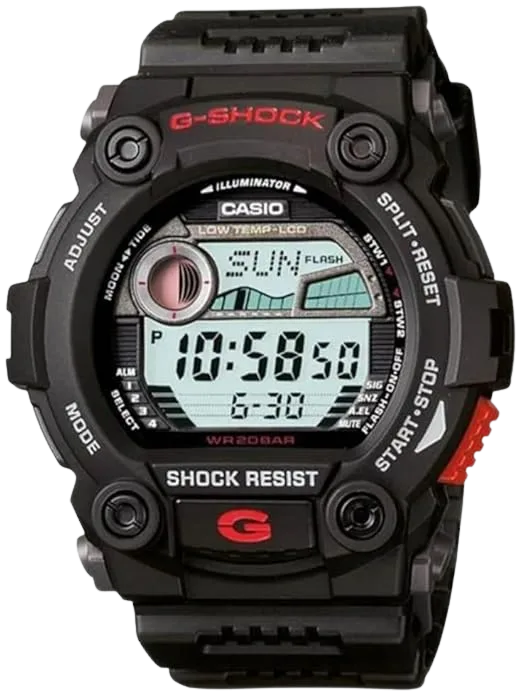
If the G-Lide is more than you want to spend, the Casio G-Shock G7900-1 is the budget version of the same idea. It packs 200-meter water resistance, a tide graph, and moon data into the classic G-Shock case for noticeably less money. You lose a little polish and the layout is plainer, but the toughness and the core tide function are all there. For a first tide watch you won’t cry over if it gets lost in the surf, it’s hard to beat. Same hand-calibration applies, same fresh-water rinse keeps it alive.
Best Simple Tide and Everyday Picks
Not everyone wants a sensor brick on their wrist. These two strip it back to tide-first simplicity, including one you can wear off the water without looking like you just came off a kayak.
Best Pure-Tide: Rip Curl Rifles
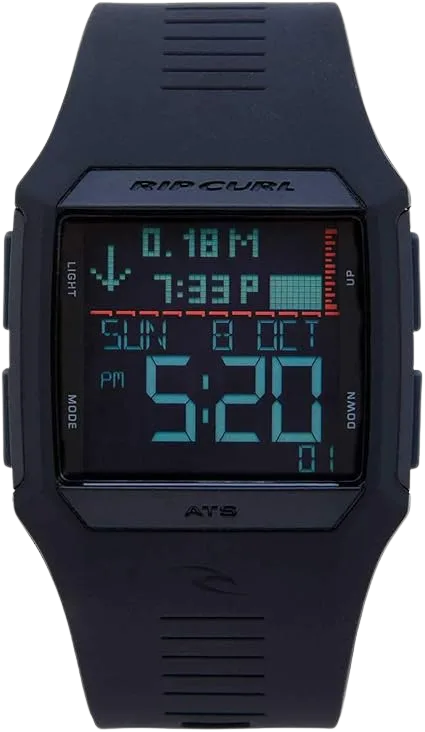
The Rip Curl Rifles comes at the problem from the surf side. Instead of a calibration routine, it ships with tide data pre-programmed for 500-plus beaches, so you pick your spot and you’re done. There’s no solunar fishing-time screen and no sensor suite; it’s tide, time, and not much else. That’s the appeal. If you fish coastal beaches and just want to know the tide without any setup, the simplicity is a feature, not a limitation. Inland anglers fishing water that isn’t in the database are better served by a calibrated Casio.
Best Analog Everyday: Timex T2N720
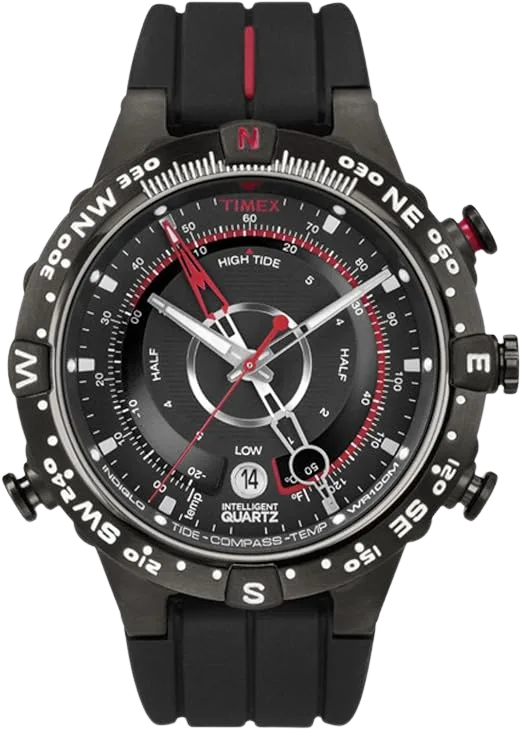
The Timex T2N720 is for the angler who wants tide information without a wrist computer. The analog tide indicator reads at a glance, the compass and temperature round it out, and the case looks like a normal watch you’d wear to work. The tradeoff is real: there’s no solunar fishing-time readout and no digital tide graph with high/low times spelled out, so it’s a coarser tool than the Casios. But if you’ll only wear a watch you don’t hate looking at, this is the honest pick.
How to Read the Window and Time the Bite
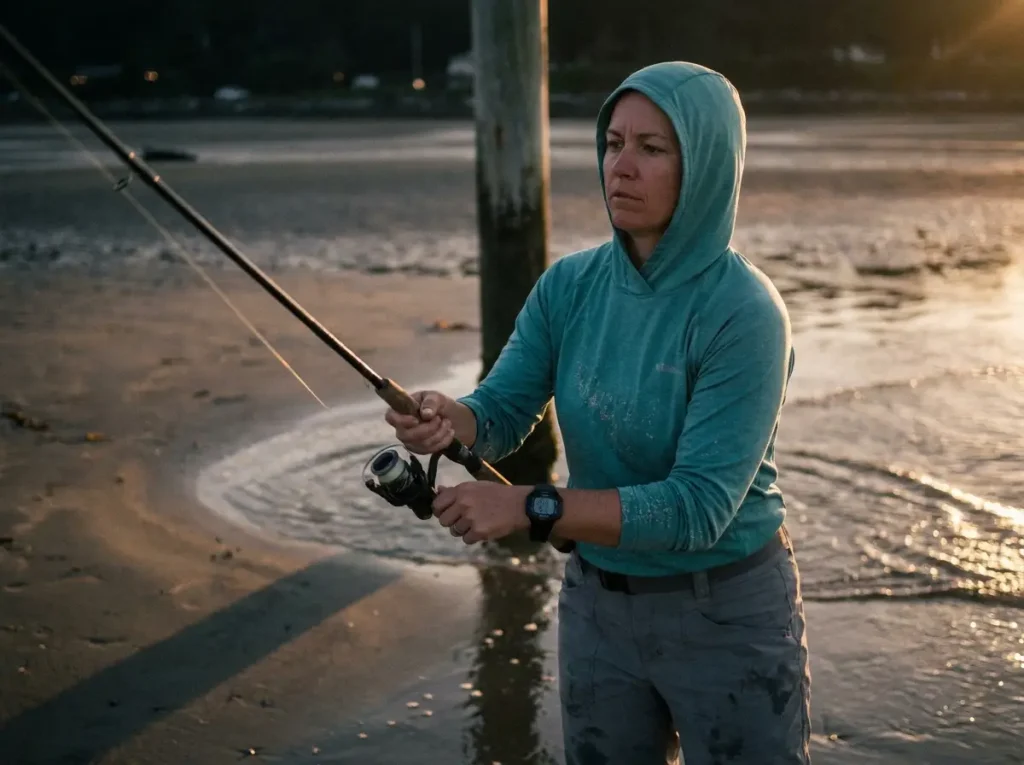
Owning the watch is step one. Knowing when to actually cast is the whole game, and it’s the part every roundup skips. A tide graph and a couple of fish icons are useless if you don’t act on them right.
Fish the Moving Water, Not the Slack
This is the mistake that sinks more anglers than any calibration error: fishing the slack tide and blaming the watch. The watch shows you the bite window, but the bite lives in the moving water, the incoming or outgoing tide, not at the dead top or bottom. When the tide goes slack, current stops carrying food, and the feeding shuts down with it.
So read the graph for the slope, not just the peak. You want the part where the bars are climbing or dropping fastest, because that’s when the water is moving hardest. Surf species like striped bass feed on the moving tide, not the slack, and the same logic holds across most inshore and coastal fishing.
Don’t chase the exact “peak” minute the watch flags. Fish the hour either side of a major period and the moving phase of the tide instead. The bite isn’t a light switch that flips at 6:14 sharp; it’s a window, and you want to be casting through the whole thing.
Stack Your Factors for the Best Window
The watch shows several signals, and they’re far stronger together than apart. The best window is a major solunar period landing on sunrise or sunset, near a new or full moon, on moving water. Any one of those is a mild edge. When three or four line up at once, that’s the window you rearrange your day around.
This is where reading the watch turns from data into a plan. Glance at the tide slope, the fish icons, and the moon, and look for the overlap. Most days won’t give you a perfect stack, and that’s fine; you fish the best window available. But when the stack shows up, you go, even if it means a 4 a.m. alarm.
Major Periods vs Sunrise and Sunset
Solunar majors and the classic dawn/dusk bite aren’t competing ideas; they reinforce each other. Dawn and dusk are reliable feeding times on their own, and when a major period drops on top of one, you get the strongest window of the day. Here’s the honest caveat, though: solunar is a timing edge, not magic.
No controlled study has cleanly proven that lunar position drives feeding independent of everything else, and catch rates often track barometric pressure and weather more than the moon. The practical takeaway is don’t bench a perfect-weather Saturday because the chart says “poor.” A falling barometer ahead of a front, on a textbook weather day, can outfish any “excellent” solunar rating. Use the watch alongside your read of the conditions, and cross-check the window against NOAA’s official tide predictions for your local station so you trust the numbers in the first place.
Calibrating a Tide Watch So It’s Not Fiction
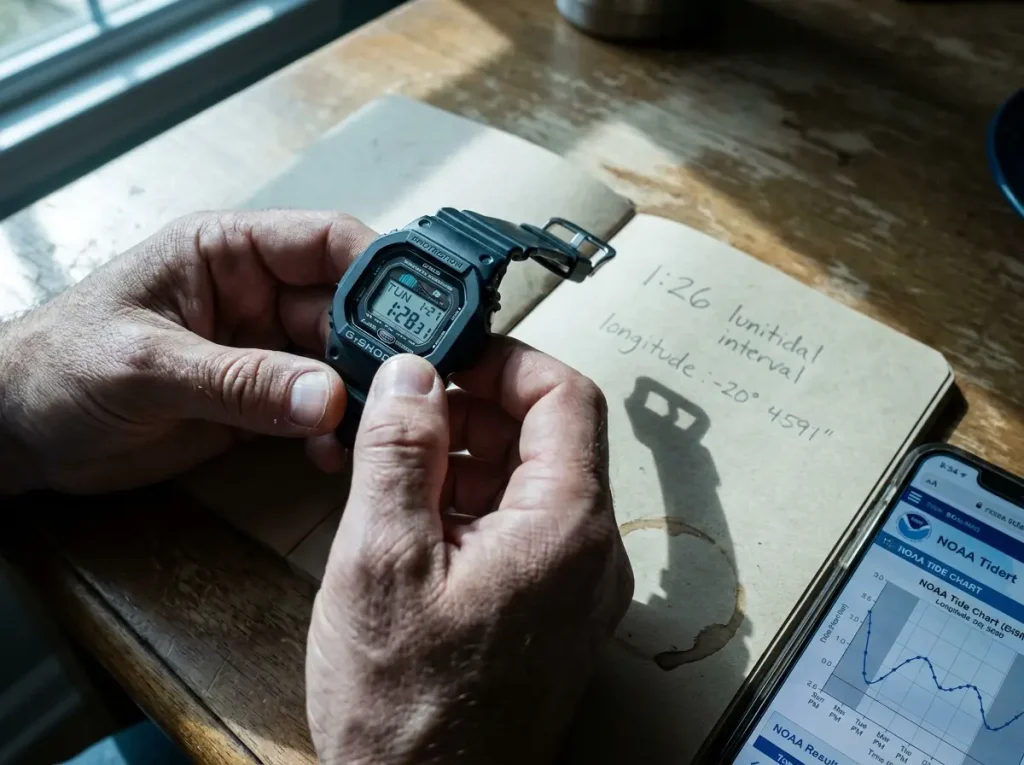
Here’s the step that decides whether your tide watch works or just decorates your wrist. The angler who “tried a tide watch and it was always wrong” almost never set it up. Out of the box, a cheap tide watch shows tides for some default location, not yours.
Why a Cheap Casio Lies Out of the Box
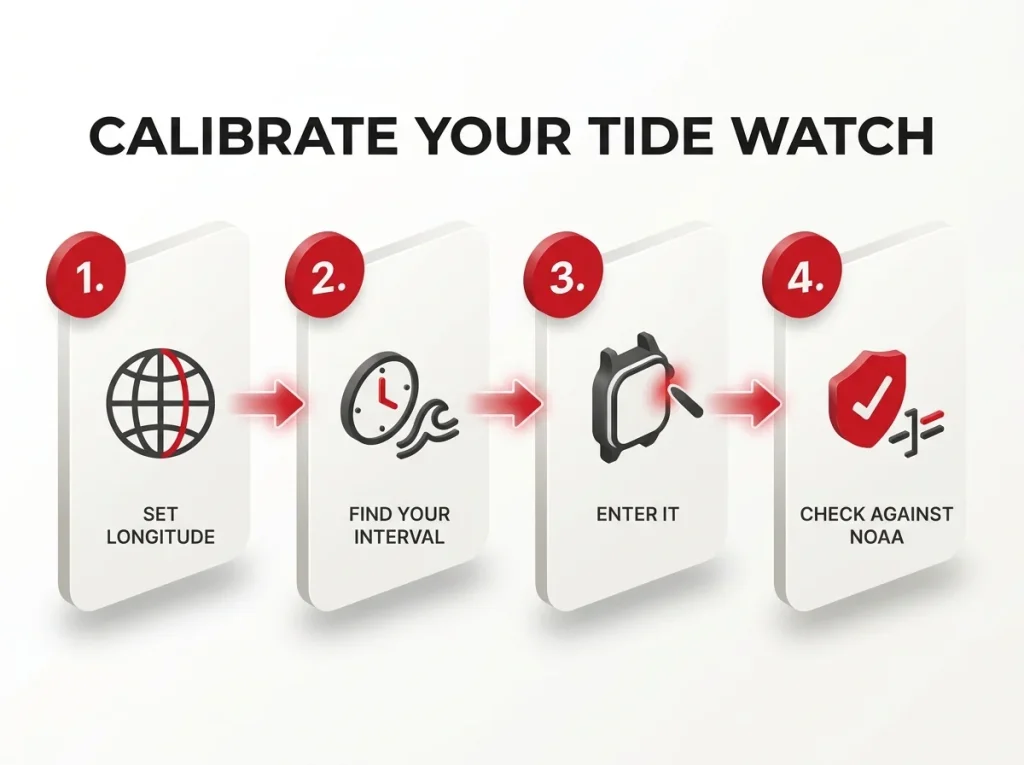
A Casio tide watch doesn’t know where you are. You have to tell it, by entering your local longitude and your lunitidal interval, which is the lag between the moon passing overhead and the next local high tide. That lag exists because water has to physically move, and it varies by location based on coastline shape and seafloor, sometimes by an hour and a half or more. Enter the wrong number, and the tide graph is fiction. This is the single most common complaint about budget tide watches, and it’s entirely a setup problem.
The hand-calibration gotcha, the lunitidal interval and the DST trap, is the thing budget-watch roundups leave out entirely, and it’s exactly where this guide earns the click.
Hand-Entering the Lunitidal Interval
Setting it isn’t hard once you know the steps: enter your longitude, find your local lunitidal interval, and key it in. There’s also a DST trap worth knowing. On Casios you only ever toggle daylight saving on or off; if you manually re-set the clock to “fix” the hour, every tide and solunar time silently shifts with it. Set DST the right way and the tides stay honest. Watching it done once makes the menu diving a lot less confusing.
Calibrate once, then verify. Set your home water, then check the watch’s next high-tide time against the NOAA prediction for your station. If they match, you’re good for years. If they’re off by an hour, your lunitidal interval is wrong, fix that one number and re-check.
When GPS Auto-Tide Is Worth the Money
All of this is why the Garmin’s GPS auto-tide exists. If you fish one or two home spots, hand-calibrating a Casio once is no big deal, and you save real money. But if you travel and fish a dozen different waters, re-calibrating every time gets old fast, and a GPS watch that pulls the right tide station automatically earns its premium. It’s the same tide and chart data that powers marine charting apps like Navionics and C-Map, just delivered to your wrist with no setup. Choose based on how many different spots you fish, not on the spec sheet.
Conclusion
Strip away the marketing and three things decide whether a tide and solunar watch is worth it. First, the watch is glanceability, not magic; a free app shows the same windows, and you’re paying to keep your phone dry and in your pocket. Second, calibrate it or it’s fiction; an uncalibrated tide watch is worse than no watch because it lies with confidence. Third, fish the moving water inside the stacked window, and don’t skip a good-weather day over a “poor” chart.
Pick the watch that matches how you fish. The Pro Trek if you want one do-it-all tool, the Garmin if you travel and hate setup, a G-Shock if it’s going to get beaten up, and the Timex or Rip Curl if you want it simple. Set it against NOAA once, learn to read the slope and the stack, and let it keep your phone in your pocket where it belongs.
Frequently Asked Questions
01Do fishing watches show accurate solunar times?
They show the same solunar calculation a free phone app does, and it’s accurate as long as your location is set correctly. The math is solid; the weak link is a watch that was never calibrated to where you actually fish.
02Is a Casio or Garmin tide watch better?
Garmin pulls tide stations automatically by GPS, so there’s zero setup, but it costs more. Casio you calibrate by hand and it’s cheaper. Travel a lot and fish many spots, go Garmin; fish a home water or two, a Casio saves money.
03Do you have to set up a Casio tide watch before it works?
Yes. You enter your local longitude and lunitidal interval, or the tide graph is wrong out of the box. It’s a one-time setup, and you should verify it against a NOAA tide prediction for your station afterward.
04Does solunar theory actually work for fishing?
It’s a timing edge, not proven magic. No controlled study cleanly links lunar position to feeding on its own, and weather and barometric pressure often matter more. Treat it as one factor to stack, not a guarantee.
05What water resistance do you need for a fishing watch?
100 meters covers most fishing, including rain and dunking. Step up to 200 meters for surf or going underwater. Whatever the rating, never press the buttons while the watch is submerged, since that’s how water gets past the seals.
Risk Disclaimer: Fishing, boating, and all related outdoor activities involve inherent risks that
can lead to injury. The information provided on Master Fishing Mag is for educational and informational purposes
only. While we strive for accuracy, the information, techniques, and advice on gear and safety are not a substitute
for your own best judgment, local knowledge, and adherence to official regulations. Fishing regulations, including
seasons, size limits, and species restrictions, change frequently and vary by location. Always consult the latest
official regulations from your local fish and wildlife agency before heading out. Proper handling of hooks, knives,
and other sharp equipment is essential for safety. Furthermore, be aware of local fish consumption advisories. By
using this website, you agree that you are solely responsible for your own safety and for complying with all
applicable laws. Any reliance you place on our content is strictly at your own risk. Master Fishing Mag and its
authors will not be held liable for any injury, damage, or loss sustained in connection with the use of the
information herein.
Affiliate Disclosure: We are a participant in the Amazon Services LLC Associates Program, an
affiliate advertising program designed to provide a means for us to earn advertising fees by advertising and linking
to Amazon.com. As an Amazon Associate, we earn from qualifying purchases. We also participate in other affiliate
programs and may receive a commission on products purchased through our links, at no extra cost to you. Additional
terms are found in the terms of service.