
In this article
The screen showed a perfect 15-foot ledge dropping into a channel—crisp returns, beautiful structure, exactly the kind of spot where fish should be stacked like cordwood. Except they weren’t there. The bass I’d been hunting for three hours were actually hugging a mud flat 200 feet behind my boat, completely invisible to my $3,000 fish finder because I didn’t understand what I was looking at.
After two decades on the water and countless hours staring at Humminbird, Lowrance, and Garmin displays, I’ve learned that owning high-frequency scanning sonar and actually understanding it are two very different things. The quick-start guides tell you which buttons to push. They don’t tell you why your side imaging looks like static in calm water, why fish disappear when you stop moving, or why that “perfect” transducer install is giving you garbage returns.
This is the reference the manual forgot to include. We’re covering the physics that actually govern image quality, the scenarios where each technology excels (and fails), and the installation tricks that separate clear returns from expensive noise.
⚡ Quick Answer: Side imaging scans horizontally up to 400+ feet per side—use it to search new water and locate structure. Down imaging scans vertically with superior target separation—use it to confirm fish presence and identify species. They’re not competing technologies; they’re complementary. Run both split-screen for complete coverage, switching frequencies based on depth and conditions.
Understanding the Physics: How Scanning Sonar Actually Works
Your fish finder isn’t a camera. It’s a distance-time recording device, building images slice by slice as you move through the water. Every return on that screen traveled through water, bounced off something, and came back—and the physics of that journey determine whether you see fish or static.
The Fan Beam vs. Cone: Why Geometry Matters
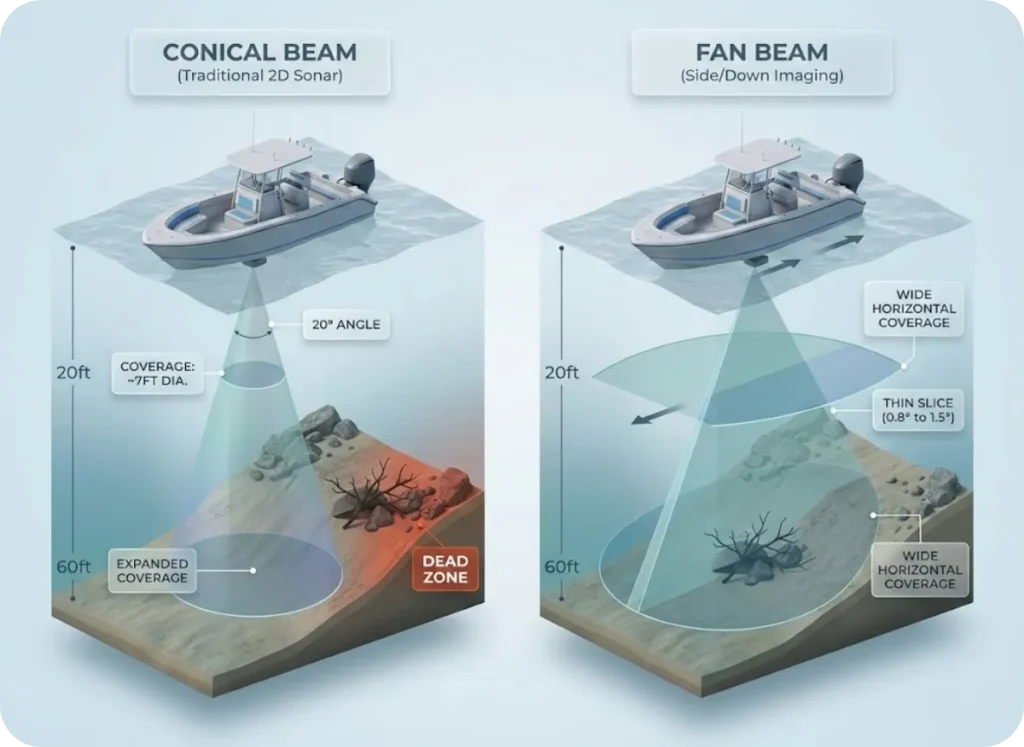
Traditional 2D sonar uses a conical beam that expands with depth. At 20 feet, that 20-degree cone covers about 7 feet of bottom. The problem? Slopes create “dead zones” where the beam hits the high side first and masks everything below. That brush pile on the edge of a drop-off? Invisible.
Scanning sonar flips the geometry. Both side imaging and down imaging use a fan beam—extremely wide port-to-starboard but razor-thin fore-to-aft, typically 0.8° to 1.5°. As your boat moves, this thin slice “paints” the bottom piece by piece. No movement, no image. That’s why your screen freezes when you anchor up.
Understanding CHIRP sonar frequency selection adds another layer to this foundation, but for scanning sonar, geometry matters more than anything else.
Frequency Trade-offs: Resolution vs. Range
Here’s what Humminbird, Lowrance, and Garmin won’t emphasize in their marketing: physics doesn’t care about your price tag.
455 kHz is the workhorse. Longer wavelength means less signal loss over distance—you can reach 400+ feet per side under good conditions. Use this for hunting big structure: wrecks, channel ledges, expansive flats. The trade-off? Lower resolution. Individual fish become blobs.
800 kHz sharpens things up with improved target separation, but the range drops to 125-150 feet. It’s the transitional frequency most anglers default to.
MEGA Imaging and UHD frequencies (1.0-1.2 MHz) are the microscope. Wavelengths short enough to show individual fish fins and tree branches. But signal dies fast—effective range maxes out around 125 feet, with the “sweet spot” under 80 feet from the transducer.
The reason fish are detectable at all comes down to the swim bladder’s acoustic properties—that gas-filled organ reflects sound waves differently than surrounding water, creating the distinct returns we interpret as fish.
Pro tip: Running MEGA Imaging over 150-foot ledges is like using a magnifying glass in the dark. The physics simply don’t support it. Switch to 455 kHz when you’re deeper than 100 feet, or you’re missing most of what’s below you.
The Nadir Gap: What Your Screen Doesn’t Show
Here’s a detail buried in the fine print: side imaging beams shoot outward. The area directly beneath your transducer—called the “nadir”—appears as that dark water column strip down the center of your screen. That’s not empty space; it’s the time for sound to reach the bottom straight down.
The problem? You get limited bottom detail directly below your keel in pure side view. Fish holding tight to your line of travel—exactly where you’re about to cast—may be invisible. That’s why you run down imaging simultaneously. The narrow DI beam fills that coverage gap.
Side Imaging: The Horizontal Hunter
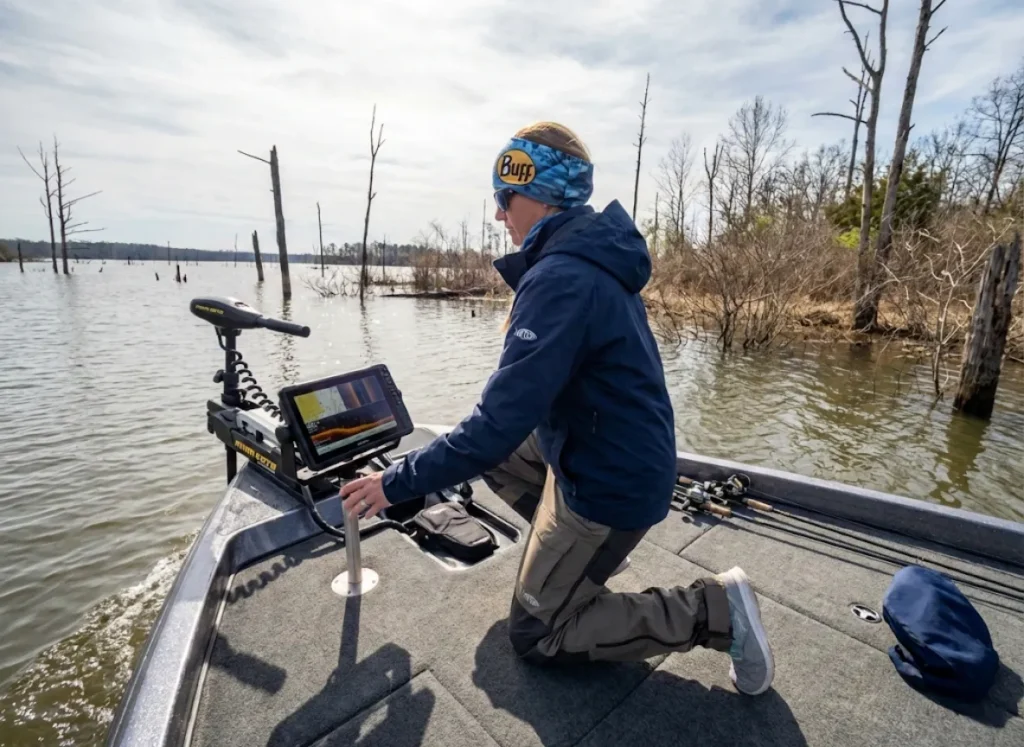
Think of side imaging as your search engine. It covers water fast—up to 400 feet per side at 455 kHz—letting you paint the bottom while idling along at 3-5 mph. The goal isn’t finding individual fish; it’s finding structure that holds fish.
Reading the Mosaic: Time, Distance, and Shadows
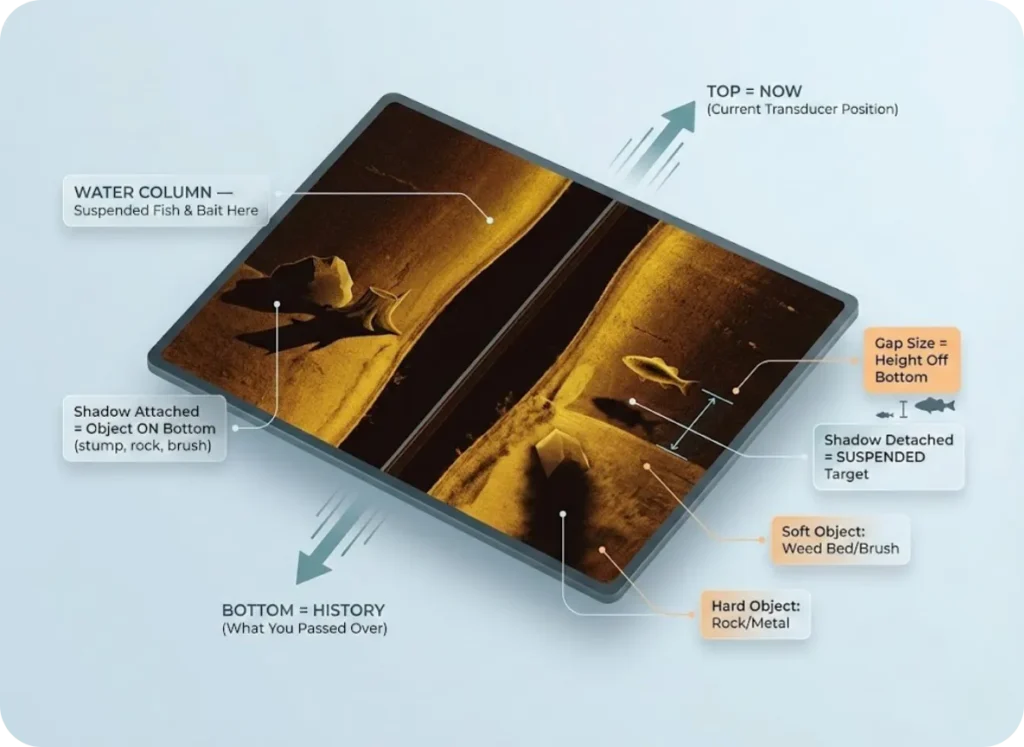
The mental model trips up most anglers. That screen isn’t a snapshot—it’s a timeline. Top of the screen is “now” (your transducer position). Bottom is “history” (what you passed over minutes ago). Objects appearing in that center dark strip? Those are suspended fish or bait directly under your keel.
Shadow interpretation separates intermediate users from experts. Every object protruding from the bottom casts an acoustic shadow away from the transducer.
If the shadow touches the object, it’s sitting on the bottom—a stump, rock, or brush. If there’s a gap between the object and its shadow, that target is suspended. The size of that gap tells you exactly how high off the bottom that fish is sitting. A large gap means it’s up in the water column; a small gap means it’s barely off the mud.
Once you understand the fish finder interpretation fundamentals, shadow math becomes second nature. Hard objects like rock and metal cast sharp, defined shadows. Soft objects like weed beds cast fuzzy, indistinct edges. This “shadow texture” lets you differentiate between a brush pile and a rock pile without ever putting eyes on it.
Scroll Speed vs. Boat Speed: The Distortion Factor
Your image is built slice by slice. If those slices don’t match your actual movement, everything distorts.
Boat faster than scroll speed? The image compresses. A round tire on the bottom looks like a flat pancake. Scroll faster than boat speed? The image stretches. That same tire looks like a long tube. Most anglers never calibrate this—they run factory defaults and wonder why structure looks wrong.
The golden ratio for a 1:1 aspect ratio: scroll speed setting of 3-5 at boat speed of 3-5 mph. Expert anglers like Randy Kuhens take it further. He intentionally increases scroll speed slightly when scanning dense timber, “stretching” the image to open up gaps between branches—revealing fish hiding deep in cover that compression would obscure.
Down Imaging: The Vertical Validator
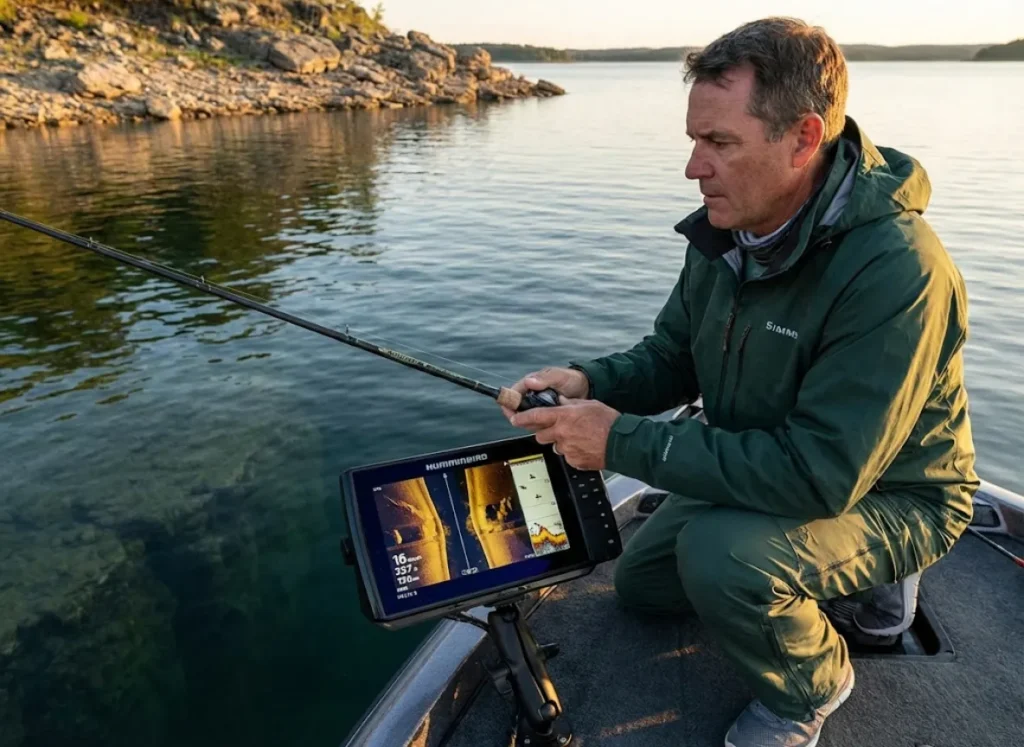
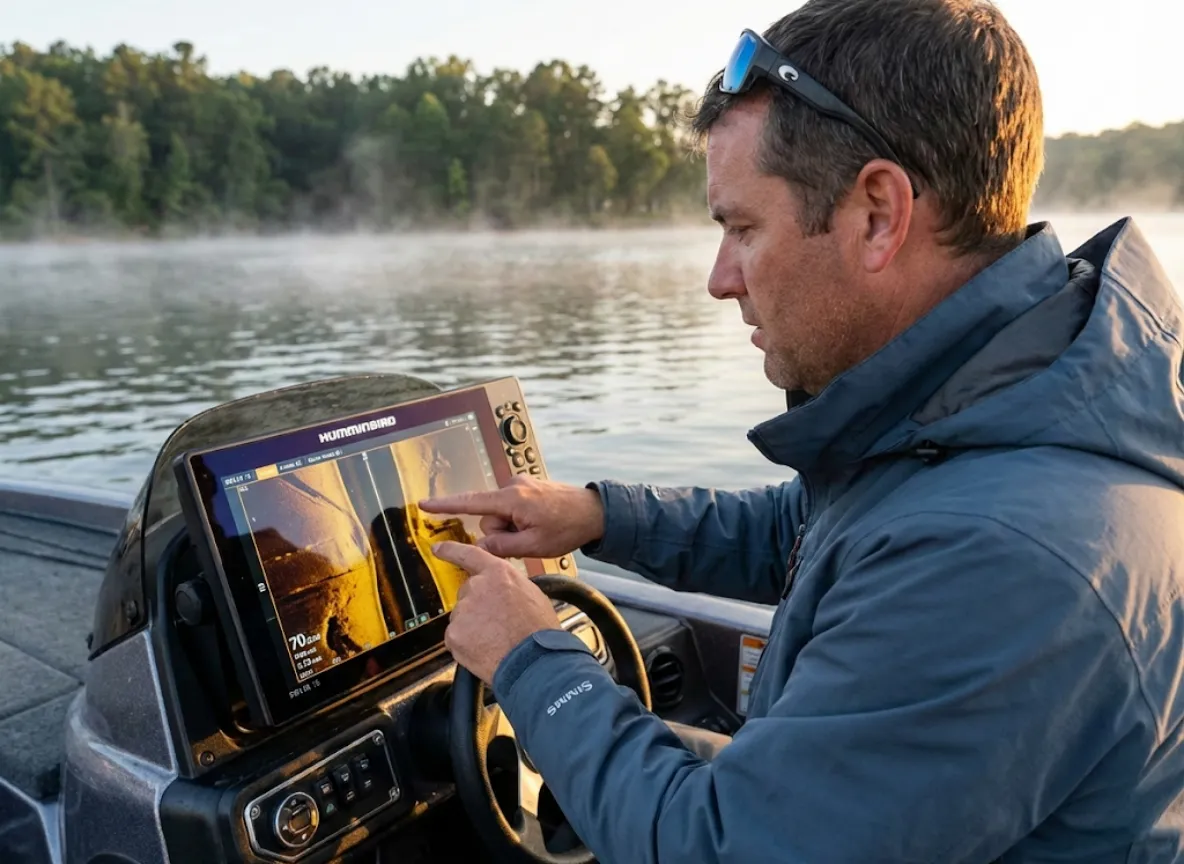
If side imaging finds the haystack, down imaging finds the needle. The narrow fan beam pointing straight down provides the vertical resolution and target separation that SI can’t match.
Target Separation: Seeing Fish, Not Blobs
Traditional 2D sonar smears schools and predators together into a single red mass. Down imaging’s razor-thin beam slices through, showing individual “grains of rice” (baitfish) separate from the larger streaks (predators) attacking them.
This matters most inside structure. A bass hovering in standing timber might be invisible on side imaging—masked by the acoustic return of the tree itself. On DownScan or ClearVü, you see the hard return of the trunk and the separate, softer return of the suspended fish.
Pro tip: Bill Carson, Humminbird field staff, uses down imaging to confirm what side imaging suggests. “If SI shows a brush pile, DI tells me if there are actually fish in it—and exactly where they’re positioned vertically.”
Understanding transducer cone geometry helps explain why DI excels at this—the beam width numbers your manual lists actually vary dramatically by frequency.
Thermocline Visualization: Finding the Strike Zone
Down imaging reveals water density changes invisible to other sonar modes. The thermocline—that transition zone between warm, oxygen-rich water and cold, oxygen-depleted depths—appears on DI as a consistent horizontal band of “haze” across your screen.
Why does this matter? Fish won’t venture below that layer for extended periods. If your DI shows the thermocline at 22 feet in 40 feet of water, you’ve just eliminated half the water column from your search. The fish are above that line, and there’s no point working deeper.
Understanding thermocline fishing depth strategies makes this tactical advantage even more powerful during summer stratification.
The Integrated Workflow: Using Both Technologies Together
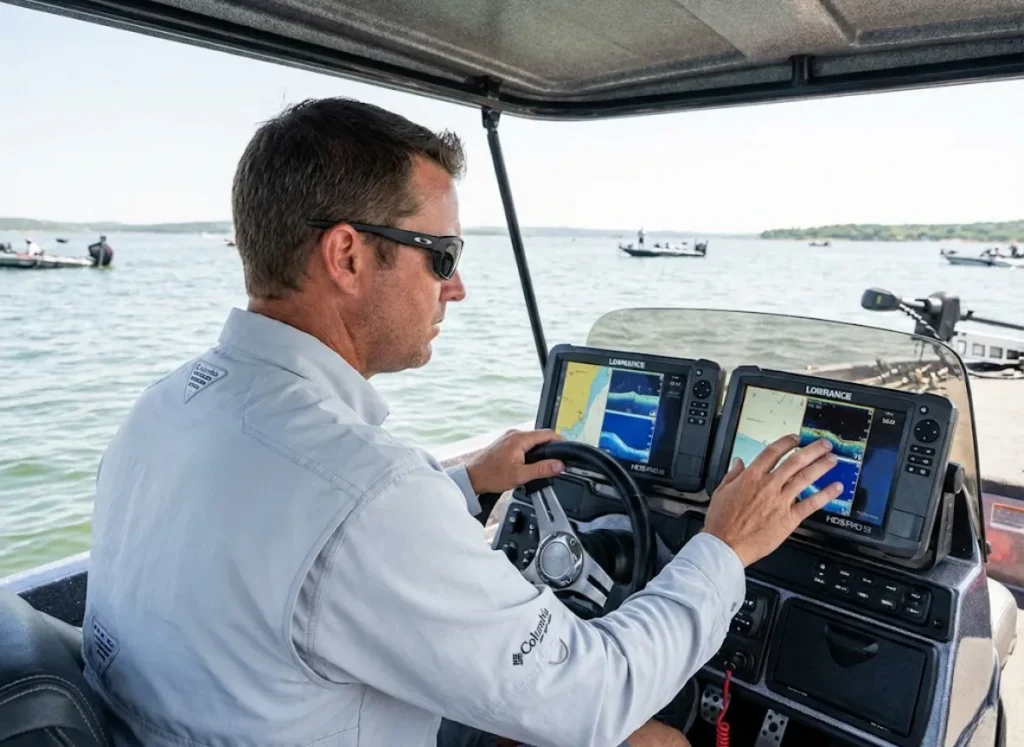
Here’s what nobody tells you: the “Side Imaging vs Down Imaging” debate misses the point entirely. Tournament anglers don’t choose between them. They run both in a systematic workflow.
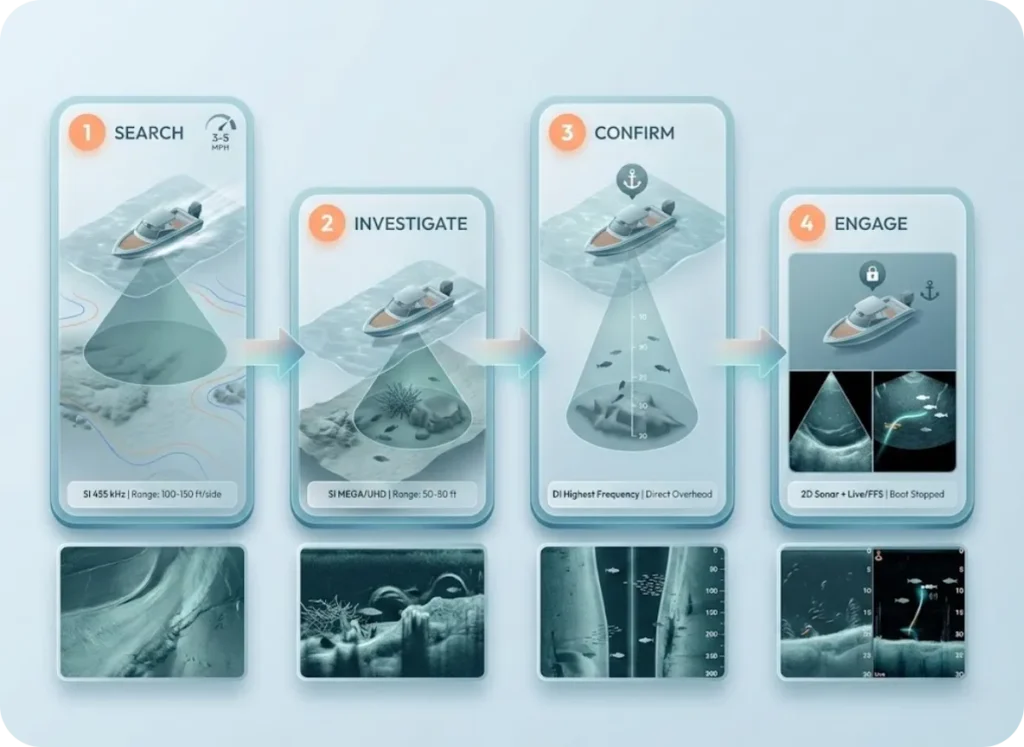
The 4-Phase Reconnaissance Method
Phase 1 (Search): Side imaging at 455 kHz, range set to 100-150 feet per side, idling at 3-5 mph. You’re painting the bottom looking for geological features—creek bends, ledges, rock piles, anything that breaks up the monotony.
Phase 2 (Investigate): Found something? Switch to MEGA or UHD frequency and make a closer pass with range set to 50-80 feet. Now you’re identifying specific cover type—brush versus rock—and looking for fish shadows.
Phase 3 (Confirm): Drive directly over the target with down imaging at highest frequency. Verify species, count fish, identify their exact vertical position.
Phase 4 (Engage): Stop the boat. Deploy 2D sonar for real-time lure tracking, or forward-facing sonar like MEGA Live or LiveScope for precision targeting.
Tournament guide Travor Diegel reports using DownScan 65% of the time on Lake Oahe. Side imaging finds the spots; down imaging confirms the fish. That’s why your spot selection methodology needs to incorporate both views—not default to one or the other.
Color Palette Selection: What the Eye Detects Best
Most anglers run factory color palettes. That’s leaving performance on the table.
Human eyes detect yellow/amber contrast best in bright sunlight. Hard bottoms (gravel, shell) “pop” as bright white or yellow on amber palettes like Humminbird Palette #2. Soft mud shows dark amber. This contrast reveals the bottom transitions—edges between soft and hard bottom—that concentrate fish.
Chris Zaldain, Bassmaster Elite pro, specifically recommends amber palettes for daytime fishing. Green-black palettes work better for distinguishing vegetation from hard structure in weed-heavy waters. It’s a 30-second menu adjustment with significant visibility gains.
The Installation Dark Arts: What the Manual Won’t Tell You
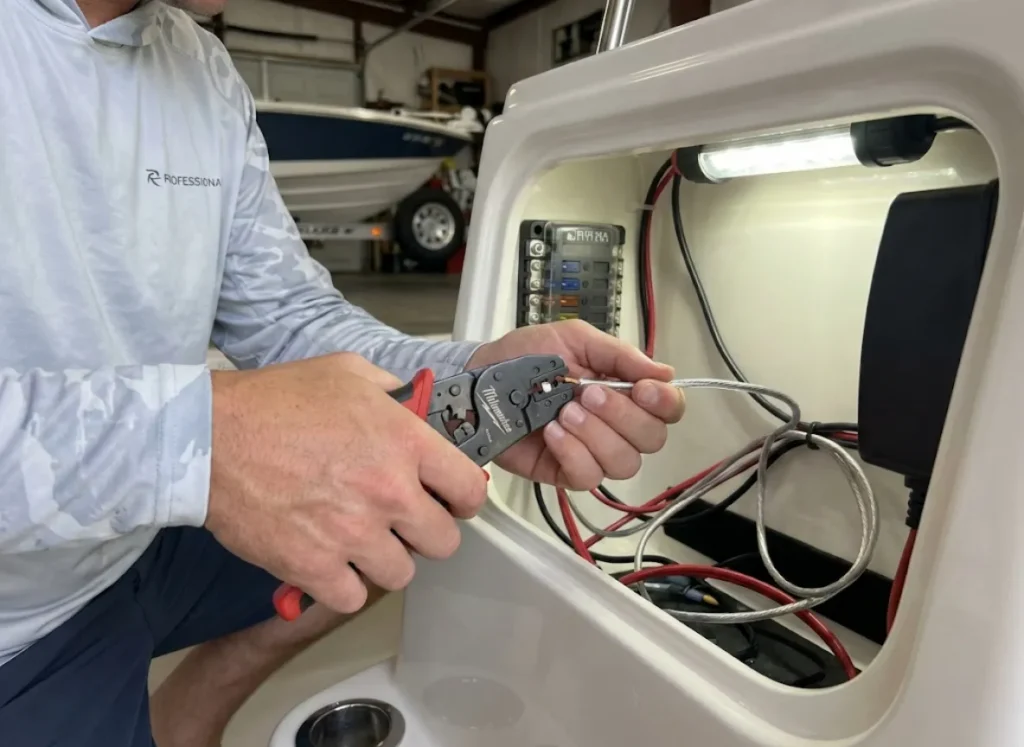
That $3,000 fish finder will perform like a $300 unit if the installation is wrong. The manual gives minimum viable instructions. The expert community has developed a set of “unwritten rules” that actually matter.
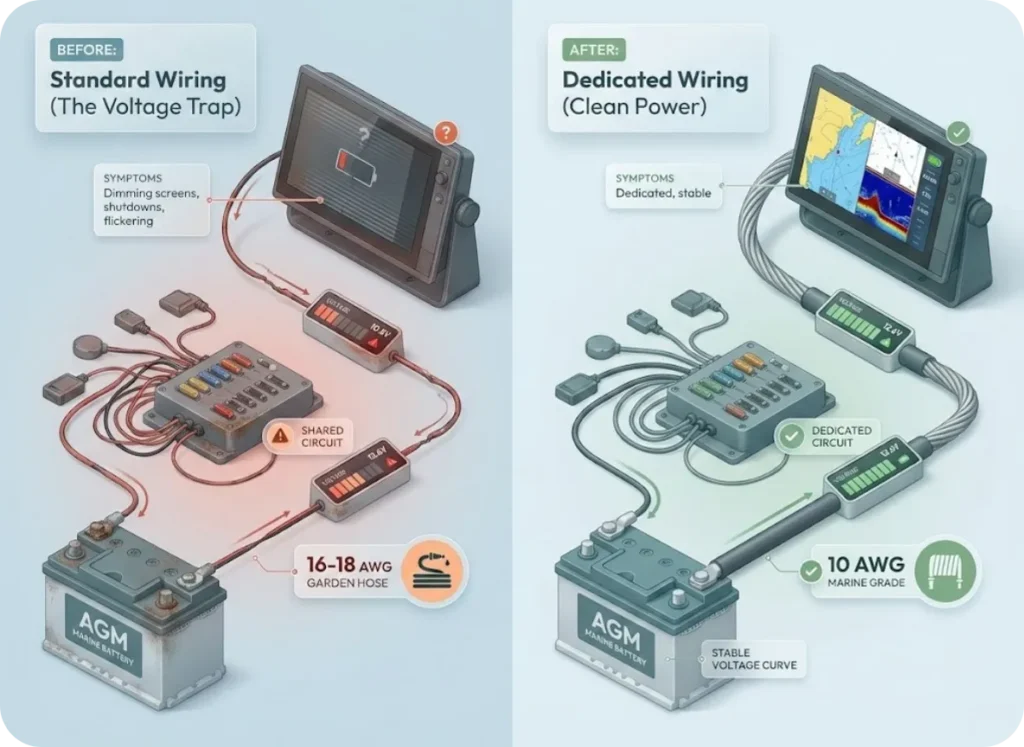
The Voltage Trap: Garden Hose vs. Fire Hose
Modern MFDs with 12″+ screens and live sonar modules draw serious amperage. Standard boat wiring uses 16 or 18-gauge wire—fine for running lights, garbage for electronics. That thin wire acts like a garden hose, restricting current flow over distance.
The symptoms: screens dimming under load, units shutting down when you crank the main engine, intermittent flickering. Most anglers blame the equipment. It’s usually the wiring.
The fix? Run dedicated 10 AWG marine-grade tinned copper wire directly from the battery to your console and bow, bypassing the boat’s fuse panel entirely. AGM or Lithium batteries maintain voltage curves that lead-acid simply can’t under electronic load. The ABYC marine electrical standards specify these gauge requirements for a reason.
Transducer Leveling: The Coin Trick
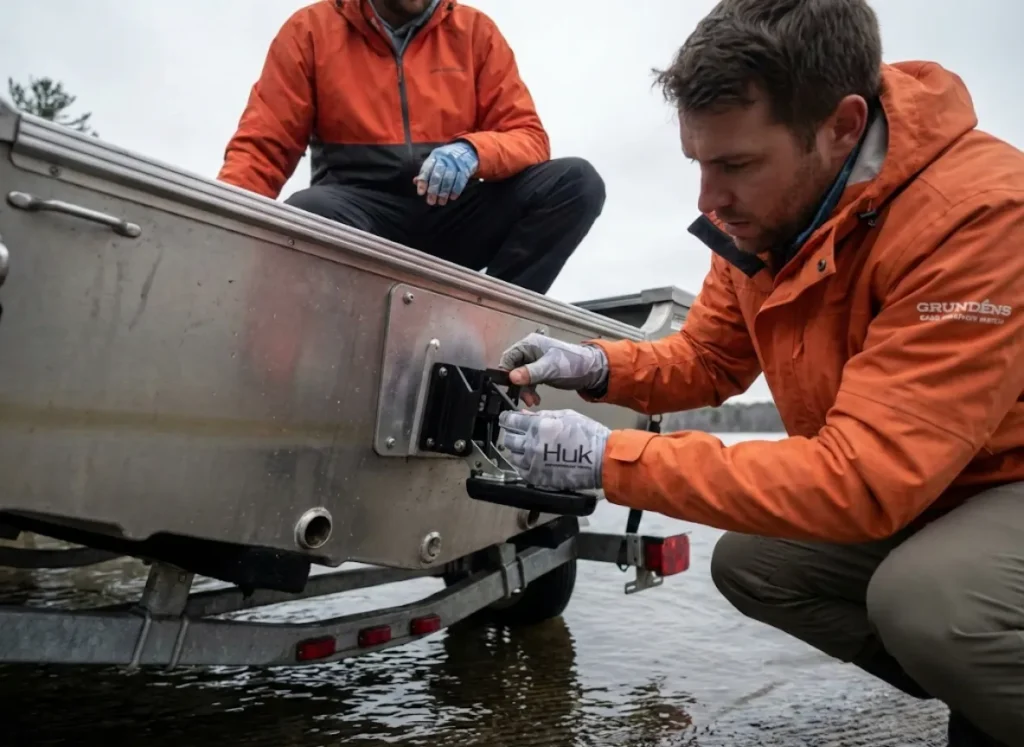
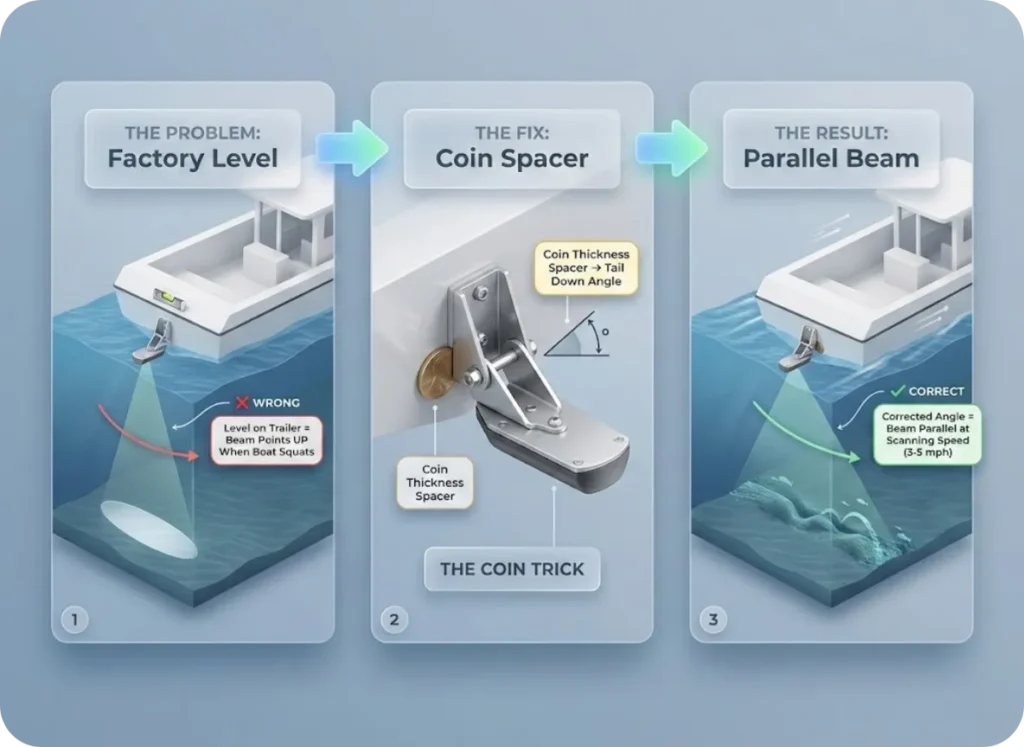
Factory instructions say “install level.” That’s technically correct for a static boat on the trailer—and operationally wrong when you’re actually fishing.
When a boat accelerates or idles, the stern “squats” into the water. A transducer leveled on the trailer points upward when the boat squats, shooting the beam toward the surface and losing bottom signal at exactly the wrong moment.
The fix is simple: angle the transducer slightly “tail down” on the trailer—about the thickness of a coin. This compensates for stern squat, keeping the transducer parallel to the water surface at your normal scanning speed of 3-5 mph. Verify leveling at actual running speed, not on the trailer or at rest.
Eliminating Interference
Vertical lines or haze on screen means electrical interference. Ferrite rings help—but placement matters. Install them on the transducer cable as close to the head unit as possible to filter RF noise.
Trolling motor interference shows up as lines that appear whenever the motor engages. Common forum fix: run a small ground wire from the motor’s skeg to the battery negative terminal, effectively grounding the lower unit.
And that massive “rooster tail” spray from your transom-mounted transducer at planing speed? Water forced through the gap between the transducer body and mounting bracket. Solutions include rubber plugs, silicone sealant, or aftermarket spray deflectors. These issues affect every brand—Humminbird, Lowrance, Garmin—and no manual adequately addresses them.
For kayak fish finder installation, the challenges multiply with power constraints and mounting limitations.
Troubleshooting: When Your Image Looks Wrong
Grainy or Noisy Image
The screen looks like static even in clear water. First culprit: sensitivity or contrast set too high. Second culprit: high particulate water—plankton, sediment, suspended matter cluttering your returns.
Lower Water Column Sensitivity on Humminbird units or enable Noise Rejection on Lowrance and Garmin. If that doesn’t clear it, switch from MEGA/UHD frequencies to 800 kHz or even 455 kHz. Longer wavelengths cut through suspended matter better than ultra-high frequencies that scatter off particles. Dirty water is physics, not equipment failure—adapt the tool to conditions.
Distorted Structure Shapes
Round objects appearing flat? Boat speed exceeds scroll speed—compression artifact. Round objects appearing stretched? Scroll speed exceeds boat speed—elongation artifact.
Calibrate scroll speed to match your actual GPS speed. And if the bottom looks “sawtooth” in rough water, that’s boat roll distorting the image—motion artifact, not actual bottom topography.
Losing Bottom Signal
Most common cause: exceeding effective depth for your frequency band. MEGA/UHD struggles past 125 feet. Switch to 455 kHz.
Second cause: transducer aiming upward due to stern squat (the Coin Trick above). Third cause: aeration from hull cavitation—air bubbles block acoustic returns. Understanding frequency selection for depth prevents most of these issues before they start.
Conclusion
The “Side Imaging vs Down Imaging” question is the wrong question. These are complementary systems: side imaging searches horizontally to locate structure; down imaging confirms vertically to identify fish. Running one without the other is like fishing with one eye closed.
Three things separate anglers who master their electronics from those who simply own them: understanding the physics (frequency limitations, beam geometry, that nadir gap), running proper installation (dedicated power, correct transducer leveling, interference management), and integrating both views into a systematic workflow.
Stop waiting for the next firmware update to unlock what’s already sitting on your console. Calibrate your scroll speed. Switch frequencies based on depth. Let side imaging find the structure and down imaging confirm the fish. The information advantage isn’t in buying newer hardware—it’s in extracting what your current equipment is already capable of showing you.
FAQ
Is side imaging or down imaging better for kayak fishing?
Down imaging is typically more practical for kayaks due to simpler transducer mounting and lower power requirements. Side imaging demands consistent 3-5 mph speed and significant battery draw that challenge kayak systems. That said, dedicated kayak anglers increasingly run small side imaging units like the HELIX 5 with lithium batteries—the horizontal coverage can be worth the complexity.
What is the best speed for side imaging?
3-5 mph produces optimal image quality with a 1:1 aspect ratio when scroll speed is calibrated to match. Below 2 mph, images stretch; above 7 mph, compression distorts structure shapes. Experienced users like Randy Kuhens slightly exceed matching speed to stretch dense cover images and reveal fish hiding in timber.
Can you use side imaging in dirty water?
Yes, with adjusted settings. Lower Water Column Sensitivity on Humminbird or enable Noise Rejection on Lowrance or Garmin to filter suspended particulates. Switch from MEGA or UHD frequencies to 455 kHz—longer wavelengths penetrate murky water better than ultra-high frequencies that scatter off particles.
Why does my side imaging show a dark line down the center?
That dark strip is the water column directly below your transducer—the shortest distance to the bottom. Objects appearing in this strip are suspended fish or bait directly under your keel. It is not dead space; it is valuable information showing vertical position of targets at the nadir.
What is the difference between MEGA Imaging and regular side imaging?
MEGA Imaging operates at megahertz frequencies (1.0-1.2 MHz) versus standard 455 kHz. Resolution jumps dramatically—individual fish fins and tree branches become visible. The trade-off is range: MEGA is effective to ~125 feet with the sweet spot under 80 feet, while 455 kHz reaches 400+ feet per side. They are complementary tools for different applications, not replacements for each other.
Risk Disclaimer: Fishing, boating, and all related outdoor activities involve inherent risks that
can lead to injury. The information provided on Master Fishing Mag is for educational and informational purposes
only. While we strive for accuracy, the information, techniques, and advice on gear and safety are not a substitute
for your own best judgment, local knowledge, and adherence to official regulations. Fishing regulations, including
seasons, size limits, and species restrictions, change frequently and vary by location. Always consult the latest
official regulations from your local fish and wildlife agency before heading out. Proper handling of hooks, knives,
and other sharp equipment is essential for safety. Furthermore, be aware of local fish consumption advisories. By
using this website, you agree that you are solely responsible for your own safety and for complying with all
applicable laws. Any reliance you place on our content is strictly at your own risk. Master Fishing Mag and its
authors will not be held liable for any injury, damage, or loss sustained in connection with the use of the
information herein.
Affiliate Disclosure: We are a participant in the Amazon Services LLC Associates Program, an
affiliate advertising program designed to provide a means for us to earn advertising fees by advertising and linking
to Amazon.com. As an Amazon Associate, we earn from qualifying purchases. We also participate in other affiliate
programs and may receive a commission on products purchased through our links, at no extra cost to you. Additional
terms are found in the terms of service.