
In this article
You’re 20 miles offshore, the midday sun is hammering the console, and your depth sounder just went black. You tilt your head, squint under your hand, and wipe the salt spray—but it’s no use. The screen is a dark mirror reflecting your own frustrated face. Meanwhile, a fish arch just swam right under the boat, and you missed it because you were fighting your electronics instead of fishing.
After years of guiding in the Gulf and troubleshooting hundreds of fish finder setups, I’ve seen this exact problem ruin more trips than I can count. Here’s the thing: nine times out of ten, it’s not your unit. It’s physics working against you—and physics has solutions.
This guide walks you through the three-step diagnostic fix: internal software calibration, external hardware shielding, and optical surface restoration. Follow this hierarchy and you’ll reclaim your screen visibility without buying a new unit.
⚡ Quick Answer: Most fish finder glare problems come from three sources: polarization conflicts with your sunglasses (tilt your head 90 degrees to test), insufficient brightness settings, or a scratched/dirty screen. Fix them in order: max out your backlight, install a visor to block direct sun and reduce heat throttling, then clean and polish your screen surface. This three-step approach solves 90% of visibility complaints.
The Physics of Invisibility: Why Your Screen Goes Dark
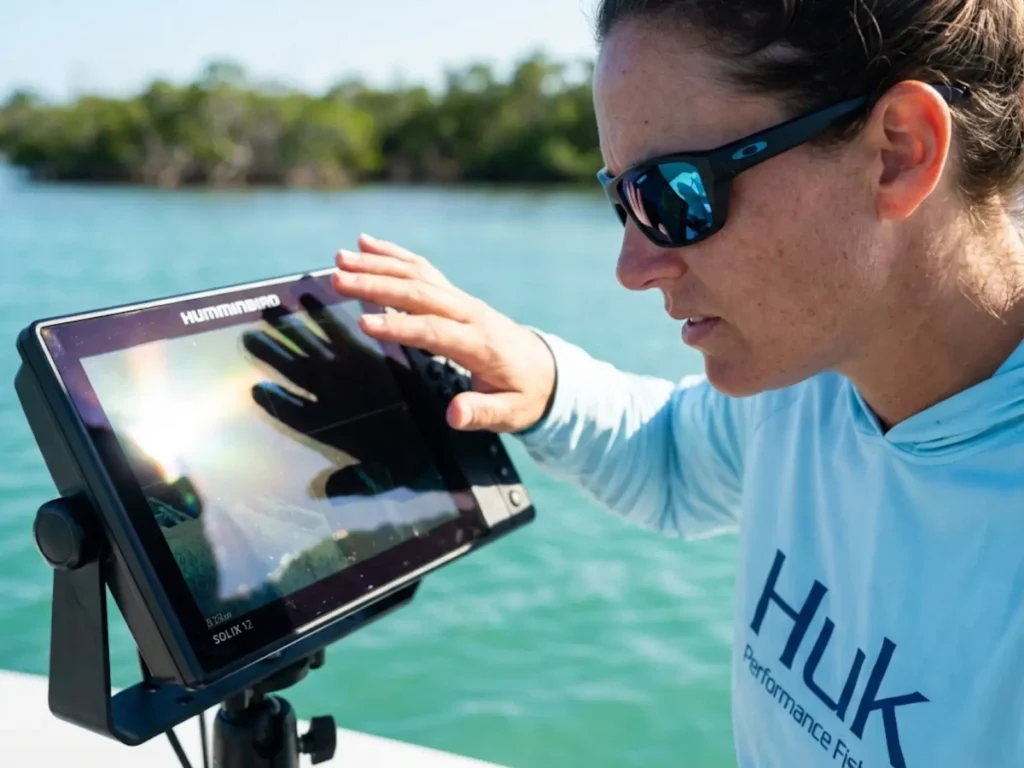
Before throwing money at the problem, you need to understand why it happens. Glare isn’t random—it’s a predictable optical conflict with three distinct causes. Understanding these causes transforms you from someone who just “turns up the brightness” into someone who actually diagnoses and fixes the root issue.
The Polarization Axis Conflict (The 5-Second Test)
This one catches even experienced anglers off guard. Most marine LCD screens emit linearly polarized light. Your polarized glasses—the same ones that cut water glare beautifully—block horizontal light waves. When the screen’s polarization axis crosses your lens axis at the wrong angle, the display goes completely black.
Here’s your diagnostic test: tilt your head 90 degrees toward your shoulder while looking at the screen. If the image suddenly brightens, congratulations—your unit isn’t broken. You’ve got a polarization conflict. This 5-second polarization test saves countless anglers from unnecessary warranty calls.
Modern IPS panels like the Garmin 8600 series and Lowrance HDS Live use circular polarization or multi-axis emission specifically to combat this. Older TN panels? Not so much. If you’re running a unit from five or more years ago, this conflict is likely hitting you hard, especially when you understand the deep dive into polarized lens physics that governs all LCD visibility.
Pro tip: Keep a cheap pair of non-polarized sunglasses in your console. On high-glare days when you need to read the screen constantly, swap them in. Your eyes adjust surprisingly fast. Brands like Costa and Maui Jim offer fishing-specific lenses designed to reduce this conflict.
Luminance vs. Solar Irradiance (The Nits War)
Here’s the math that matters—without the equation. Direct sunlight hits your console at around 100,000 nits of brightness. Your laptop screen? Maybe 250 nits. See the problem?
A fish finder needs to break the 1,000-nit barrier to be called “sunlight readable,” and even that’s marginal. The Humminbird Apex pushes a class-leading 1,500 nits. Lowrance HDS Pro units deliver over 1,200 nits with their SolarMAX HD IPS technology. Garmin’s GPSMAP 8600 series lands in the 1,000-1,200 range. Older units struggle at 800 or less. If your backlight is maxed and the screen is still dim, you’re fighting a lumen war you cannot win with settings alone.
The key metric to remember: your display needs to output at least ten times the ambient light level to remain readable. On a bright day, that’s functionally impossible without help from hardware shielding.
Thermal Throttling: The Hidden Dimmer
This one’s sneaky. Your screen starts bright in the morning, but by noon it’s noticeably dimmer—even though you haven’t touched the settings.
What’s happening? Heat. High brightness equals high power draw equals high heat generation. Marine electronics are rated for specific temperature ranges—typically 32°F to 122°F for most units. When internal temps climb past those thresholds, the CPU automatically dims the backlight to prevent permanent damage.
This is particularly problematic for flush-mounted consoles which lack adequate airflow behind the dash. If a unit feels hot to the touch, responds slowly to button presses, or exhibits screen discoloration, it’s suffering from heat-induced performance degradation. In such cases, reducing the backlight by even 10-20% can significantly lower the thermal load without a proportional loss in perceived visibility.
The fix isn’t just about software. You need to address the heat itself, which connects directly to overall thermal stress on marine batteries and electronics longevity.
Step 1: Internal Software Calibration
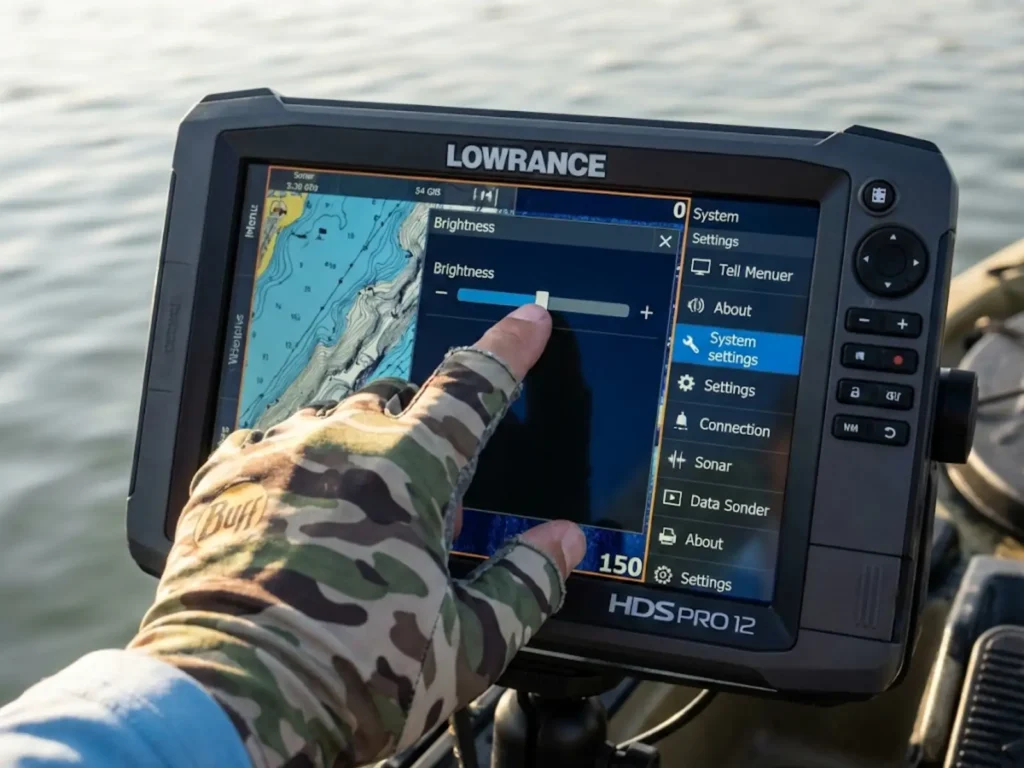
Before spending a dime on accessories, squeeze every photon out of your existing hardware. Most anglers never touch these settings—and they’re leaving screen clarity on the table.
Maximizing Nits Output (Brand Shortcuts)
Every major fishfinder brand buries their brightness adjustments in slightly different places. When your display is functionally invisible due to improper settings, you need to rely on tactile shortcuts or memorized menu paths. Here’s the cheat sheet:
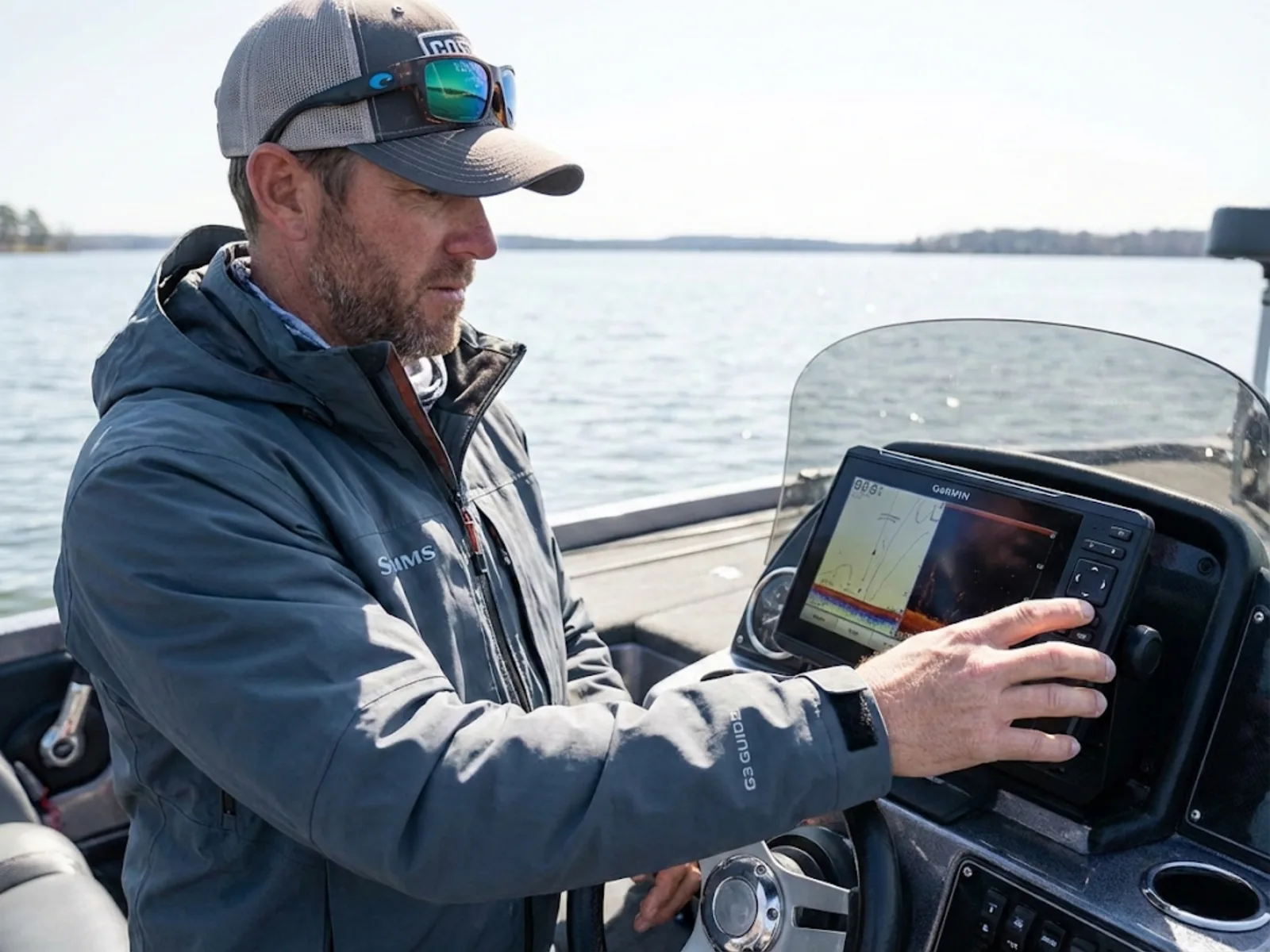
Garmin: Rapidly press the Power Key to cycle backlight levels without digging through menus. It’s the fastest adjustment on the water. On newer Echomap Ultra 2 units, this cycles through preset levels instantly.
Lowrance: Double-tap Power to access the System Options menu, then slide brightness to maximum. On the Elite FS series, the system provides four discrete brightness levels, which are critical for transitioning between high-noon visibility and preserving night vision.
Humminbird: Press Power once to open the Power Key Express menu, select “Light,” and aim for 8 or 9 out of 10. Running at 10/10 continuously can trigger the thermal throttling we discussed—9/10 often gives you stable visibility for the full day. For HELIX units specifically, a backlight value of 7 or 8 typically handles direct sun.
Simrad: Access through Settings > Display. Their SolarMAX IPS panels share the same architecture as Lowrance HDS units, delivering over 1,200 nits at full power.
Color Palette Engineering
This is where most anglers get it exactly backward. Dark themes—”Night Mode,” deep blue palettes—look gorgeous in screenshots. They’re also the absolute worst choice for high brightness settings situations at midday.
The contrast rule is simple: in high glare, white background and light gray backgrounds reflect more internal light back to your eye than dark modes do. Switch your sonar palette to “Inverse Grayscale” or “White” on Humminbird units—this represents the strongest sonar signals in white, creating a crisper image that appears to have higher sensitivity in bright conditions. On Garmin, the “Vivid” palettes boost target separation contrast significantly by utilizing higher contrast ratios.
The white background fights the sun instead of surrendering to it.
Managing Gain and Sensitivity
High glare washes out subtle screen details—bait clouds, suspended arches, thermocline breaks. The fix is counterintuitive: increase your Gain or sensitivity tuning slightly.
Yes, you’ll see more clutter. But those hard returns—actual fish—will render with thicker, brighter arches that punch through the glare. The goal is to find the minimum gain required to see desired targets, thereby reducing the “noise” that glare would otherwise amplify. It’s a trade-off, but when you’re squinting in harsh sunlight, you need targets that pop.
Combine this with your knowledge of interpreting high-gain sonar returns and you’ll understand exactly what you’re seeing on that sunlit display.
Step 2: External Hardware Mitigation
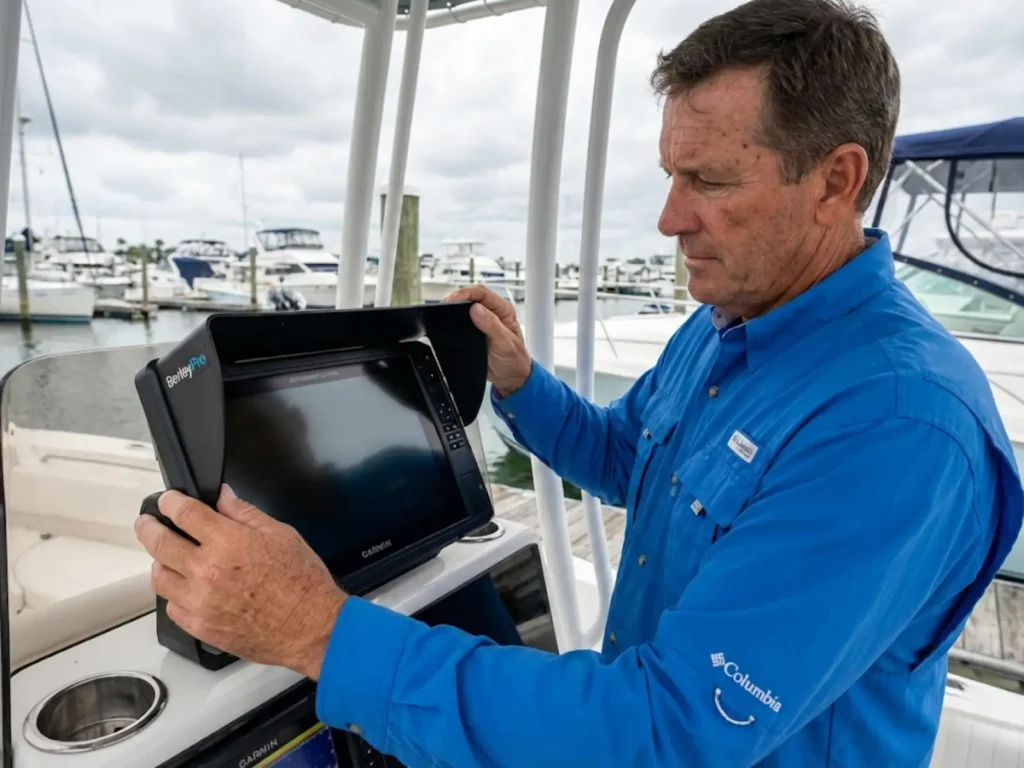
Software can only do so much. When maximum brightness isn’t enough, you need physical solutions that block light before it hits the glass.
Marine Visors: The Heat Sink Effect
A quality fish finder visor does two jobs. The obvious one: blocking direct overhead sunlight from hammering your screen. The less obvious one? Shading the entire casing of the unit.
That shade zone reduces internal temperatures by 10-15°F—enough to prevent the thermal throttling that dims your display at midday. A fishfinder visor from BerleyPro (CNC-molded rigid ABS plastic) or a DIY Kydex solution pays for itself in sustained screen clarity.
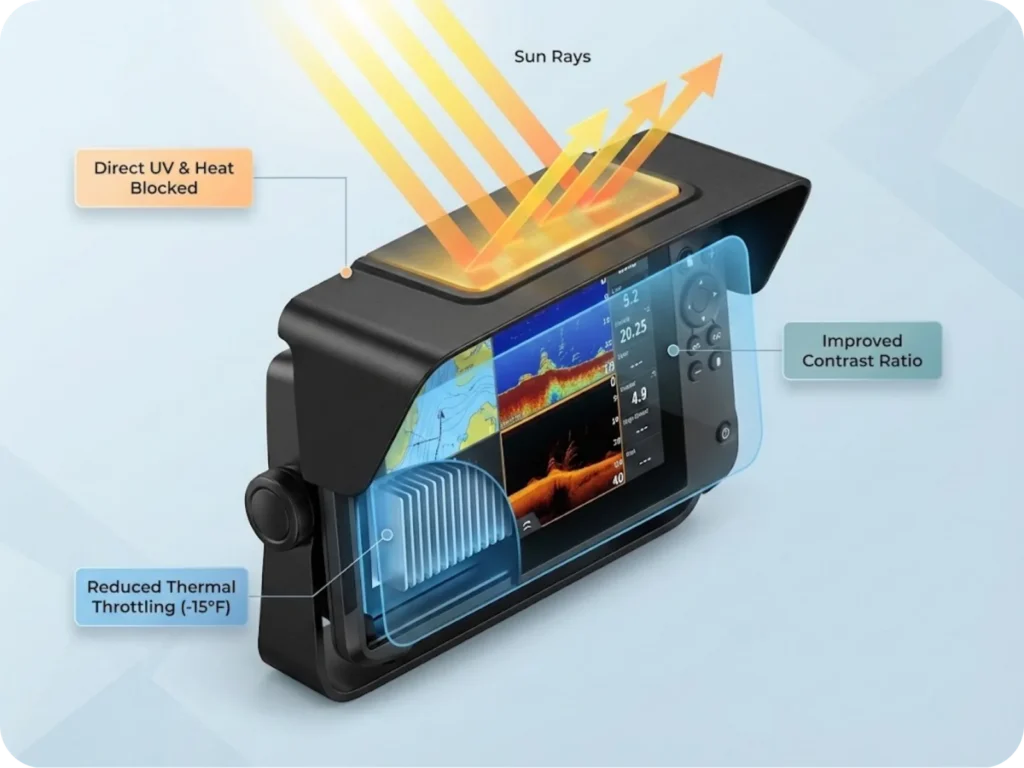
The engineering matters here. A visor maintains the screen’s intended contrast ratio by preventing photons from reflecting off the display’s outer glass. For kayak fishing setups where units sit lower to the water, visors are particularly effective—they keep the screen dry from paddle splashes and shaded simultaneously.
Pro tip: By keeping the screen shaded, a visor allows you to run the display at 80% brightness rather than 100%, which can extend portable lithium battery pack runtime by several hours on long days.
Anti-Glare Films vs. Tempered Glass
Not all screen protectors are equal, and the naming is confusing.
Matte films (marketed as “anti-glare screen protectors“) diffuse light by scattering it across a textured surface. They do reduce reflections—but they also reduce sharpness and screen clarity. For anglers who need to read fine detail on their sonar screens, that’s a problem.
Tempered glass protectors like Graph Glass or NuShield DayVue are optically clear with 9H hardness (virtually impervious to scratches from salt crystals or terminal tackle). They don’t reduce glare significantly, but they prevent “optical erosion”—the swirl marks, scratches, and salt pitting that cause permanent glare problems over time.
The recommendation: install a visor first. Use film only if a visor isn’t physically possible, like on certain flush-mount configurations. For “BS detectors” who want original clarity preserved, a clear tempered glass protector beats a matte anti-glare film.
Mounting Angle Geometry
Light reflects at the angle of incidence. That’s optics 101. The practical fix: tilt your screen slightly down or up so it reflects your shirt (dark color) or the boat deck instead of the open sky.
RAM Mounts and similar ball-joint systems let you micro-adjust as the sun moves across the sky. Spend two minutes dialing in the angle at midday and you’ll wonder why you never tried this before.
Pro tip: Wear a dark shirt when running the console. Your reflection on the screen is less distracting than a bright white t-shirt bouncing back at you.
Step 3: Optical Surface Restoration
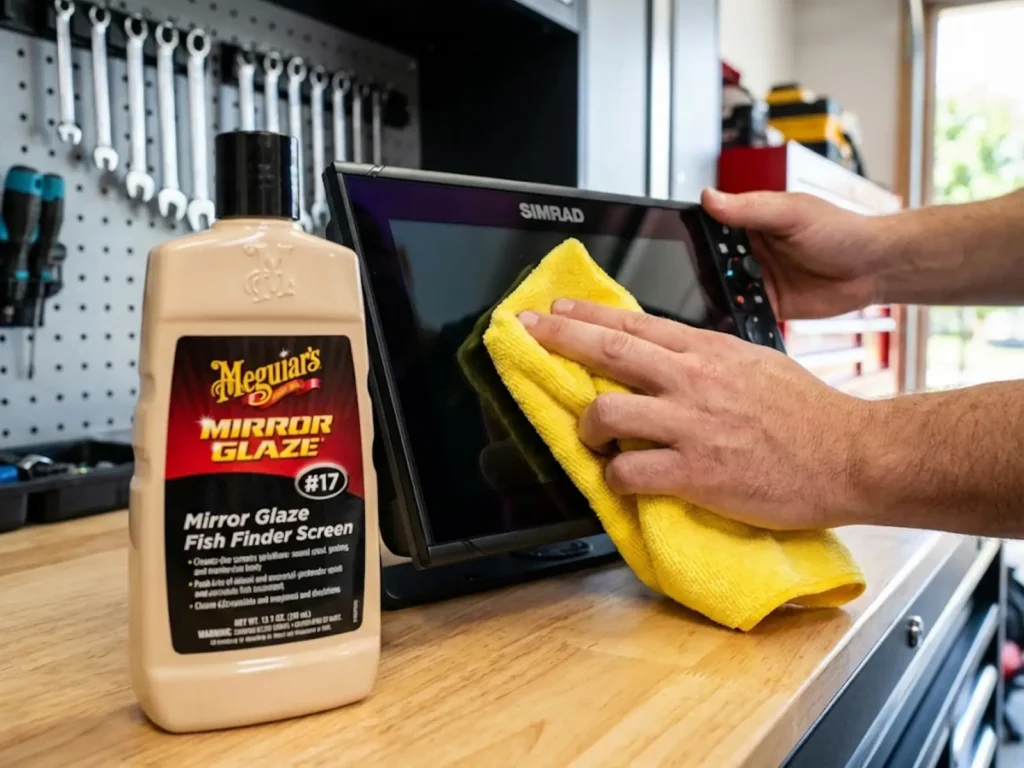
Even with perfect settings and a visor, a damaged screen surface creates its own glare. Micro-scratches refract sunlight into a halo effect that no setting can fix.
The Anti-Windex Protocol
This is critical: never clean your fish finder screen with ammonia-based cleaners like Windex. Ammonia strips the anti-reflective coating that comes from the factory, leaving screens yellow, cloudy, and even more prone to glare. This leads to permanent optical damage.
Instead, use a 50/50 mix of distilled water and white vinegar for mild screen cleaning, or a dedicated marine electronics cleaner for heavier salt buildup.
The sequence matters: rinse salt crystals off with fresh water first. Wiping dry salt across the glass creates swirl marks that become permanent optical screen damage. Following standard marine screen cleaning protocols prevents this entirely.
Polishing Out “Swirl Glare”
If your screen already has micro-scratches from years of salt, improper wiping, or UV degradation, you can restore it.
Use Meguiar’s Mirror Glaze #17 (Plastic Cleaner) to strip oxidation and surface contamination. Follow with #10 (Clear Plastic Polish) to fill micro-scratches. The result resets optical clarity to near-factory spec, reducing scattered light and eliminating that hazy “swirl glare” effect.
This process can effectively “reset” the surface of an older unit, significantly reducing the amount of scattered light that causes glare treatments to fail.
Advanced Diagnostics: The Thermocline Benchmark
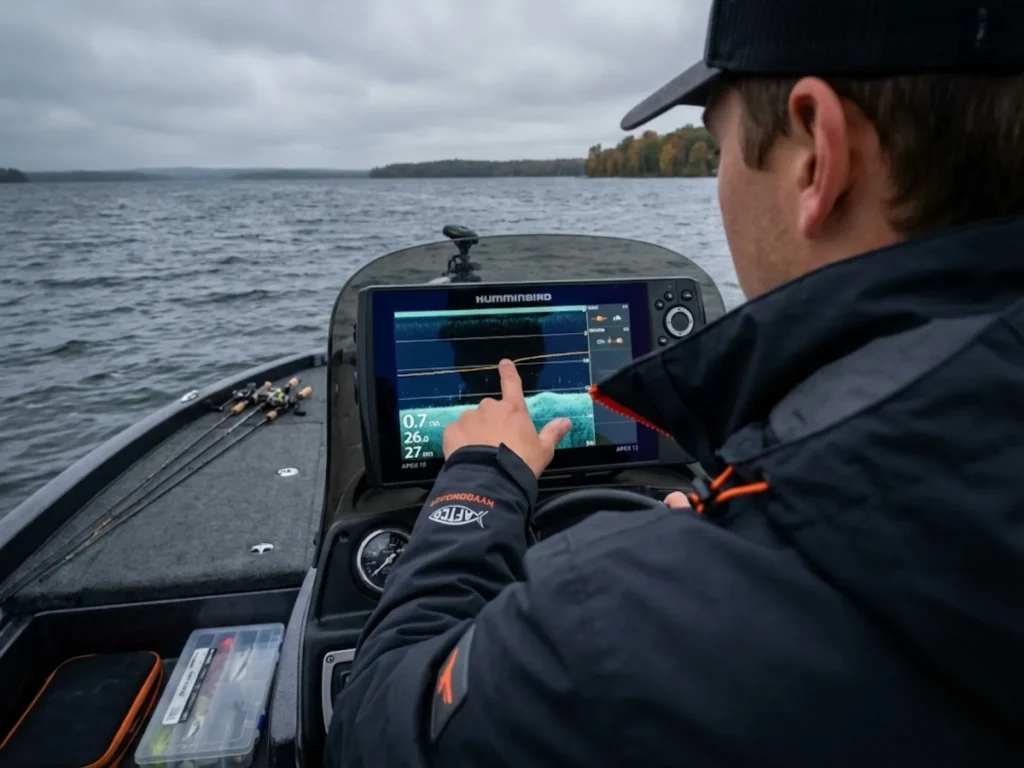
How do you know if your visibility setup is actually working? You need a benchmark that tests contrast, brightness, and clarity simultaneously. The thermocline is that benchmark.
Finding the Invisible Line
The thermocline—the temperature and density break between warm surface water and cold deep water—appears on sonar as a faint horizontal line or static band. It’s subtle. Competitors miss it all the time. Because this density change reflects sonar signals, it serves as the perfect diagnostic indicator.
Here’s your test: motor out to deep water (30 feet or more). Crank your sensitivity until you see the thermocline clearly displayed. On Down Imaging, setting contrast to 100% can help separate the thermocline reflection from surface glare. If you can read that delicate density change in direct sun, your contrast/brightness/visor setup is dialed.
If the screen is blown out or too dark to resolve the thermocline, you’re missing fish. That line marks where baitfish and predators stage—fish often suspend just above the thermocline where oxygen and temperature are optimal. Miss it, and you’re fishing blind in the most productive water column.
Understanding how to identify thermoclines on sonar connects your visibility fix to actual fishing success. This isn’t just a technical exercise; it’s a tactical necessity.
Battery Conservation Mode
Here’s where visibility optimization meets power management. Running at 100% brightness kills lithium batteries approximately 30% faster than running at 80%. That’s not trivial on a long day offshore, especially when your fish finder pulls from the same bank as your trolling motor.
Once you’ve installed a visor and restored your screen surface, drop brightness levels to 80%. You lose maybe 5% functional visibility but gain significant battery life optimization. For shared systems, understanding lithium battery discharge rates becomes essential trip planning.
Pro tip: Create a “Day Mode” and “Night Mode” brightness preset on units that support saved profiles. Switching takes two seconds instead of fumbling through menus when conditions change.
Conclusion
You don’t need a newer fish finder. You need better photon management.
The three-step hierarchy works: first, maximize internal settings by boosting backlight levels and switching to high-contrast color palettes. Second, block the sun physically with a visor that also keeps your unit cool. Third, restore the screen surface so light transmission is clean instead of scattered.
This weekend, take the 5-second head tilt test before you launch. It might just be the reason you spot that suspended trophy instead of your own reflection.
FAQ
Why does my fish finder screen look black with sunglasses?
Your polarized sunglasses are blocking the linearly polarized light from the LCD. Tilt your head 90 degrees to the shoulder—if the screen brightens, you’ve confirmed a polarization conflict, not a broken unit.
Can I use a screen protector on a touch screen fish finder?
Yes, but choose carefully. Glass protectors like Graph Glass maintain touchscreen functionality. Thick plastic films can desensitize capacitive response, making menu navigation frustrating.
What is the best color palette for sunny days?
White or Inverse Grayscale palettes project the most light output from the display. They fight ambient glare better than dark or Night Mode themes, which surrender contrast to the sun.
Does screen brightness drain boat battery?
Significantly. A 12-inch unit at full brightness draws nearly double the amps of one at 60%. Lowering brightness settings after installing a visor saves power for long days without sacrificing visibility.
Risk Disclaimer: Fishing, boating, and all related outdoor activities involve inherent risks that
can lead to injury. The information provided on Master Fishing Mag is for educational and informational purposes
only. While we strive for accuracy, the information, techniques, and advice on gear and safety are not a substitute
for your own best judgment, local knowledge, and adherence to official regulations. Fishing regulations, including
seasons, size limits, and species restrictions, change frequently and vary by location. Always consult the latest
official regulations from your local fish and wildlife agency before heading out. Proper handling of hooks, knives,
and other sharp equipment is essential for safety. Furthermore, be aware of local fish consumption advisories. By
using this website, you agree that you are solely responsible for your own safety and for complying with all
applicable laws. Any reliance you place on our content is strictly at your own risk. Master Fishing Mag and its
authors will not be held liable for any injury, damage, or loss sustained in connection with the use of the
information herein.
Affiliate Disclosure: We are a participant in the Amazon Services LLC Associates Program, an
affiliate advertising program designed to provide a means for us to earn advertising fees by advertising and linking
to Amazon.com. As an Amazon Associate, we earn from qualifying purchases. We also participate in other affiliate
programs and may receive a commission on products purchased through our links, at no extra cost to you. Additional
terms are found in the terms of service.